

























Most teams assume the problem is content—they just need more of it, or better-organized Drive folders. But the real problem is that content, training, and customer collaboration in B2B sales are happening in separate tools that don't talk to each other. Reps hunt for assets across three systems, send inconsistent follow-ups, and get no signal on whether buyers are actually engaging.
A dedicated sales enablement platform connects all of that in one place. Reps find and share content faster. Buyers have one place to review materials and build internal consensus. Leaders can see which assets drive deals forward and which go ignored—connecting enablement directly to revenue growth. And when training lives in the same tool reps use to run deals, it actually gets used.
Most enablement platforms fail on adoption because they're built for enablement teams, not reps. Reps have no reason to log in unless the tool directly helps them close deals.
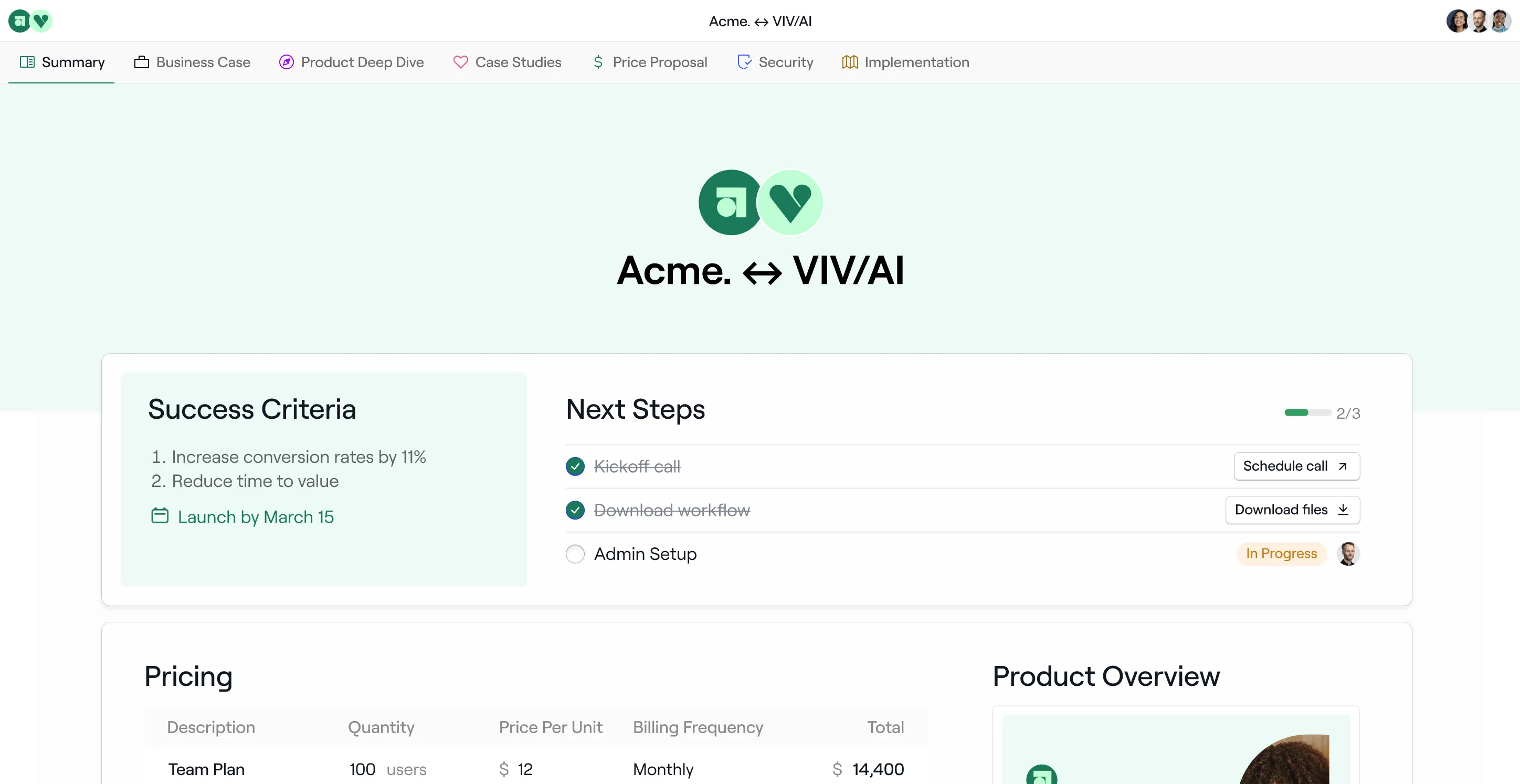
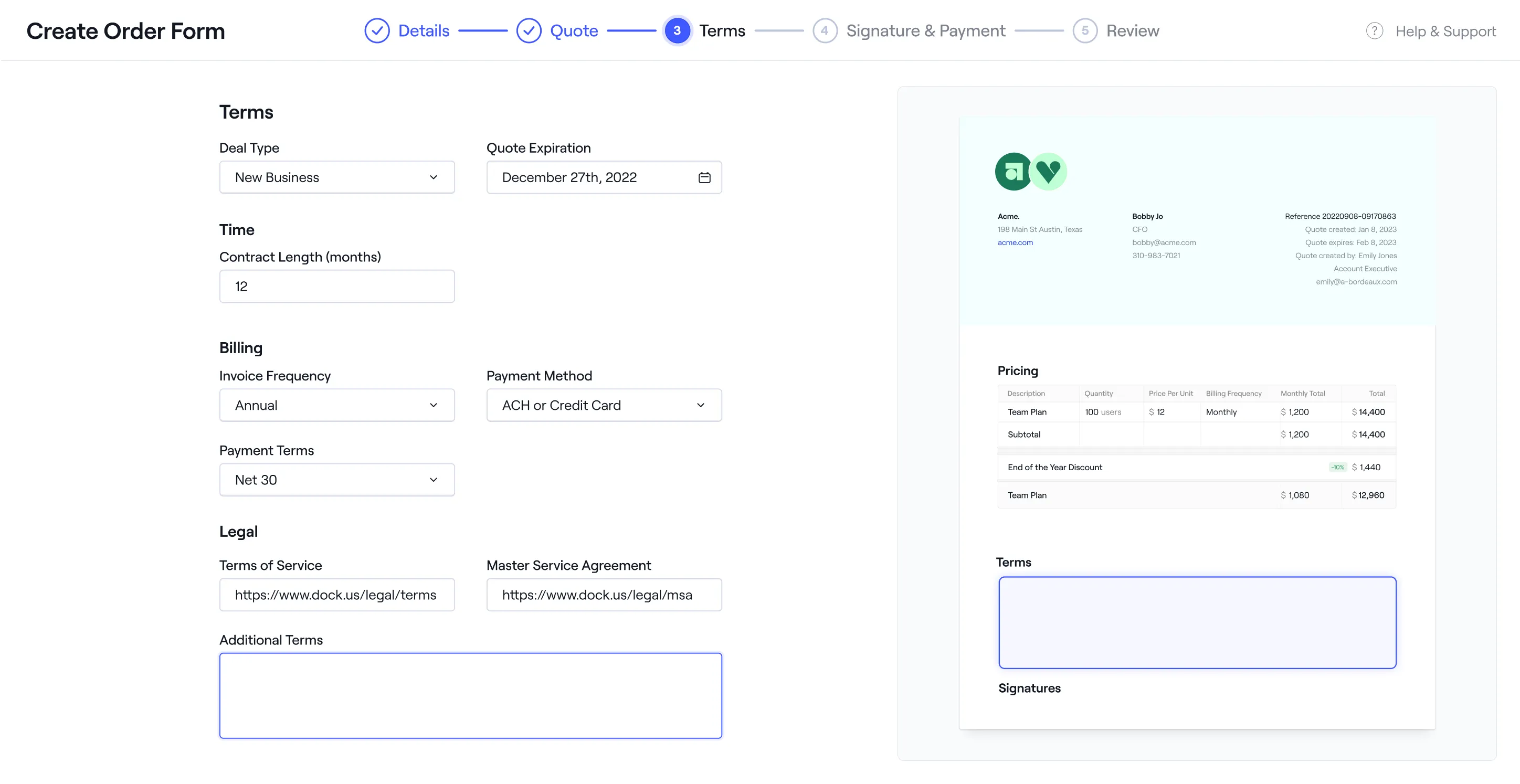
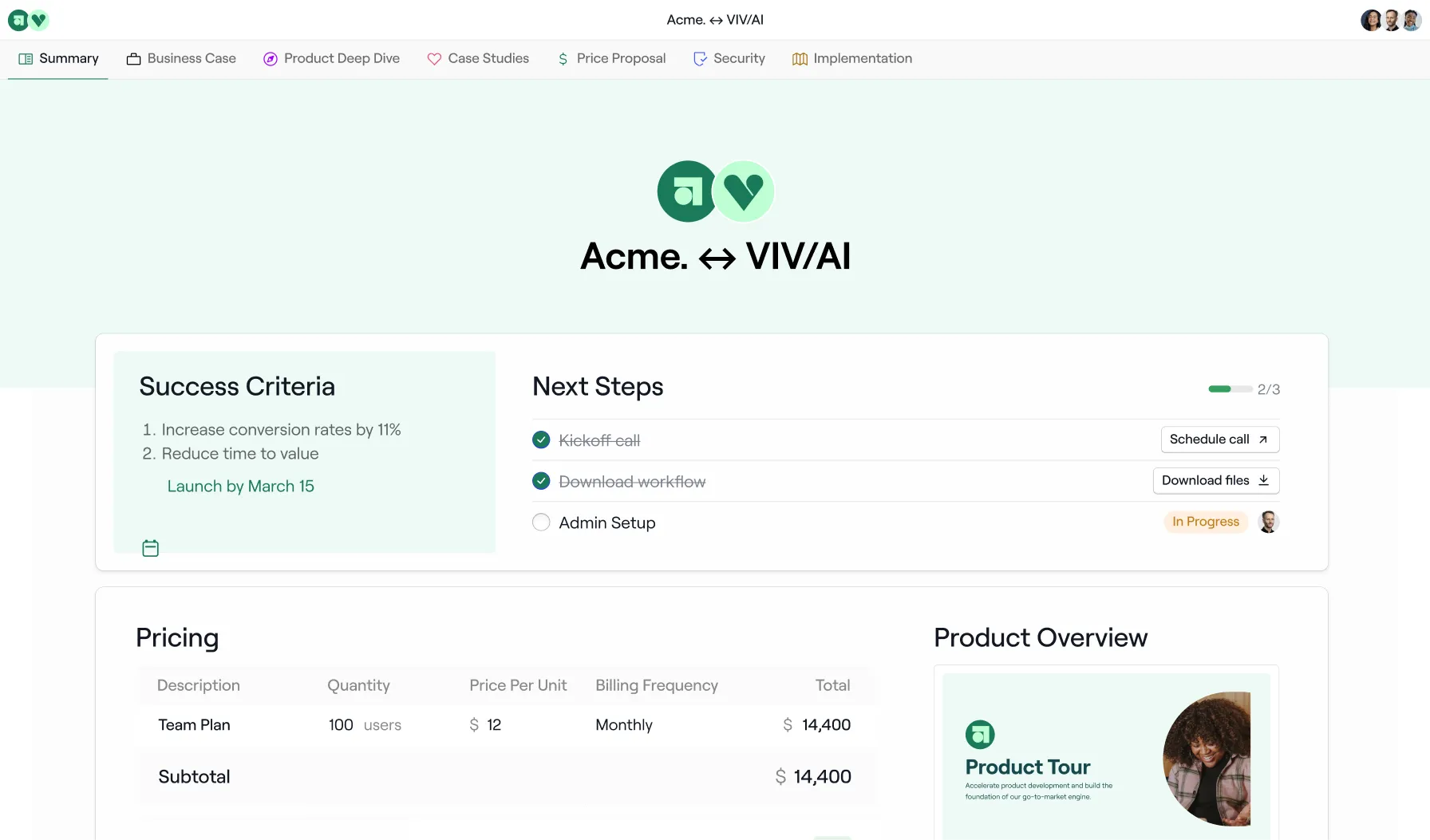
Dock solves this from the deal room up. Reps use Dock's workspaces every day to run deals—sharing content with buyers, tracking engagement, and managing next steps. Reps use it because it makes their follow-up faster, their champion better equipped, and their deal health more visible. They're not logging in to complete training or find a PDF. They're logging in because it helps them close.
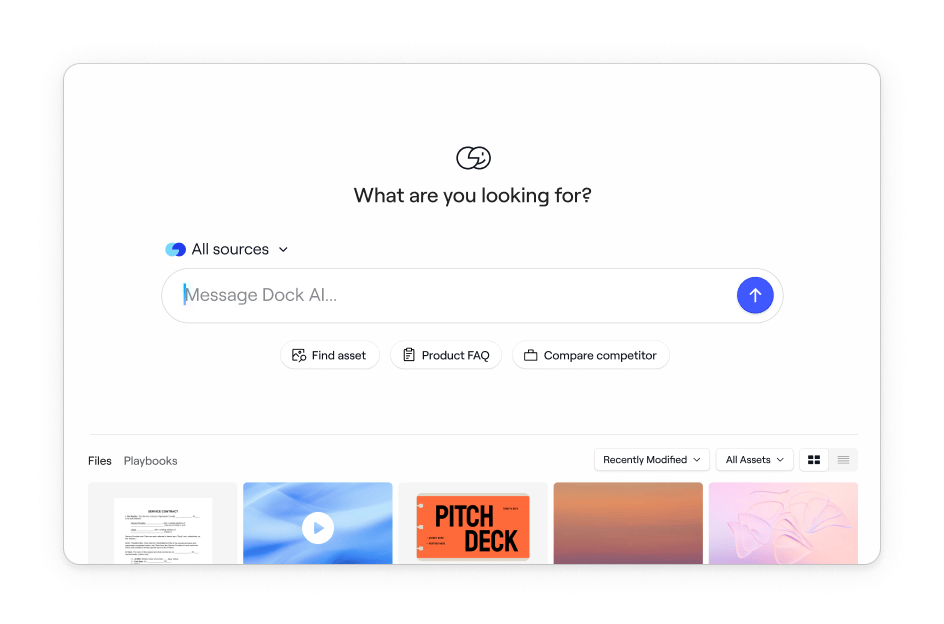
Adoption of content and training follows naturally from that. Because reps are already in Dock running deals, the content library and playbooks are one click away—not a separate platform requiring a separate login. When a rep needs a competitive battlecard before a call, it's in the same tool they just used to send a deal room. The Chrome extension takes this further, giving reps access to the content library and AI assistant without leaving whatever tab they're already in
Templates reinforce this from the enablement side. Workspace templates streamline what gets shared at each deal stage—so reps aren't deciding what to send, they're deploying what Enablement and Product Marketing have already built for them. The best content reaches buyers by default, not by hoping reps remember to attach it.
Those platforms built the sales enablement category, and they're the right choice if you're a large enterprise with a full-time admin team, a months-long implementation budget, and a need for heavyweight content governance. Most mid-market teams aren't in that situation.
Dock is built specifically for mid-market SaaS teams at this stage: it's a powerful sales enablement platform without the enterprise bloat, and salespeople who need tools that actually help them close deals.
A few things worth calling out:
1. The Seismic-Highspot merger
Seismic and Highspot are currently merging. If you're evaluating either, you're evaluating a combined entity mid-integration—with real near-term uncertainty around roadmap, pricing, and support.
2. Real customer lifecycle support—not just sales
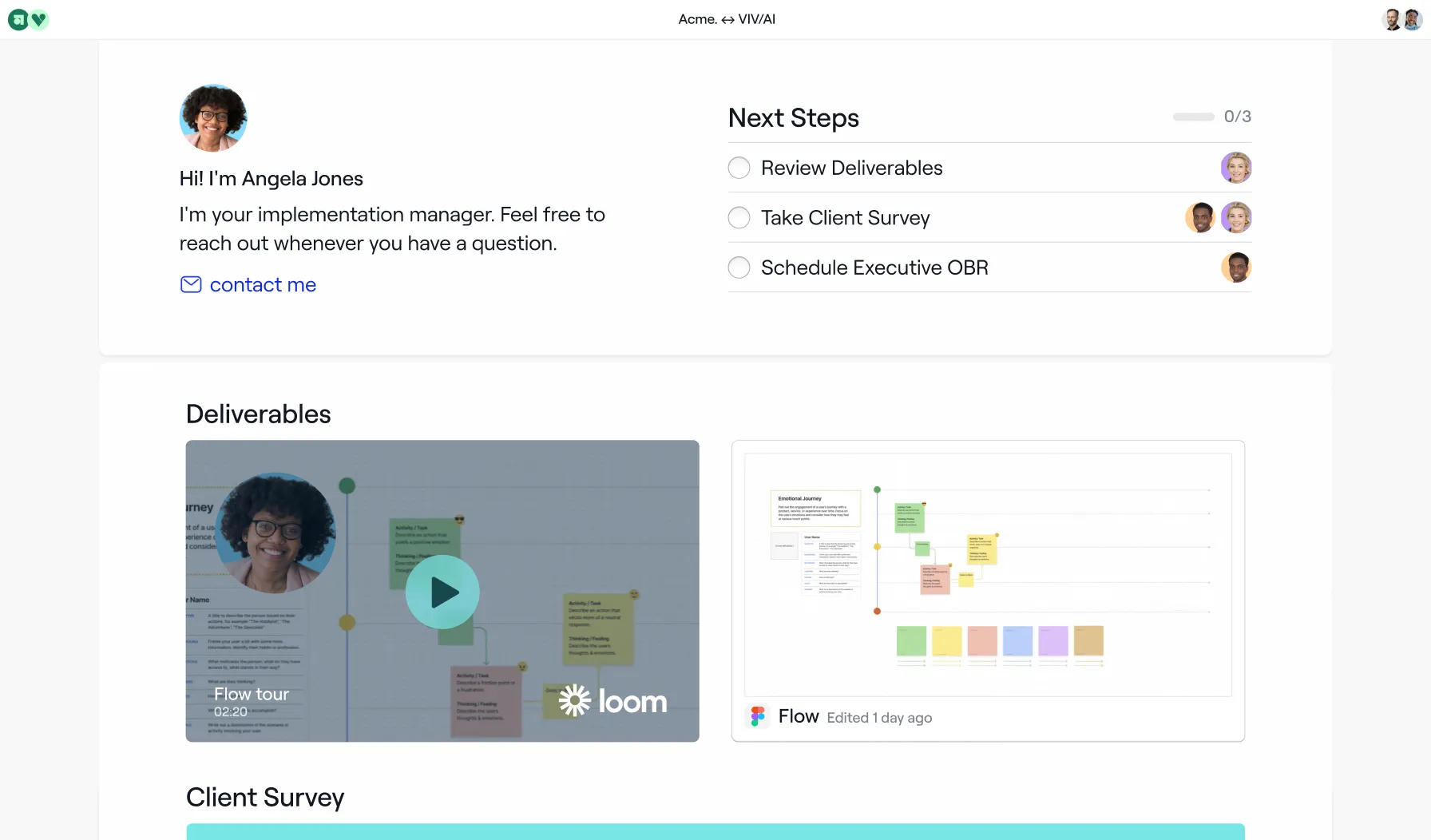
Other sales rooms claim they support onboarding, but in reality, they only provide basic checklists. Dock includes actual project management capabilities purpose-built for onboarding: automated tasks tied to your CRM, relative due dates, progress dashboards, and completion reporting. The same workspace that closed the deal becomes your customer's implementation hub—no awkward handoff, no asking them to learn a new tool.
3. The most advanced AI for sales enablement
We're not bolting AI onto an old system. Dock was built AI-first to deliver real-time guidance based on your content library, CRM data, and call transcripts. Generate personalized business cases, meeting summaries, and action plans in seconds—not hours. Other platforms are still catching up.
4. Deeper CRM integrations that actually work
Most sales rooms claim to have CRM integrations, but can't handle two-way syncing of custom fields, real-time dynamic variables, or native automations. Dock integrates deeply with Salesforce and HubSpot to keep workspaces accurate and automate workspace creation based on deal stages.
5. The most flexible, intuitive deal room editor
Unlike competitors that force you into rigid templates, Dock gives you complete control over layout, branding, and content. Build workspaces that actually match your sales process—not the other way around.
6. Dock's LMS supports external training
Courses can be embedded directly in client and partner workspaces for customer onboarding and partner certification. Seismic and Highspot's learning tools are internal-only.
7. Dock is much easier to implement and maintain
Dock goes live in days with no implementation fees. Enterprise platforms typically require $15K–$50K in professional services and 3–4 months before teams see value.
7. Dock is much easier to implement and maintain
Dock goes live in days with no implementation fees. Enterprise platforms typically require $15K–$50K in professional services and 3–4 months before teams see value.
For our full breakdown of the best sales enablement tools, see Highspot vs. Seismic vs. Showpad vs. Dock.
The key features that matter depend on where your team's biggest gaps are, but most revenue teams should evaluate platforms against these:
Content management and discoverability. Reps need to find the right asset in under a minute. Look for AI-powered tagging, fast search, and a library that doesn't require a dedicated admin to stay organized.
Buyer-facing workspaces. A place your champion can actually use to sell internally—with content, next steps, and context organized in one link. This is where deals progress or stall.
CRM integration depth. Surface-level integrations log activity. Real integrations pull live deal data into workspaces, trigger automation by deal stage, and connect content usage to closed-won revenue.
Learning tools that work in the flow of work. Structured courses for onboarding and skill development, plus always-on reference materials reps can access during live deals.
AI that's native, not bolted on. Content auto-tagging and document generation from live deal context, plus a rep-facing assistant trained on your actual playbooks and call transcripts.
Analytics tied to revenue outcomes. Content engagement connected to pipeline, win rates, sales performance, and renewal data—not just view counts.
Also consider whether the platform covers just your sales team or your full revenue org. Most legacy platforms were built for sales reps only. If CS, Partnerships, and Product Marketing are part of your enablement motion, you need a platform designed for all of them.
No. Dock is built for the full revenue team. Sales uses deal rooms and workspaces to run deals and collaborate with buyers. Customer Success uses the same workspaces for onboarding, implementation, and renewals. Marketing and Product Marketing manage the content library and ensure that reps share the right assets. Enablement builds the training, playbooks, and AI agent that support them all—and gets visibility into what's working across the full enablement strategy.
The difference from legacy platforms is that all these teams work from the same tool, content library, and customer workspace. There's no handoff friction between sales and CS because the workspace transitions automatically—buyer context, content, and history carry over without anyone rebuilding anything.
Dock handles the full revenue motion—sales, CS, partnerships, and enablement—in one platform, creating a consistent customer experience from first call to renewal.
Training gets delivered, content gets organized, and reps are still on their own when a deal gets complicated—trying to move a buying committee they can only partially access.
Digital sales rooms give your champion one place to carry the deal forward internally across the buyer journey—one link with the business case, pricing, security documentation, and mutual action plan. Instead of your buyer hunting through email threads to find the right attachment before a CFO meeting mid-sales-cycle, everything they need is already organized and up to date.
For enablement leaders, sales rooms also close the visibility gap. You can see which stakeholders are engaging, which materials are getting attention, and where deals are stalling—without relying on rep-reported CRM updates.
In Dock, sales rooms aren't an add-on to a content repository. They're the core of the product, which means content from your library flows directly into deal rooms, workspaces transition from sales to onboarding without rebuilding context, and engagement data connects back to your CRM. Legacy platforms treat deal rooms as a secondary surface. Dock treats them as where enablement actually happens.
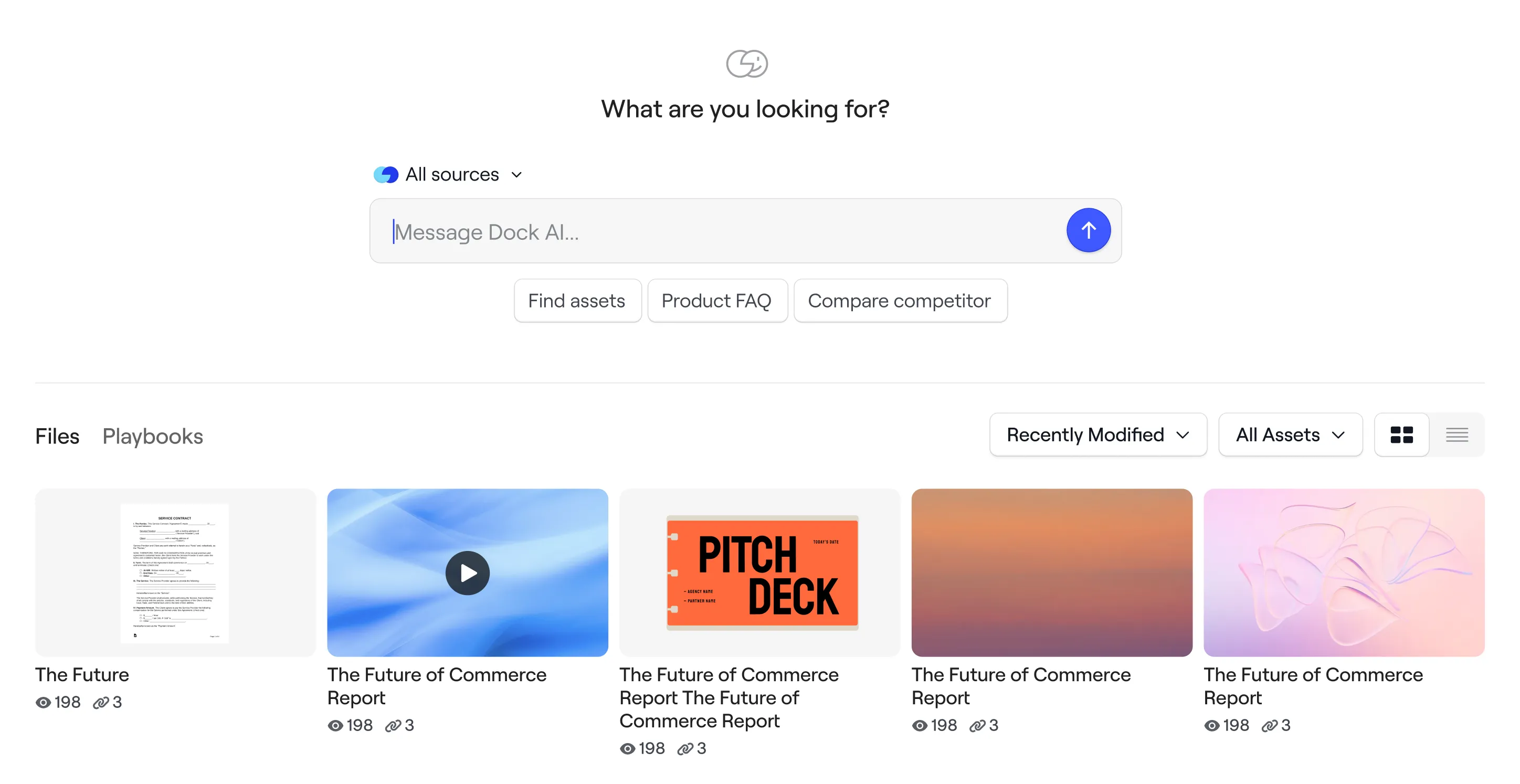
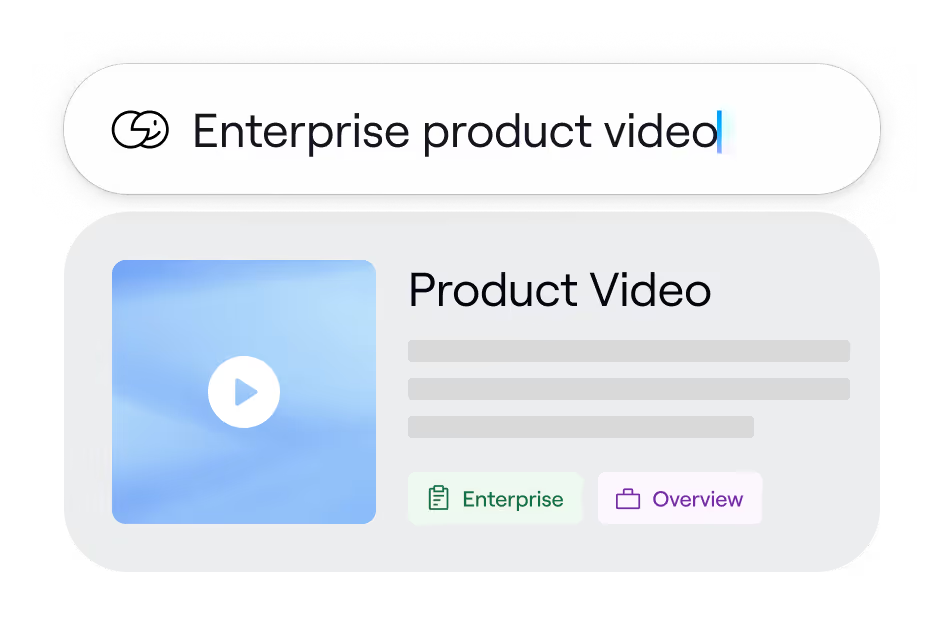
Dock's sales content management system is organized with tags and customizable views.
Every asset is automatically tagged and described by Dock AI upon upload, so the library stays organized without manual maintenance. Views are filterable by tag, content engagement, last modified, content type, and more.
Dock AI also surfaces relevant assets in the sales deal room based on the deal stage and recent calls, so reps can find the right content without needing to know what to search for. Pre-built workspace templates take it further by automatically loading the right content, so reps skip the search step entirely.
When Marketing updates an asset, it updates everywhere it's been shared. Bulk import from Google Drive, SharePoint, or OneDrive keeps your existing library in sync—no re-uploading required. And if you need to clean up the library, you can ask Dock's AI assistant to update tags, find duplicates, or archive content via chat.
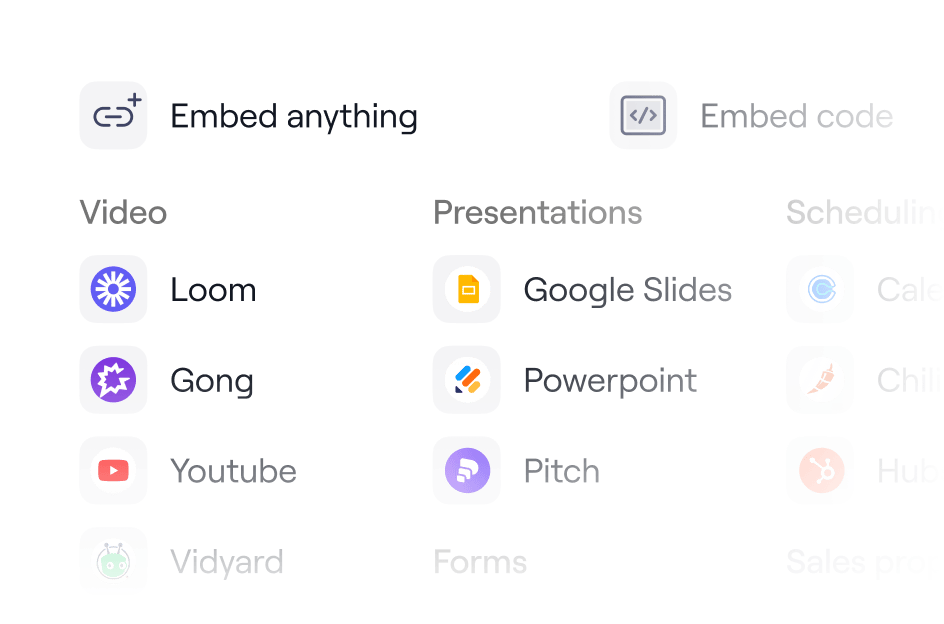
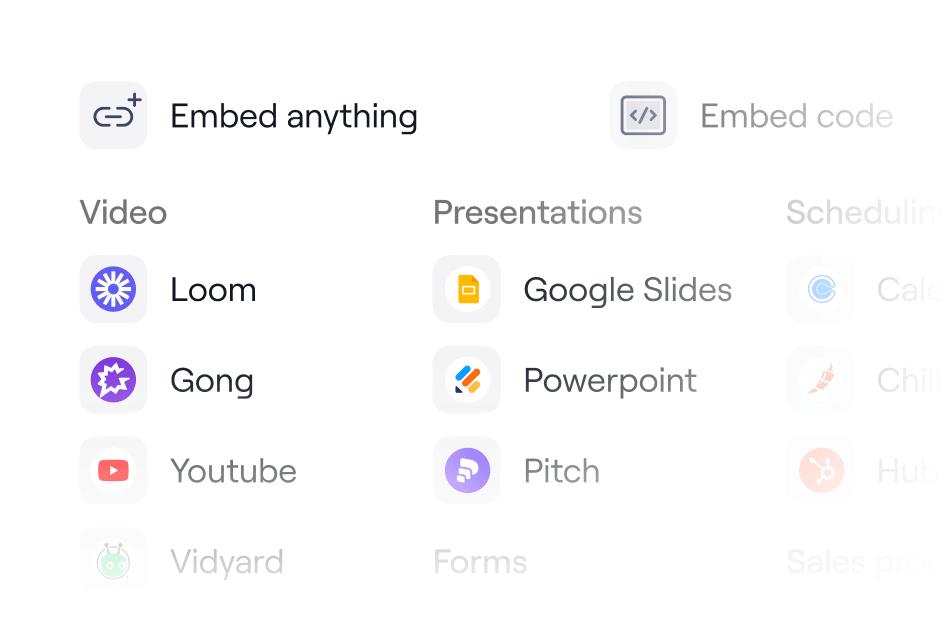
The Dock content Library supports PDFs, videos, images, audio files, links, embeds, Google Docs, Microsoft Office files, and more. Content can be uploaded directly from your device or bulk imported from Google Drive, SharePoint, or OneDrive—with automatic syncing so updates flow through without re-uploading.
Yes, both are supported natively. The Google Drive integration lets you import files directly into your content library and resync individual assets whenever the source file is updated in Drive—no re-uploading required.
Dock provides two levels of metrics:
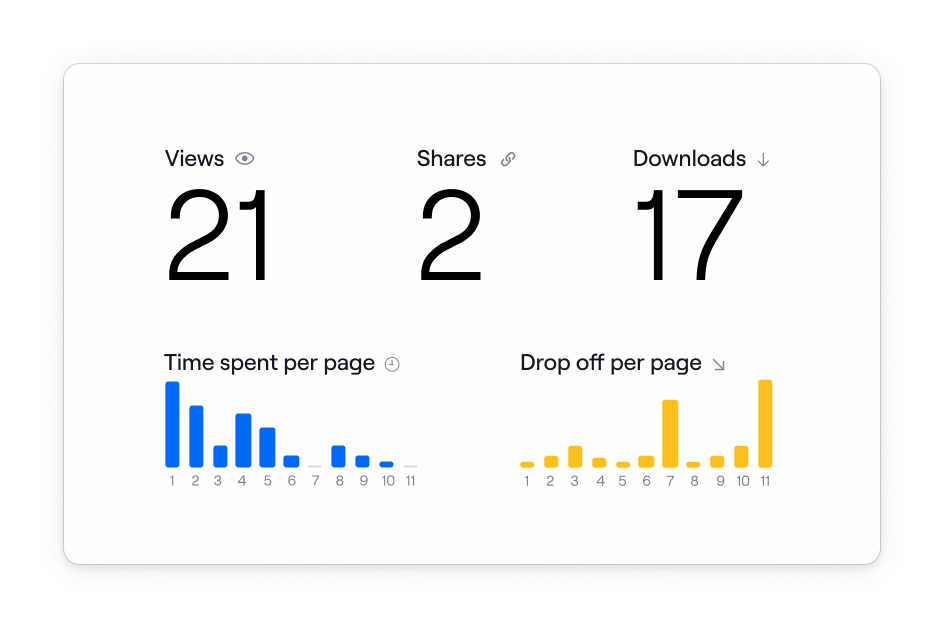
Content and engagement analytics track how your team uses the library: views (external), shares (internal), an activity feed showing who's sharing each asset, and a list of workspaces where each asset has been deployed. PDFs track page-by-page engagement so you can see where buyer interest drops off. Videos track average watch time. Company-level and rep-level rollups let managers spot trends or drill into individual performance.
Revenue impact analytics connect content engagement to CRM data. When Dock is connected to HubSpot or Salesforce, you can tie content usage directly to closed-won revenue and renewals—and optimize your sales content strategy based on what's actually influencing deals.
Yes. Dock's learning tools cover two distinct use cases that work together.
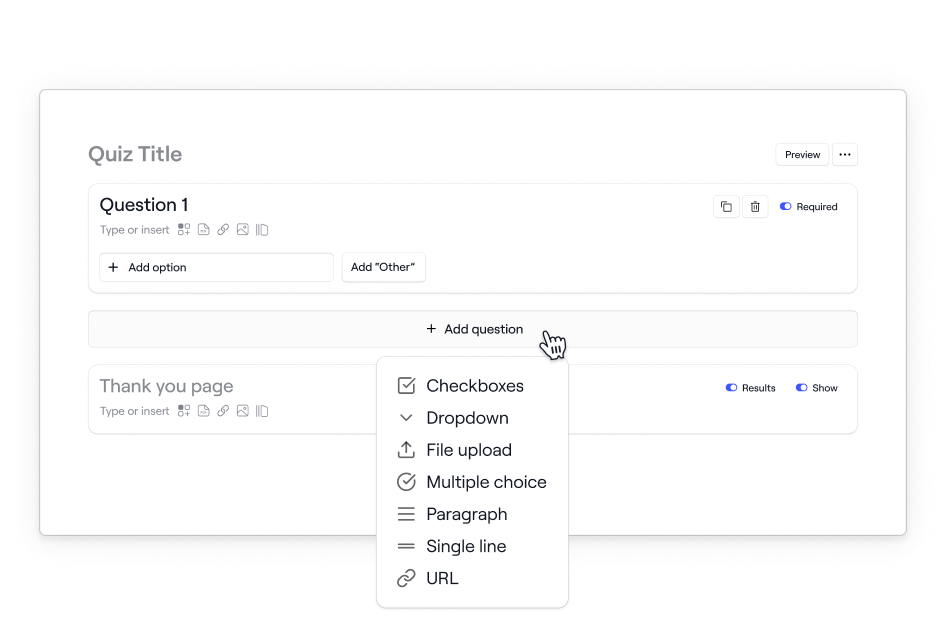
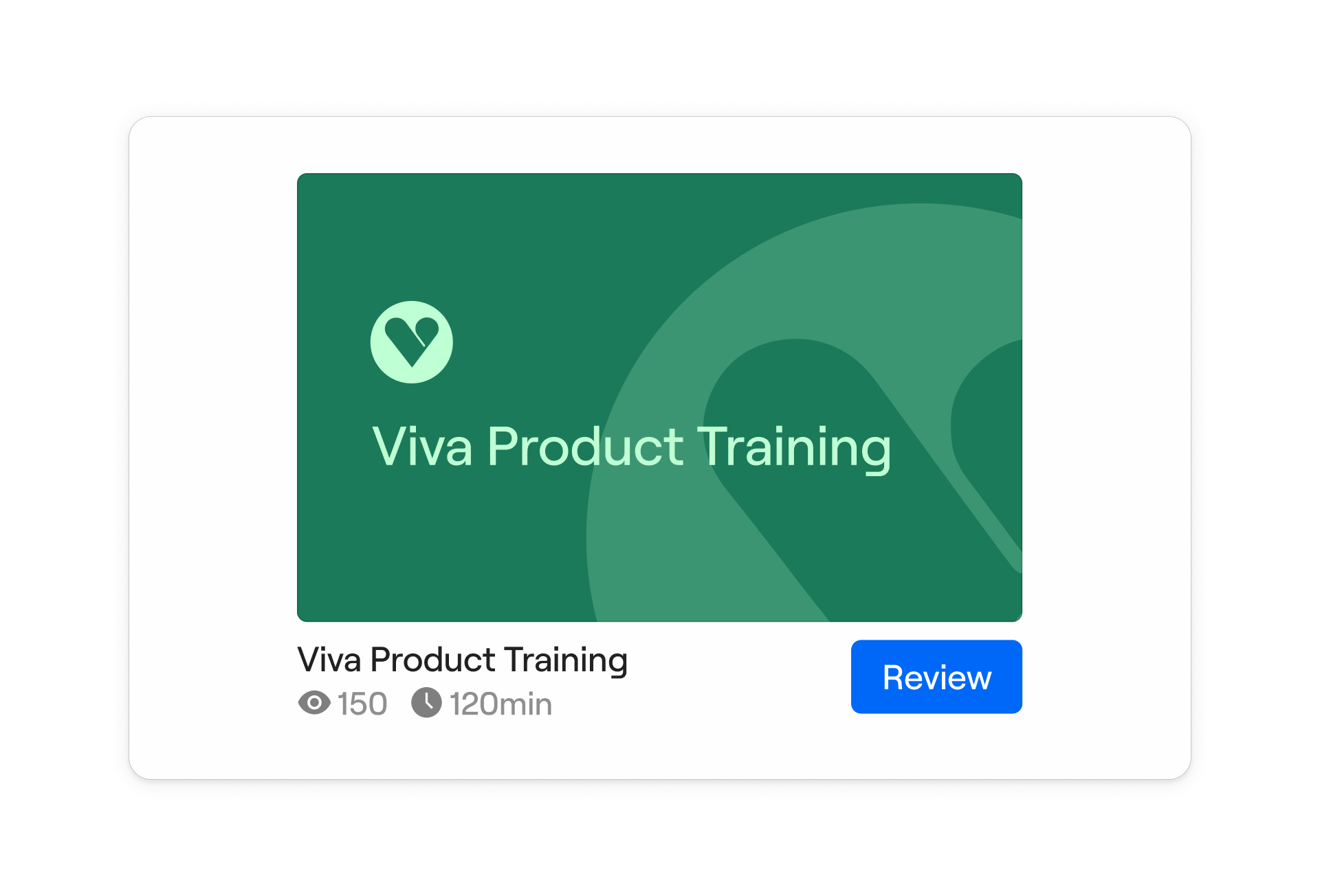
1. Courses are structured sales training programs built lesson-by-lesson using Dock's drag-and-drop editor—the same one used for workspaces and playbooks. Each course is organized into modules that learners complete in order. Within modules, you can embed videos, slides, and library assets, and add quizzes (multiple-choice, multiple-select, or free-response) and customizable flashcards for knowledge reinforcement.
Completed courses can generate certificates—either built with Dock's certification builder or uploaded as your own. Admins get Slack notifications when a course is submitted, and existing courses can be duplicated to speed up content creation. Admins can assign courses to individuals, teams, or the full org, set due dates with automated reminders, configure reviewer settings for manager feedback, and track completion rates, viewing time, and quiz scores from a single dashboard. Courses are available on the Enterprise plan.
2. Learning Playbooks are always-on internal reference materials—structured workspaces that live in Dock's left nav alongside deal rooms and the content library. They're built for the moments when reps need quick access to sales training materials like a competitive battlecard or product messaging guide during a live deal, without completing a full sequential course. Think of playbooks as your wiki and courses as your structured training program—both working together in one platform. Playbooks are available on the Premium plan and above.
The biggest differentiator compared to other enablement platforms: Dock supports external training. Courses can be embedded directly in client and partner workspaces, so you can run customer onboarding education and partner certification without spinning up a separate platform. Seismic and Highspot's LMS tools are internal-only.
Probably not—and it doesn't need to. Most company-wide LMS platforms are built for compliance training and HR onboarding. Dock fills the gap between formal training and live deals.
That gap is what happens when a rep is about to get on a call with a fintech prospect and needs your security positioning in the next 30 seconds, or when a CSM is prepping for a renewal and wants to know which case studies are most relevant for that account. A general LMS doesn't solve that.
Dock's Learning Playbooks give reps always-on reference materials—battlecards, methodology guides, and objection-handling guides—accessible in the same tool they use to run deals. The AI Enablement Agent answers rep questions in real time from your playbooks, content library, and call transcripts. And if you want sales-specific structured training, Dock Courses let you build and assign it without asking reps to log into yet another platform.
Most teams keep their company-wide LMS for general onboarding and compliance, and use Dock for everything tied to the revenue motion.
Yes—and this is one of the things Dock does that Seismic and Highspot can't. Both platforms' LMS tools are internal-only, meaning training stays inside your organization. Dock lets you embed courses directly in client and partner workspaces, so you can run product onboarding, certification programs, and partner enablement in the same place your customers already work. No separate platform or extra login for your customers.
AI runs through all three pillars of the Dock platform—content, collaboration, and learning—rather than sitting as a standalone feature.
AI Enablement Agent. A real-time assistant trained on your playbooks, courses, content library, and call transcripts. Reps ask questions in plain language and get instant answers grounded in your actual content.
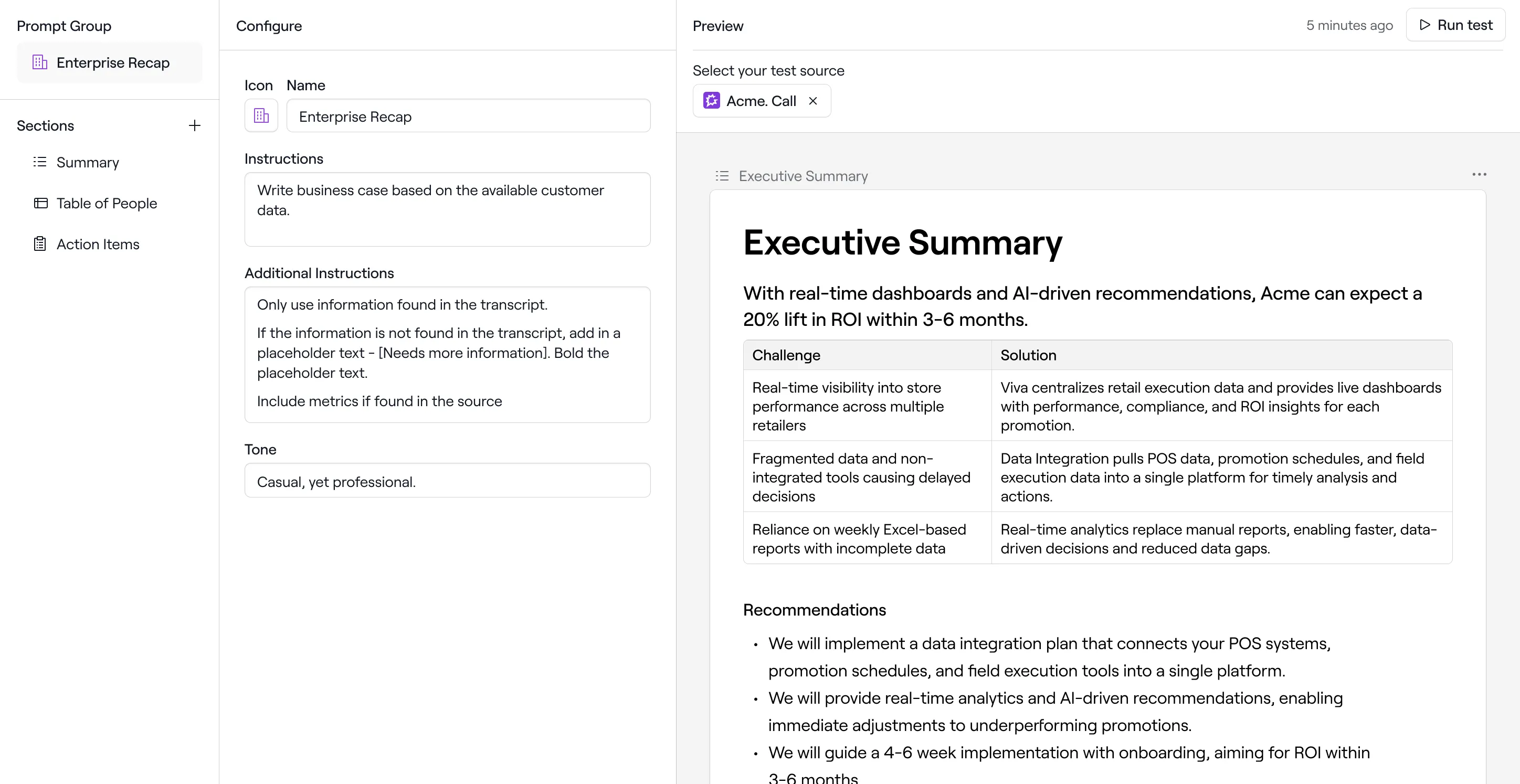
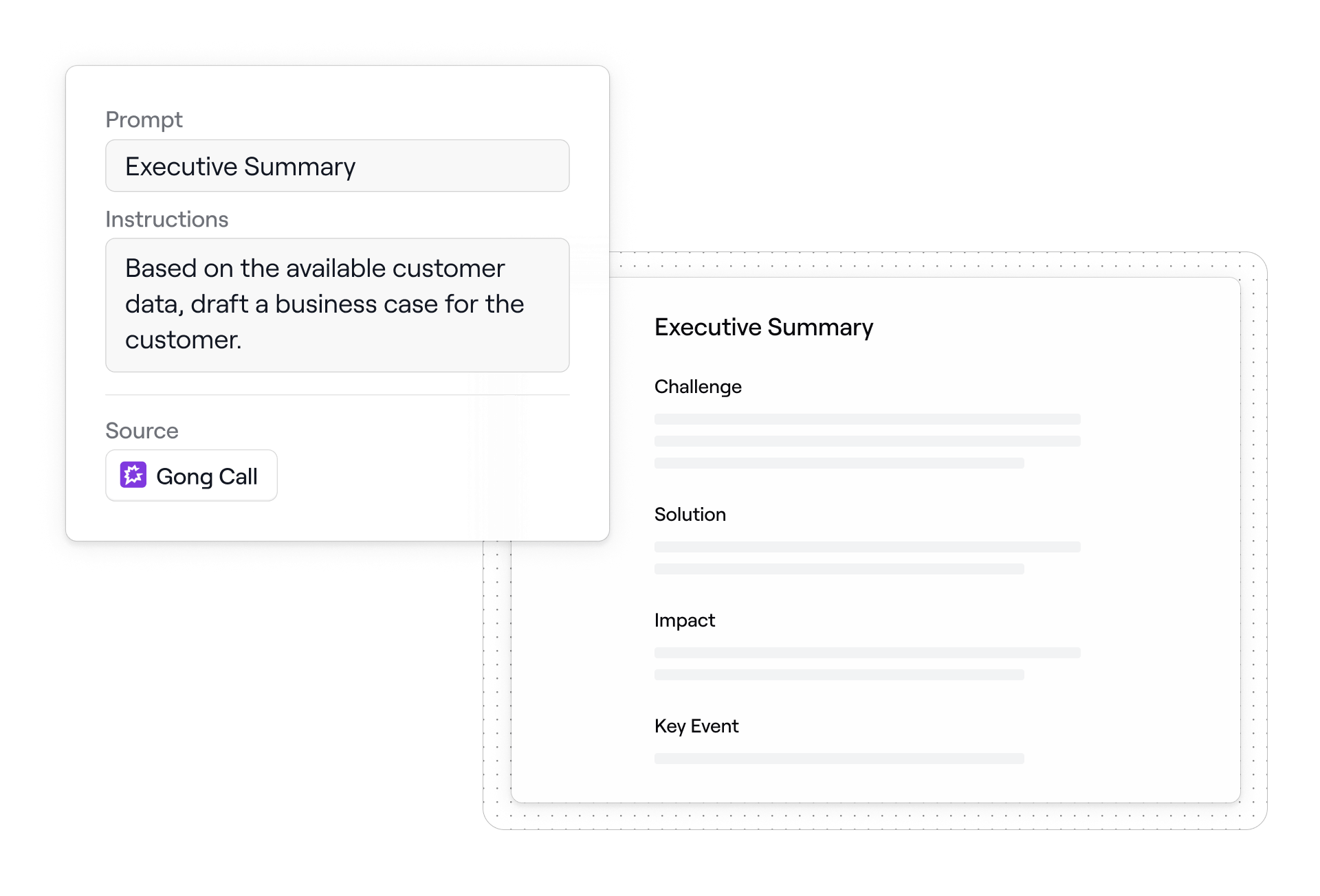
AI Documents. Generates business cases, executive summaries, mutual action plans, security responses, and meeting recaps from live deal context—pulling from CRM fields, call transcripts, and your content library. Reps edit and send rather than write from scratch.
AI content management. Dock automatically tags and describes assets at upload, so the content library stays organized without manual maintenance. Reps can search the library in plain language and surface the right asset instantly.
AI Suggestions. Analyzes call recordings and automatically surfaces relevant content assets, action items for mutual action plans, and new stakeholder contacts to add to the deal.
Chrome Extension. In-browser access to the full content library, workspace creation, and the AI assistant without switching tabs.
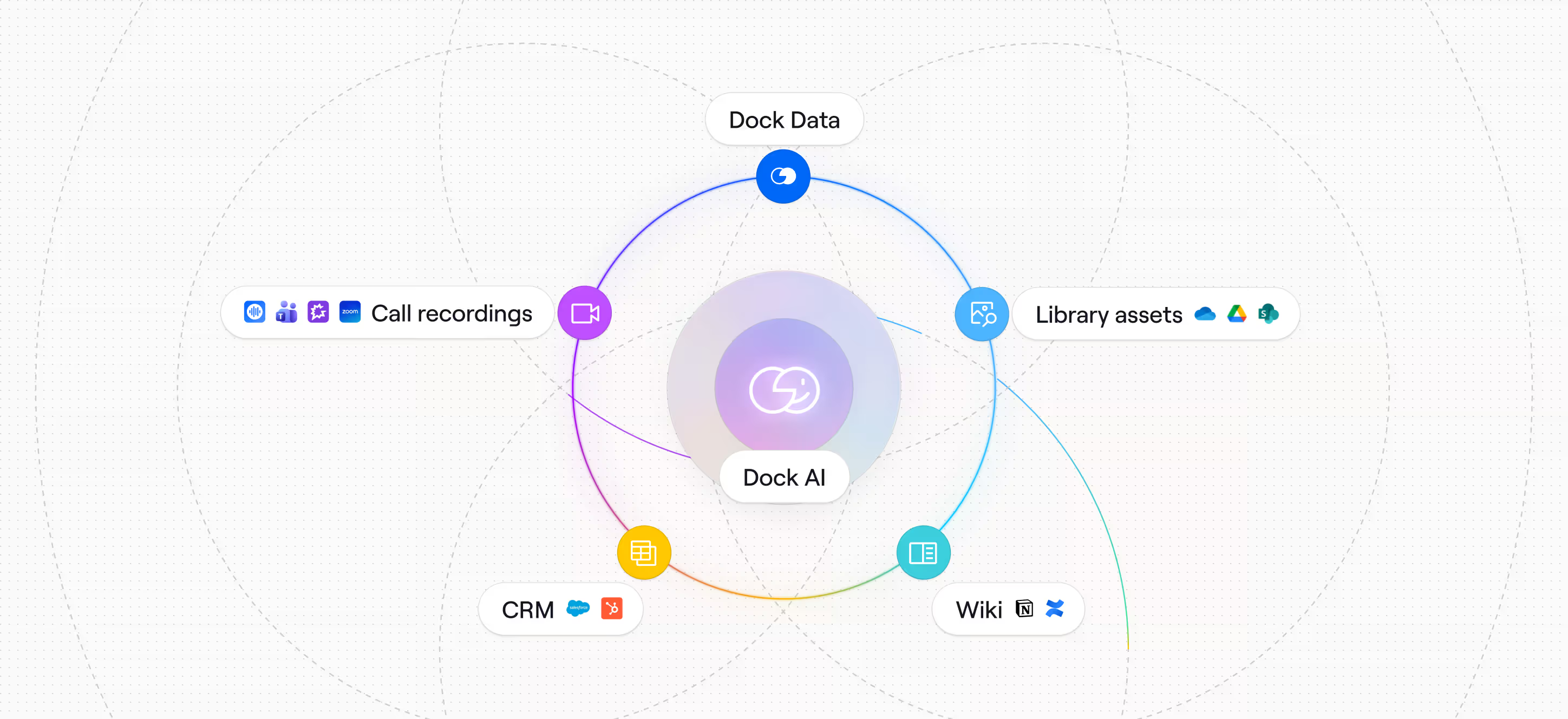
The difference between Dock's AI and what legacy platforms offer: Dock's AI is connected across content, CRM data, and call transcripts simultaneously. Most enterprise platforms have AI features built on top of individual modules—content AI, coaching AI, analytics AI—that don't share context with each other.
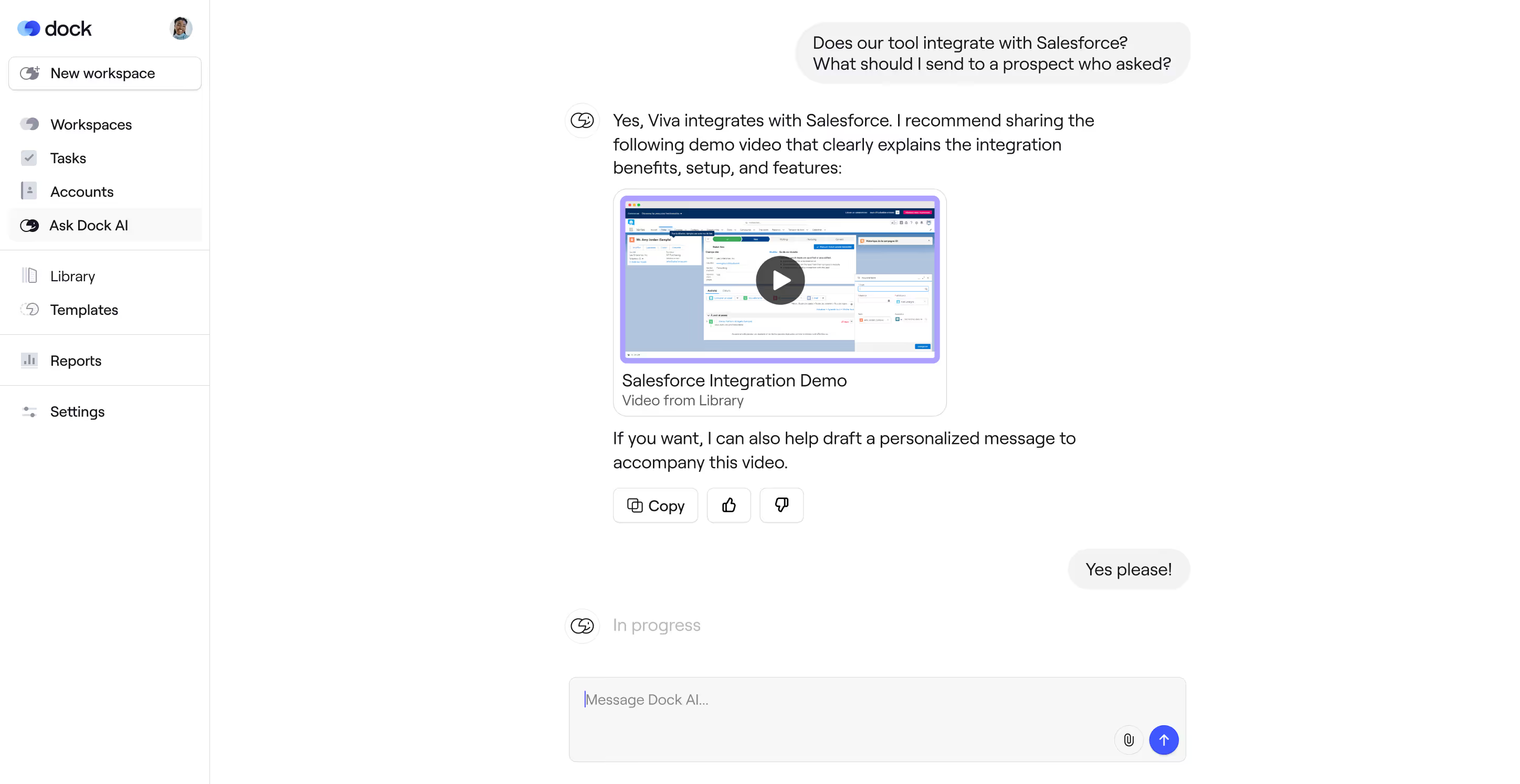
The Dock AI Enablement Agent is a real-time assistant trained on your content library, CRM data, call transcripts, customer interactions, and playbooks. Reps ask questions in plain language—"what's our security response for a healthcare prospect?" or "draft a follow-up based on today's call"—and get an instant, grounded answer without hunting through folders or waiting on Slack.
The agent also generates full documents from live deal context: business cases, executive summaries, mutual action plans, and security responses pulled from actual CRM fields and call transcripts. It lives in the same tool reps use to run their deals, not a separate tab they have to remember to open.
Dock connects natively to HubSpot and Salesforce. The integrations go deeper than logging activity—they pull live deal data (account name, deal stage, custom CRM fields) directly into workspaces so reps aren't manually updating anything, trigger workspace creation automatically when an opportunity hits a stage, and sync buyer engagement activity back to the deal record.
On the analytics side, connecting your CRM lets you tie content usage directly to closed-won revenue and renewals. Build dashboards that combine Dock engagement data with CRM fields to understand which content and behaviors are moving deals forward—beyond what's been manually logged.
For more information on all Dock integrations, see our Integrations page.
Not natively. Dock integrates with best-in-class tools already in your tech stack rather than building a weaker in-house version. Gong, Zoom, Chorus, Fathom, Avoma, and Microsoft Teams all connect natively.
Our Gong integration is the deepest: sales call transcripts pull directly into workspaces, the AI Enablement Agent can generate documents from them, and activity data syncs back to Gong.
If built-in call recording and live coaching is a hard requirement, Seismic and Highspot offer that natively.
No. Dock doesn't include sales outreach or sequencing functionality—we recommend pairing Dock with a dedicated tool like Salesloft or Outreach for that.
What Dock does handle is everything that happens after the first touch: organizing and sharing content with buyers, running deals through collaborative workspaces, and tracking engagement from first meeting to renewal. The two tools work well together—outreach gets reps into the conversation, Dock picks up from there.
Most teams are live within days or weeks, depending on your team's size and whether you are migrating from an existing sales enablement platform. Dock has no implementation fees and no professional services required.
There's also a free plan with 50 workspaces and no time limit if you want to test sales deal rooms before committing to the full sales enablement platform.
See our Pricing page for current pricing information.
Dock is free to try for up to 50 client workspaces. Or to talk to our sales team, request a demo here.