



Create internal training playbooks for your revenue team.
We've all seen it happen: You build the perfect training playbook, share it with the team, and... crickets. It gets buried in a wiki, lost in a slide deck, or trapped in whatever LMS nobody actually opens. Reps check it once and forget it all by their next call.
With Dock's new Playbooks, your training lives where your reps actually work—right alongside the customer workspaces they use every day.
We've been quietly testing these for a few months as "internal workspaces.” The feedback was clear: enablement teams loved giving their own teams the same Dock experience they give customers. Now we're making it official with a proper launch.
Here’s everything you need to know about Dock playbooks.
Build training resources like you build workspaces
Playbooks are a great place to build training materials for:
- New rep onboarding
- Sales playbooks and methodologies
- Product launches and training
- Competitor battlecards
- Process documentation
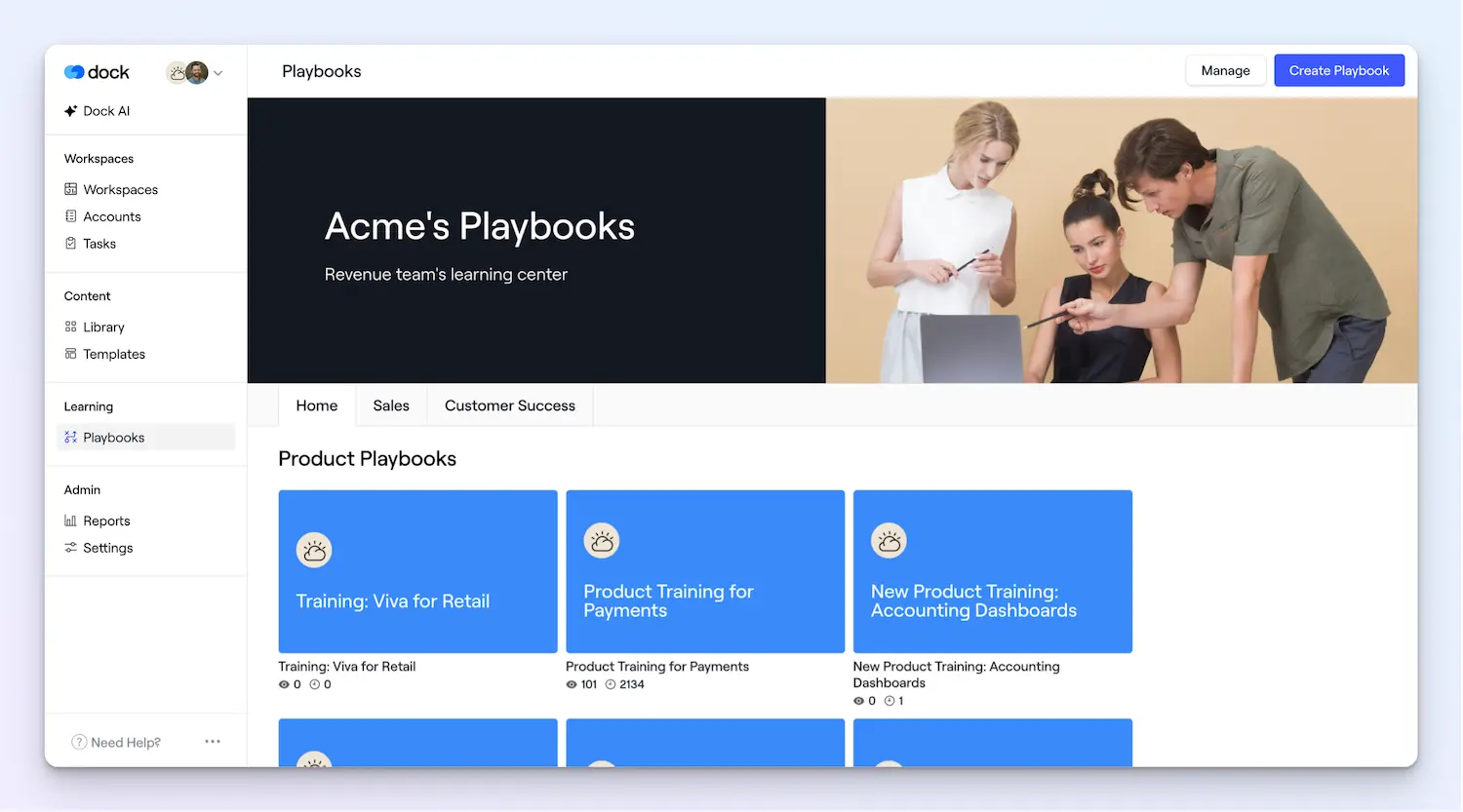
Good news: If you've built a Dock workspace before, you already know how to create a playbook. Same editor, same structure, same flexibility.
That means you can add pages, drop in videos, embed anything, and organize content just like you would for a customer workspace.
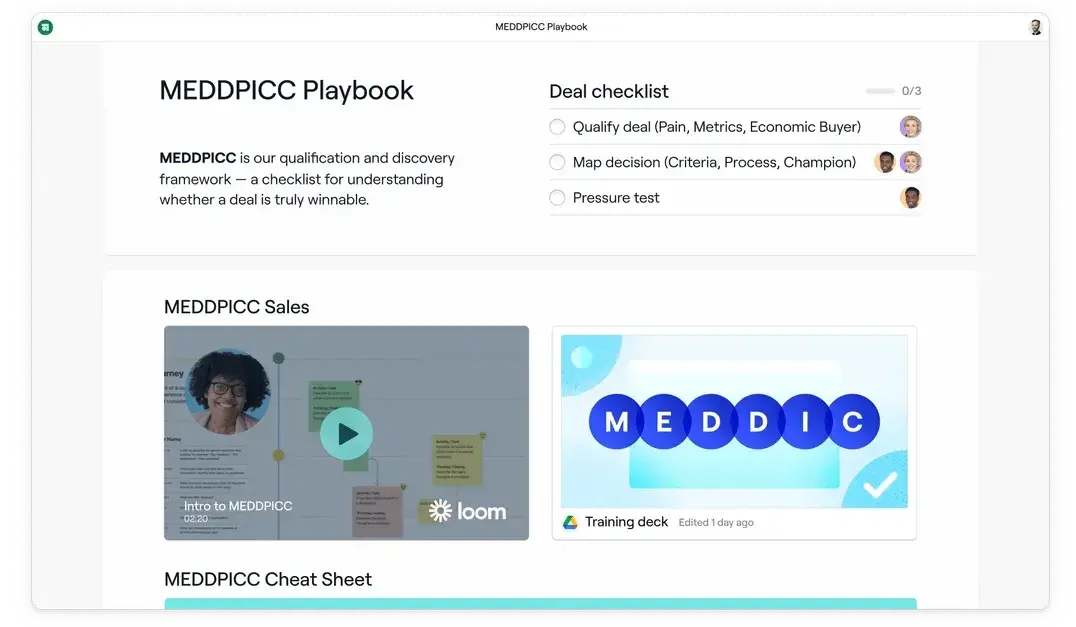
Track playbook engagement
Playbooks give you engagement analytics at two levels so you can answer “Did anyone actually look at this?”
Playbook engagement analytics—just like Dock workspace analytics—give you a feed of who's viewing and engaging with what, plus roundups of overall engagement.
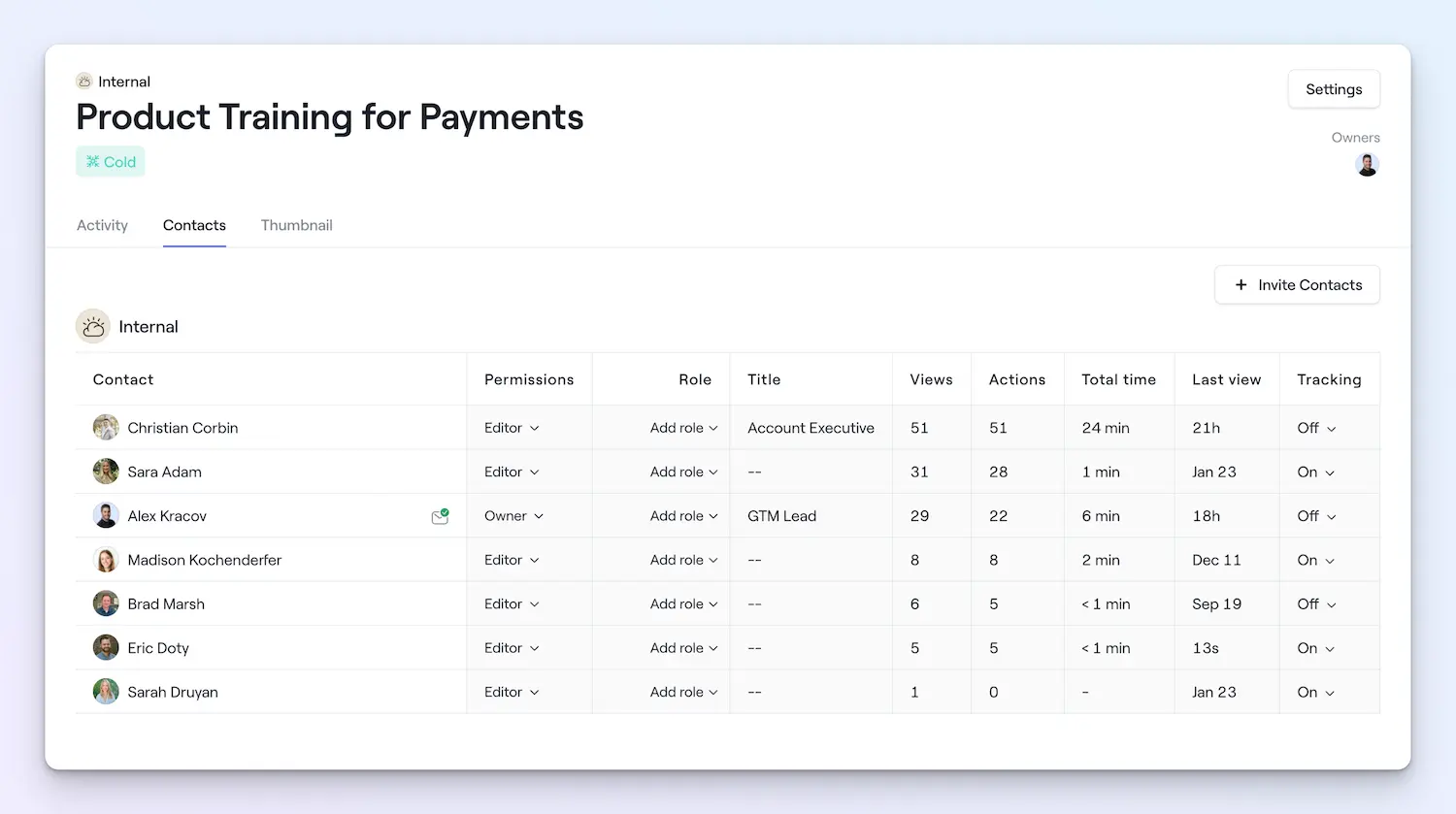
Spot the reps who need a nudge, see your top performers staying current on product updates, or track new hires as they move through onboarding.
Content engagement analytics show which internal assets and videos get the most views within your playbooks—and which ones get ignored.
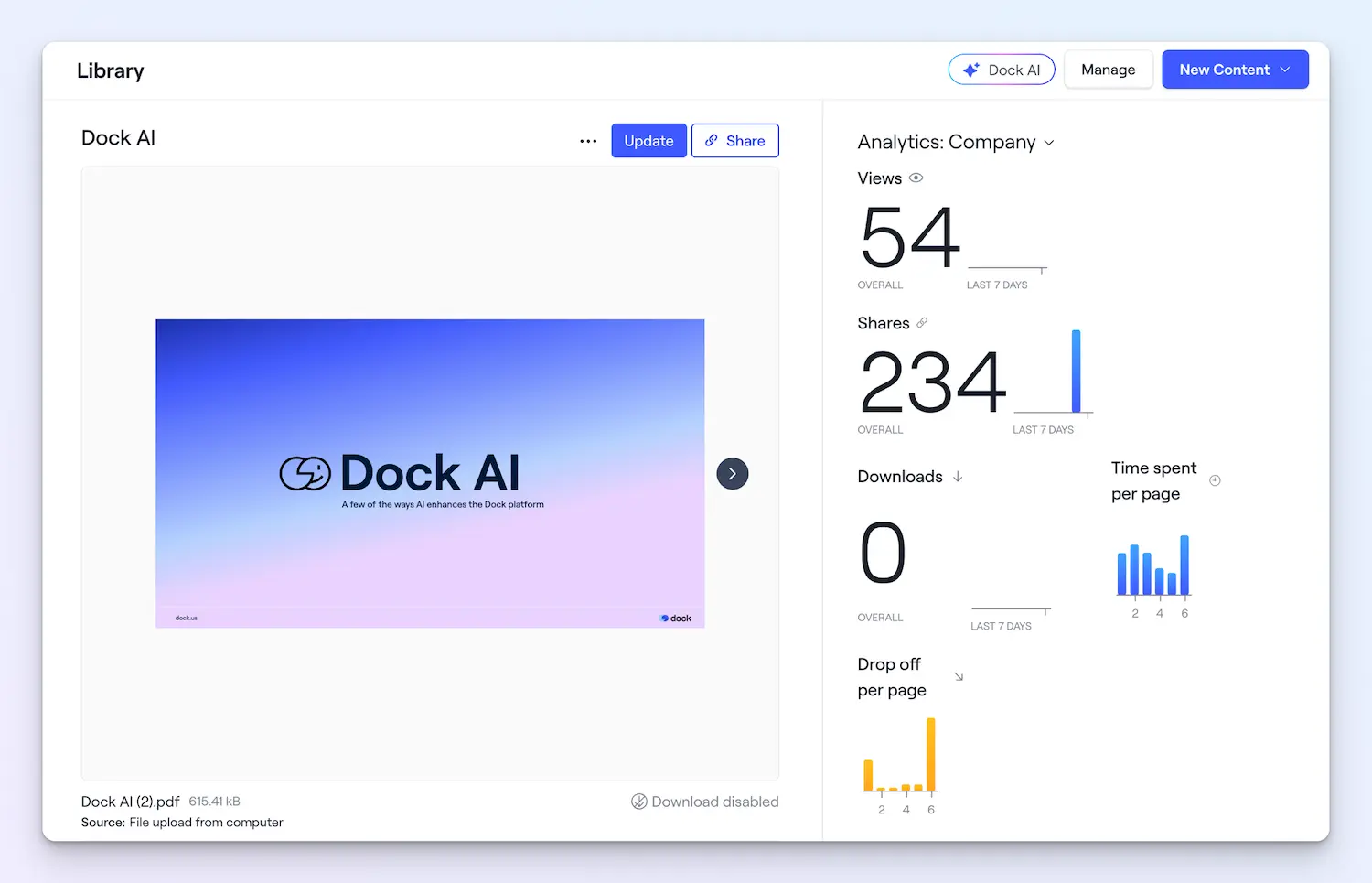
You can see how many people watched your competitive training or identify that one battlecard nobody's touched in three months.
Organize with tags and views
The playbook dashboard is completely customizable with a two-layer system.
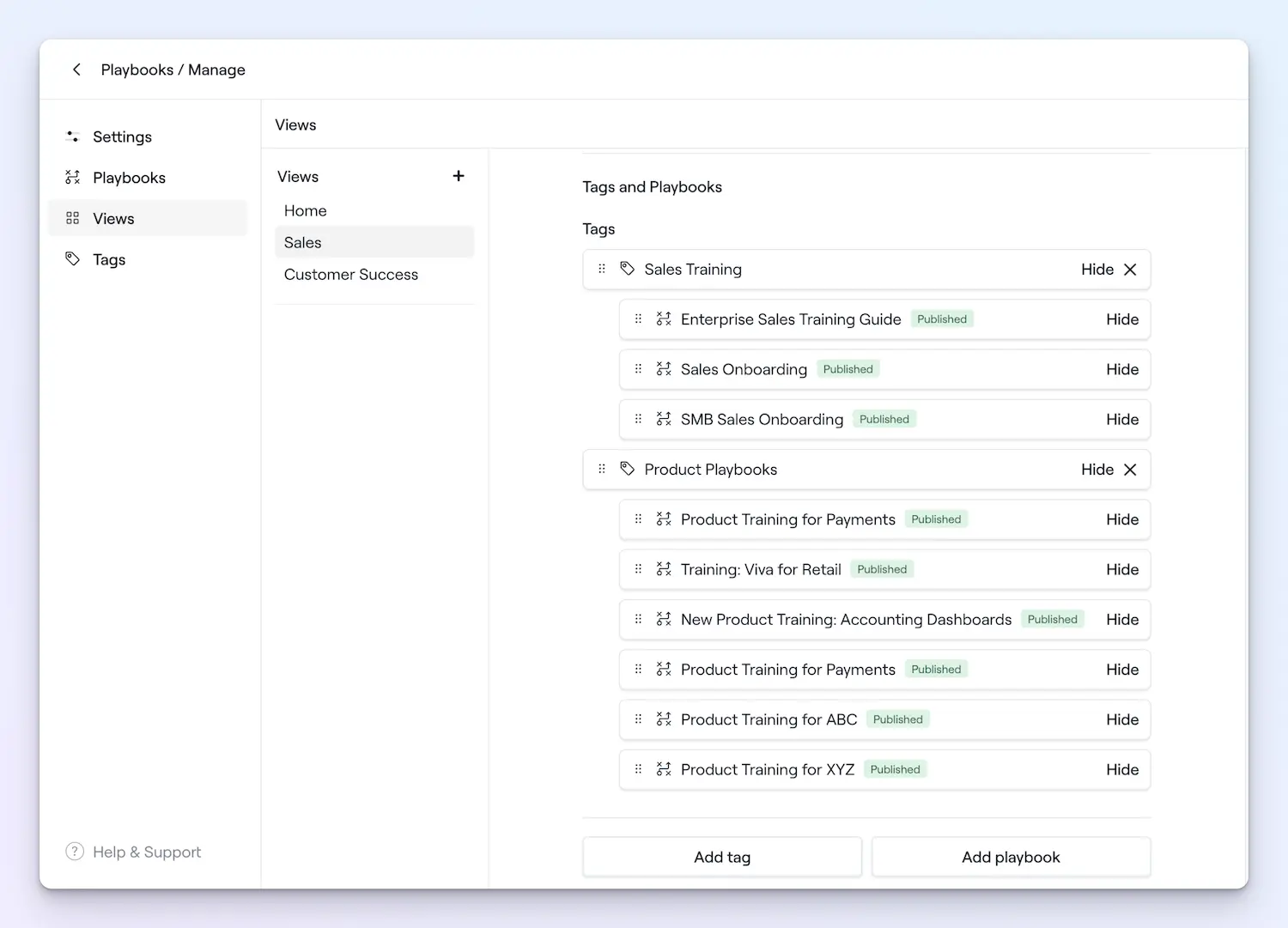
Tags let you categorize playbooks by topic, team, or whatever makes sense for your org. Tag things as "competitive intel," "product training," or "new hire onboarding".
Views are essentially tabs for displaying your playbooks. Think of them as dedicated destinations for reps to easily find training materials. You could create views for:
- Teams (Sales, CS, etc.)
- Product Lines
- New hire content vs. ongoing enablement
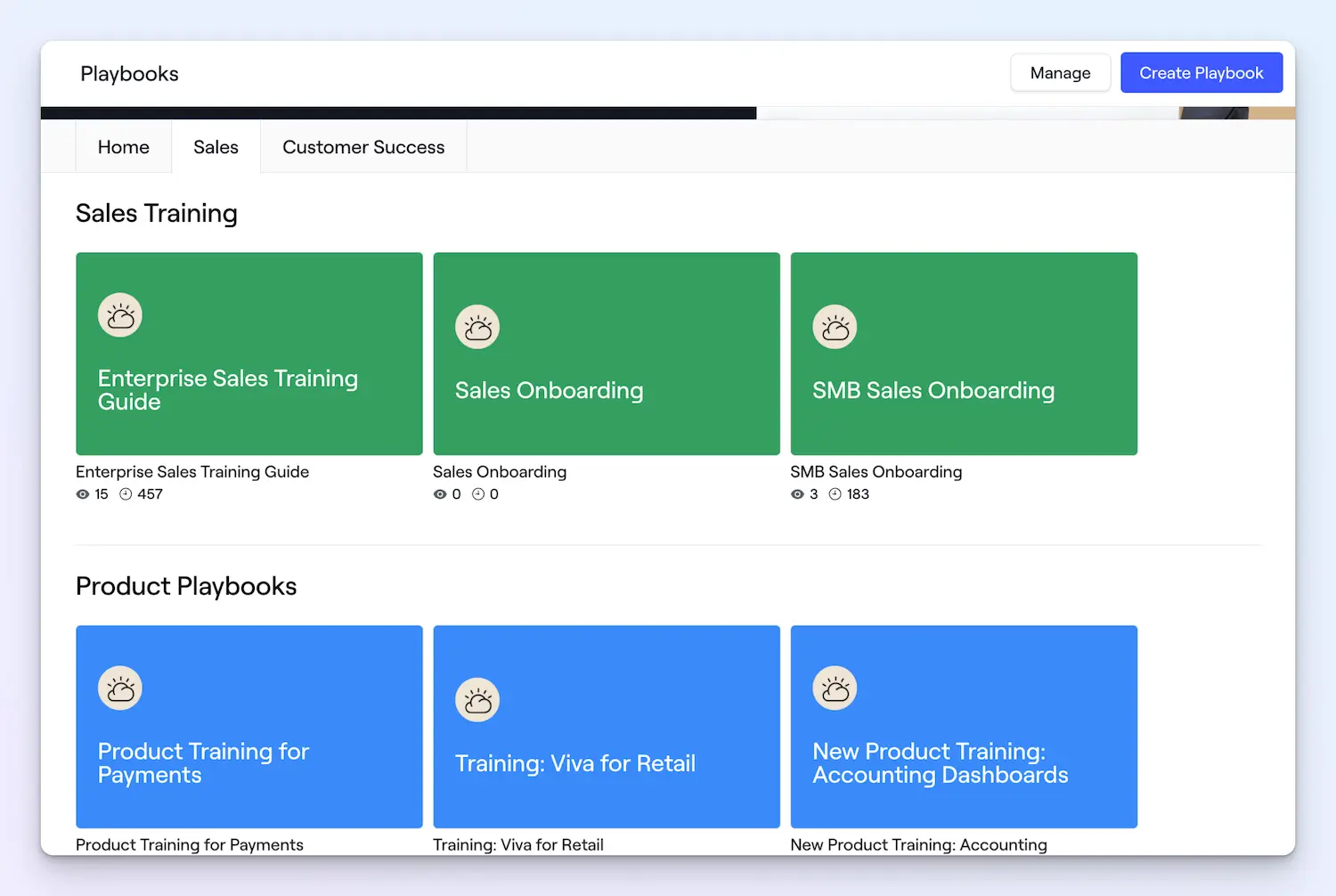
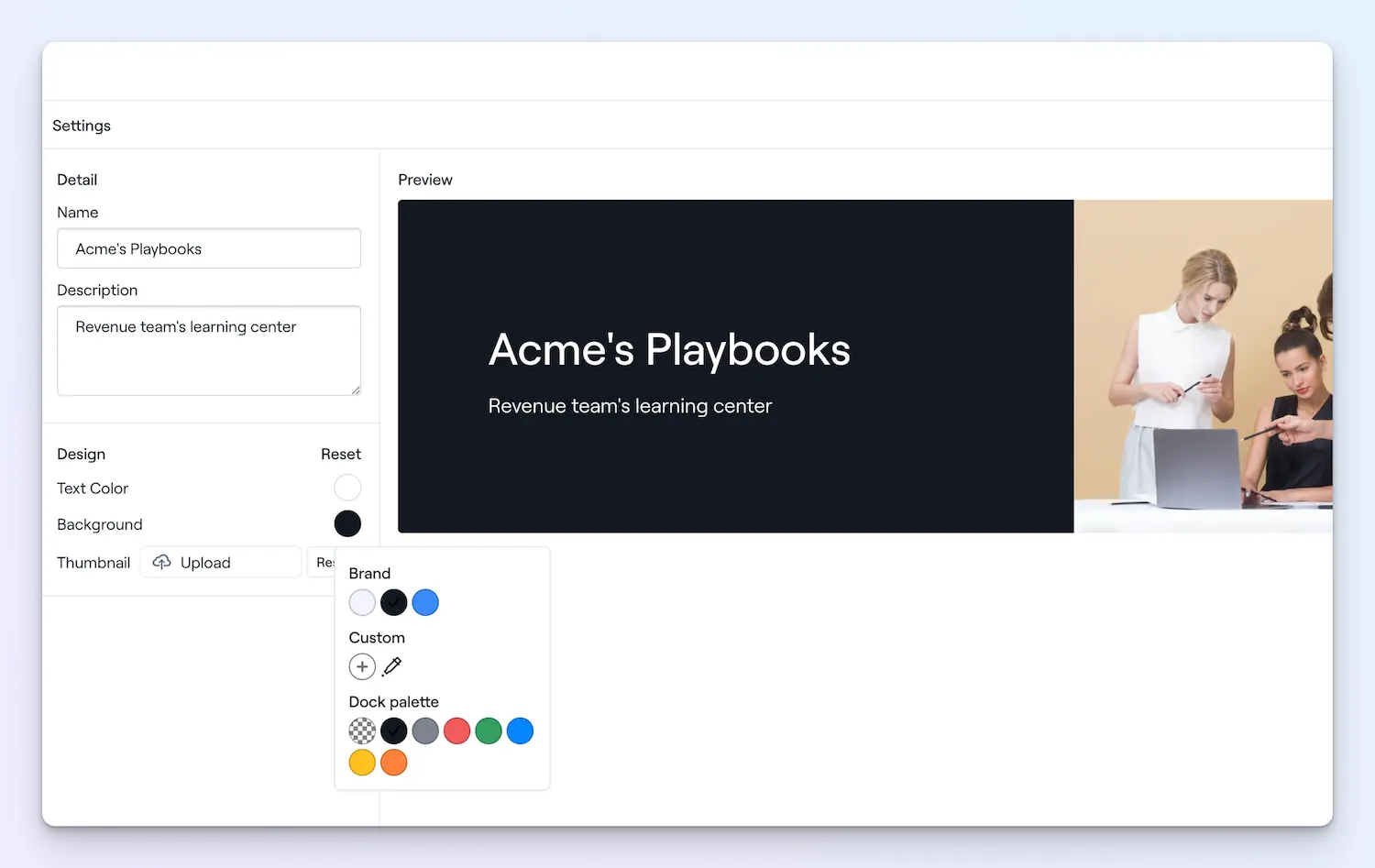
You can also add your company branding to the Playbooks dashboard and design the thumbnail for each playbook, so they feel more like yours.
Turn your best playbooks into templates
Just like you can create workspace templates for repeatable customer workflows, you can also create playbook templates for repeatable training.
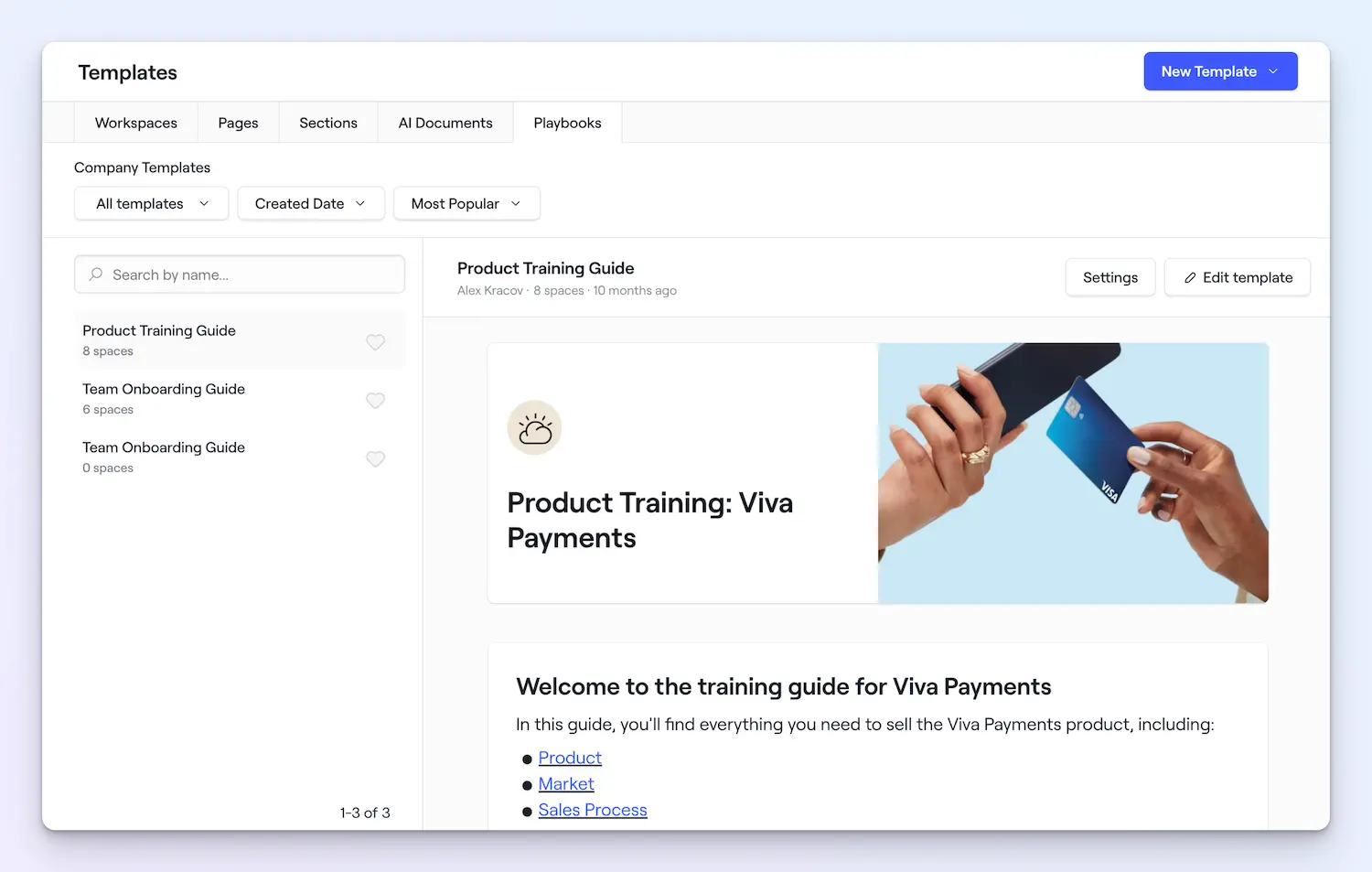
Build out your product launch template once, and use it every time you ship something new. Create a competitor comparison template, and spin up a fresh battlecard whenever a new competitor pops up.
With more learning management to come
Playbooks are available on Premium and Enterprise plans. Free and Standard plan users can create up to 5 playbooks.
Playbooks are just the beginning of learning management in Dock. We're building toward a full LMS with courses, quizzes, Dock AI capabilities, and more—launching by the end of Q1.
For now, playbooks give you a better way to organize training, track what's working, and keep enablement where your reps actually spend their time.
If you have any questions, ping support@dock.us or ask your CSM. To try playbooks, sign up free or log into Dock.
- Alex


Related Revenue Lab Articles
.webp)


Templates for Sales, Onboarding,
Projects and Portals
Customize and share with clients


