


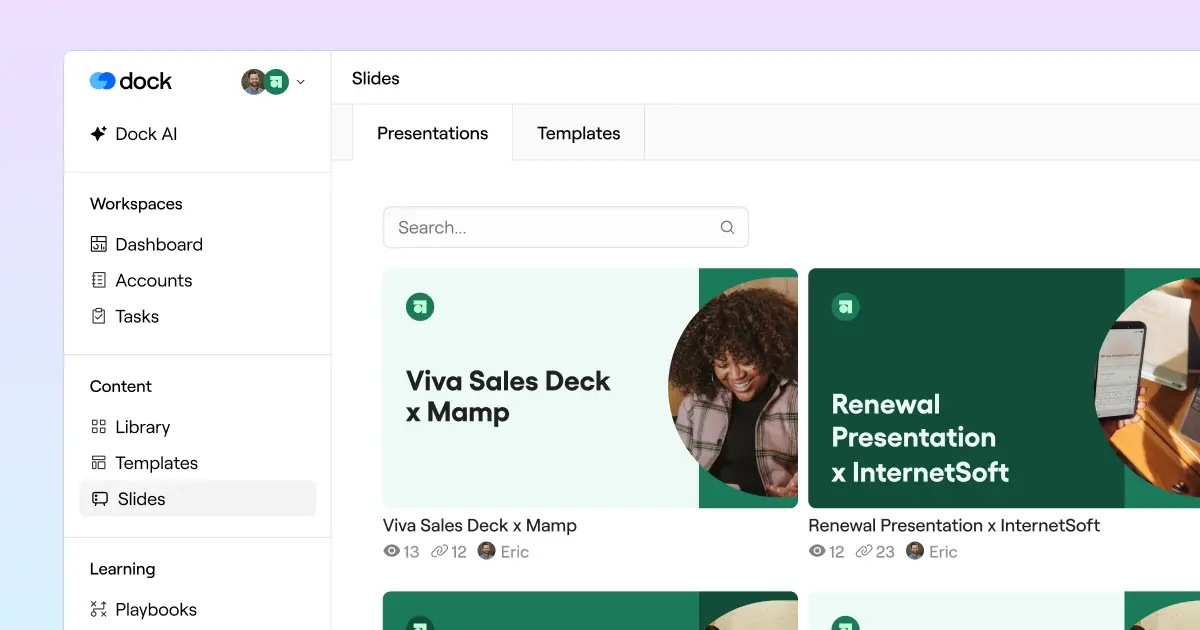
Create personalized customer presentations from marketing-approved templates—with full control over what reps can edit.
Most sales teams have a master pitch deck template that lives somewhere in Google Drive. Over time, it spawns dozens of copies, with reps going rogue with their own content changes—wasting hours on manual customizations per client.
Enablement and Marketing have no easy way to keep everyone on the current version, and no visibility into what's actually going out to customers.
Dock’s new Slides are built to fix that.
Admins upload a template, reps create lightly personalized presentations, and everyone gets visibility into what's going out to clients.
Here's a quick demo:

The TL;DR on Slides
- Create a Slide Template by uploading a PowerPoint, Google Slides, or PDF deck
- Reps can create individual Presentations from the template for each client
- Include dynamic variables in your template to auto-personalize presentations to the customer
- Share, export, or embed presentations in a Dock workspace
- Sync presentations to the template so that they auto-update with new content
- Track client views on presentations
💡 To be clear: Slides is not a slide editor. You can't move layouts around or redesign content.
Slides offers governance, light personalization, trackable analytics, and a clean sharing workflow.
Keep reading for the full rundown on Slides.
Upload slide templates
Your Marketing and Enablement teams create Templates that everyone else works from.
To create a template, upload a PDF, Google Slides, or PowerPoint deck—or pull in an existing file from your Dock Library.

Create client-facing presentations
To create a Presentation, a Sales or CS rep picks a template and links it to a client account.
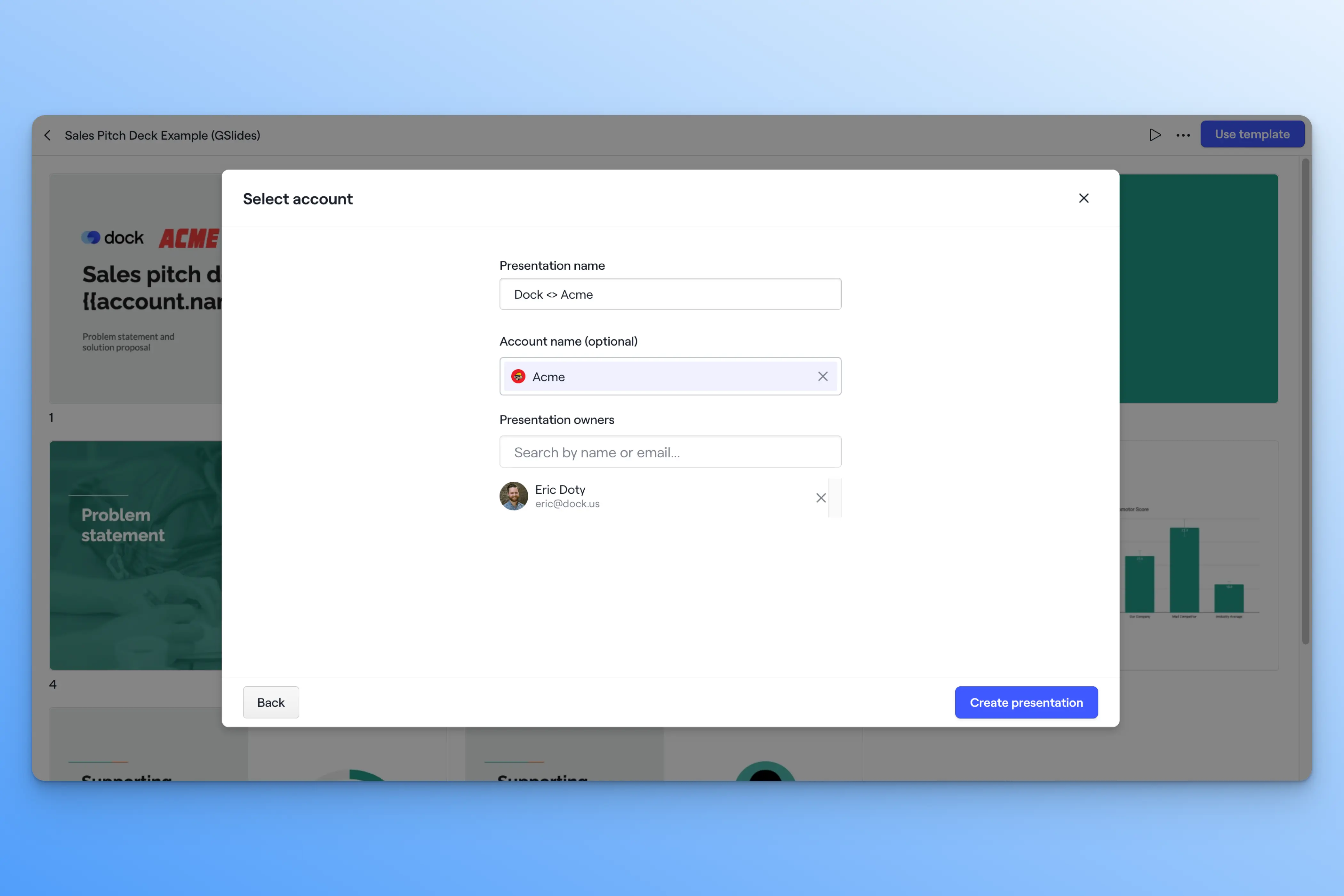
From there, reps have a few light editing options:
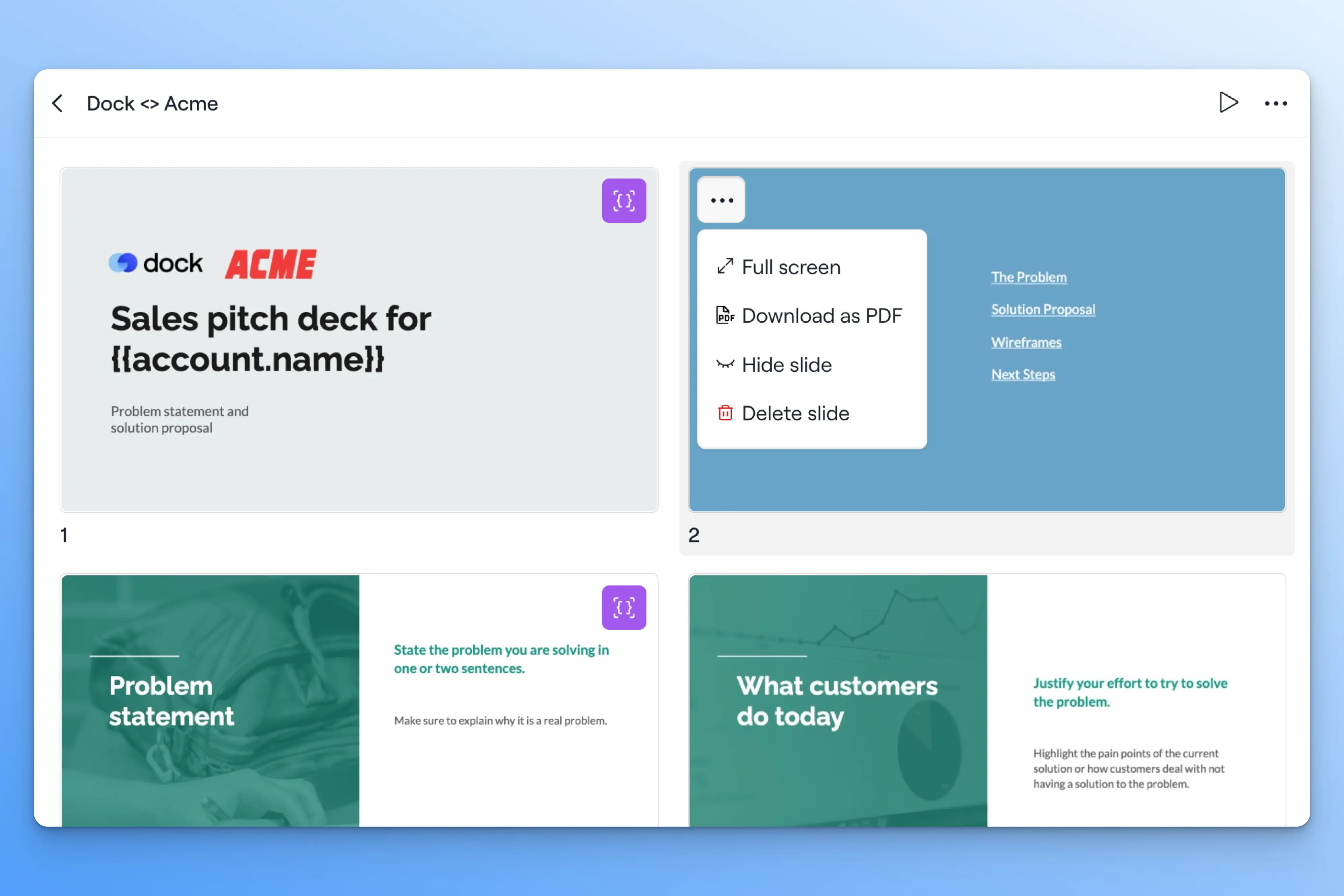
Reorder, delete, or hide slides
They can reorder slides by dragging and dropping, and delete or hide any slides that aren't relevant to this particular customer.
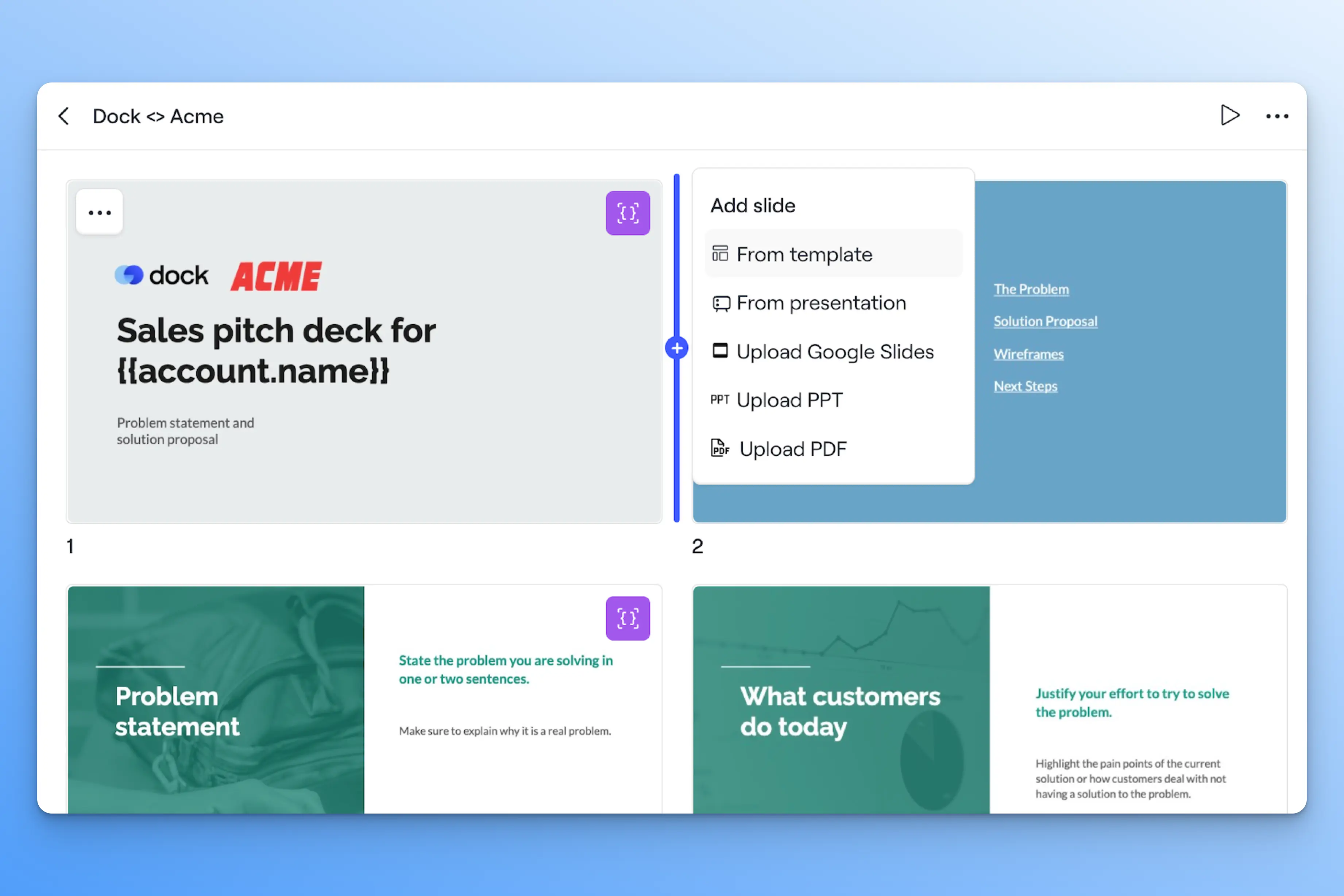
Add slides from other templates
They can also add slides from other templates or upload additional slides.
Reps can only edit what the admin has explicitly made editable. That's where dynamic variables come in.
.png)
Template Tip
It's helpful to have one core template, plus a separate set of appendix slides (e.g., competitive comparisons, technical deep dives, additional case studies) that reps can mix and match deal by deal.
Personalize with dynamic variables
Dynamic variables are the key concept behind Slides.
Any text field in a slide template can become a variable by wrapping it in curly brackets. You can have short text fields, like {Account Name}, or long text fields, like {Discovery Notes}. Images can also be turned into variables using the alt text field in Google Slides or PowerPoint.
When a rep creates a presentation from the template, Dock surfaces all the variables in a sidebar for them to fill in.

The account connection pulls in existing data from Salesforce or HubSpot—so fields like company name auto-populate without any manual work.
Reps can personalize a deck without having to edit the slides directly.
Keep presentations synced
You can update a template's source file—with a new competitive slide, updated pricing, refreshed messaging—and re-sync it to the Dock template.
When you re-sync a template, Dock pushes the updated content to every presentation built from that template.
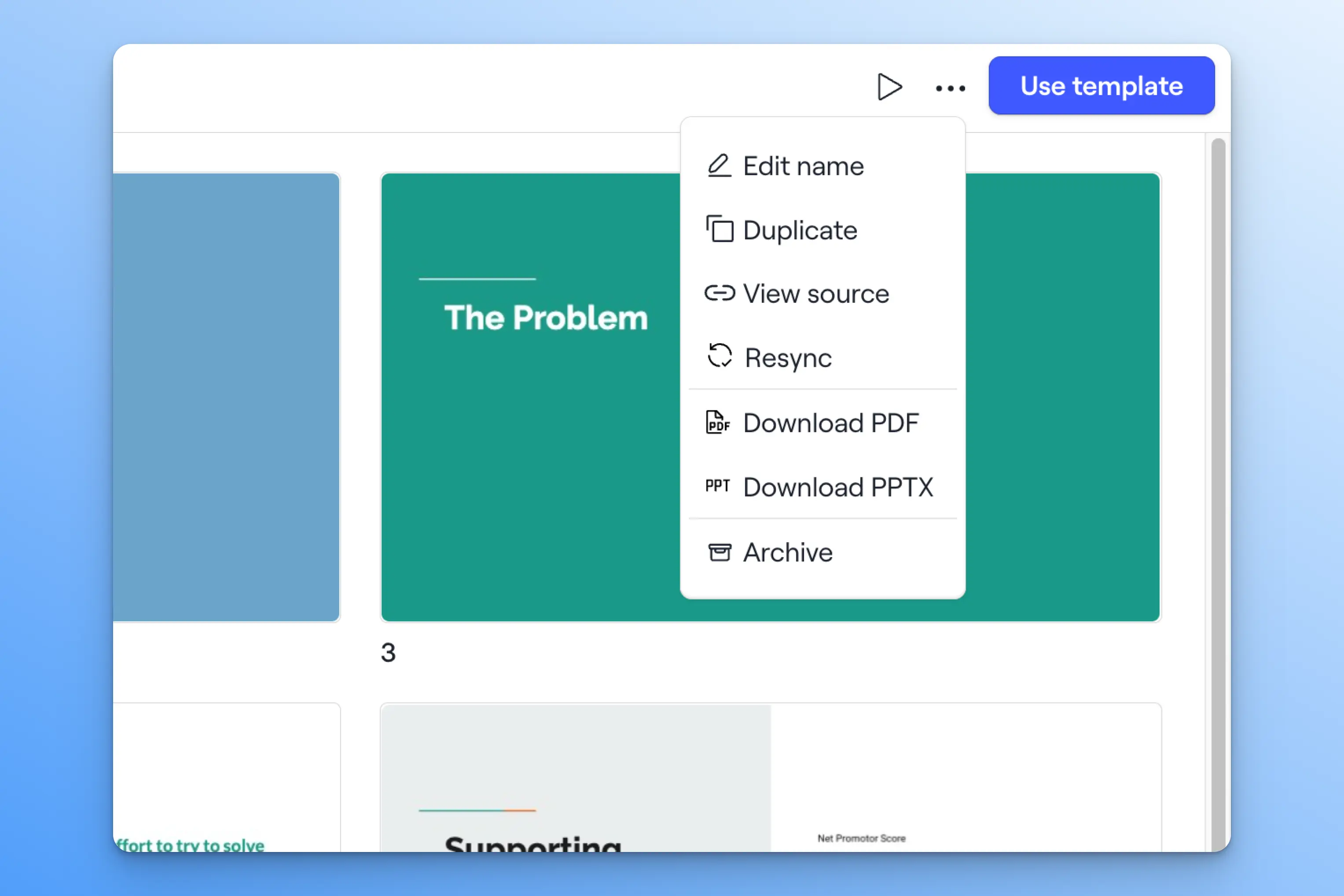
Any personalized content—including the slide order and dynamic variables—is preserved during a re-sync.
Share with clients
Once a presentation is published, reps have three ways to share it:
- Share via link: Generate a trackable or non-trackable Dock sharing link
- Export to PDF or PowerPoint: Download and send outside of Dock
- Embed in a workspace: Add the presentation as a widget in any Dock workspace
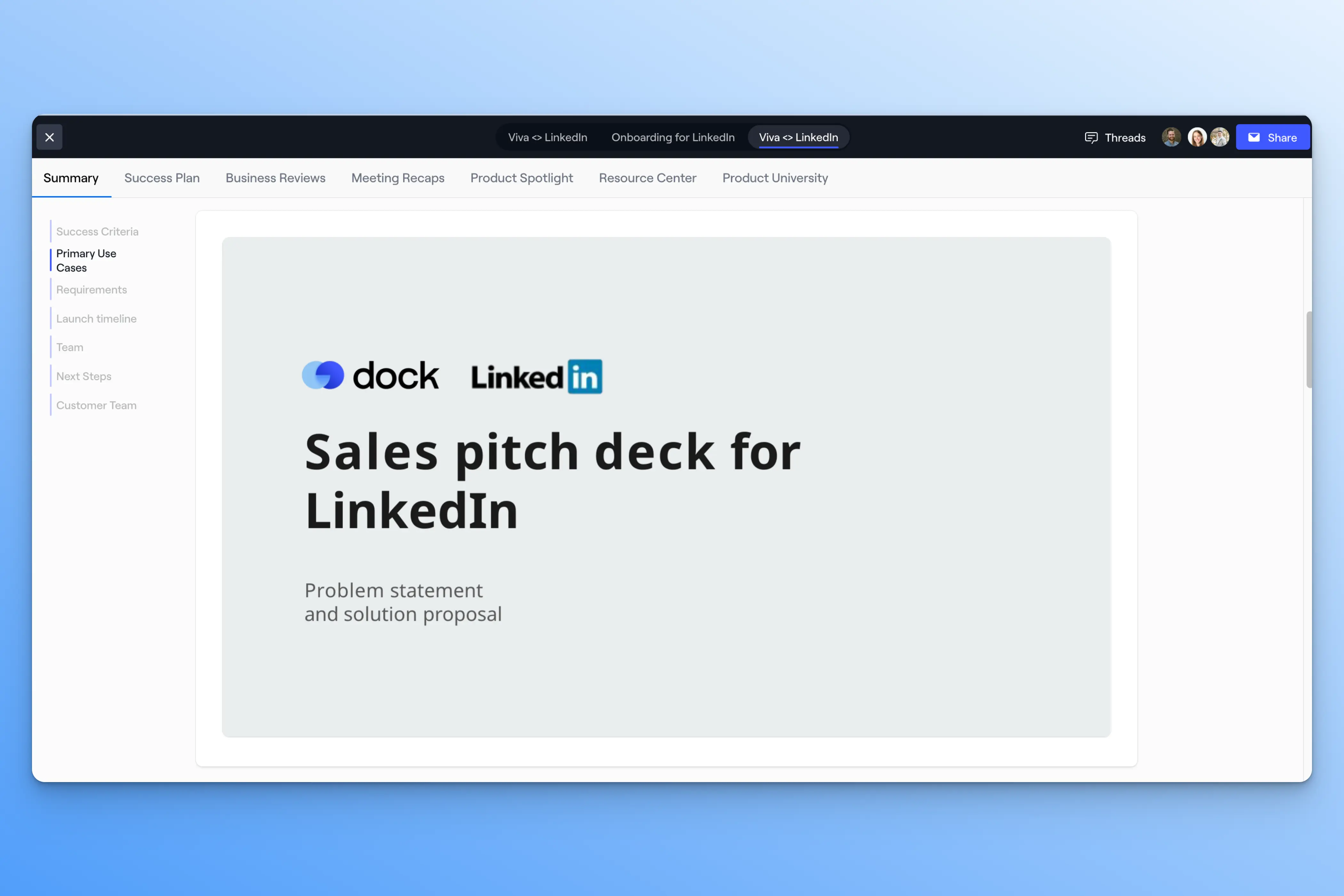
Embedding the presentation in a workspace means clients get everything they need in a single link—from the pitch deck to the mutual action plan to case studies.
Track presentation engagement and creation
Admins can see how many presentations have been created from each template. It’s a great starting point for understanding which decks are actively being used in deals and which aren't.
Engagement analytics (views and time spent) are also available at the presentation level, so reps can track which stakeholders have viewed the presentation.
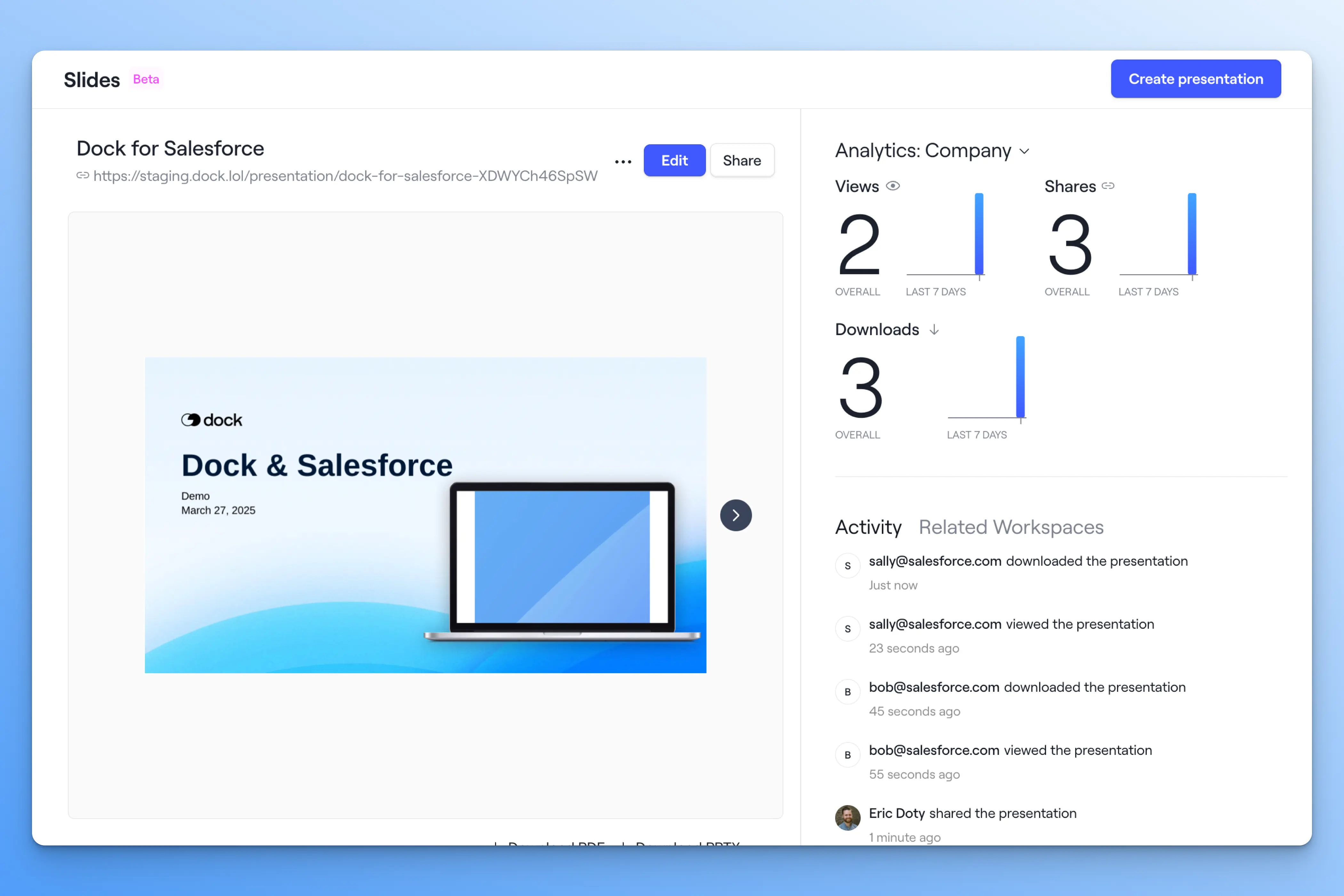
Over time, enablement teams get a clearer picture of which decks are actually driving deals—and which ones are collecting dust.
Get started with Slides
Slides are now available on Dock's Premium and Enterprise plans.
This is an early Beta version with lots of fast-follow updates to come, so we’d love your feedback.
→ For setup instructions, visit the Help Center or contact your CSM.
→ Want a demo before you upgrade? Book time with sales here.
→ Questions or feedback? Email us at support@dock.us.


Related Revenue Lab Articles

.webp)



Templates for Sales, Onboarding,
Projects and Portals
Customize and share with clients


