

New engagement reports, native video recording, slash command editing, custom Library thumbnails, RSS feeds, and lots more.
With Q2 in the rearview mirror and out-of-office season upon us, it’s the perfect time to squeeze in all the little Dock updates you might have missed before you log off for the lake.
We shipped some major features in Q2, like Slides, the AI Agent Builder, the Dock MCP, and a revamped Content Library, but long-time Dock fans know that we never miss celebrating the little things that quietly take friction out of your day.
.png)
Quick highlights of what's new
- Reports: new usage and engagement reports for workspaces, Library assets, slides, playbooks, courses, and templates
- Workspace updates: in-workspace video recording, slash commands, Google Fonts, export contacts, template previews, and more
- Content Library: custom asset thumbnails and an RSS feed connection
- Admin upgrades: upgraded People and Teams pages and bi-directional CRM stage sync
- Order forms: legal documents by product, custom reference numbers, and a default signer
Grab an iced coffee and let's get into all the little Dock updates you'll love.
Reports
1. Updated Team usage report
We’ve revamped the Team usage report to break down Dock engagement by workspaces, Library assets, playbooks, courses, and slides.
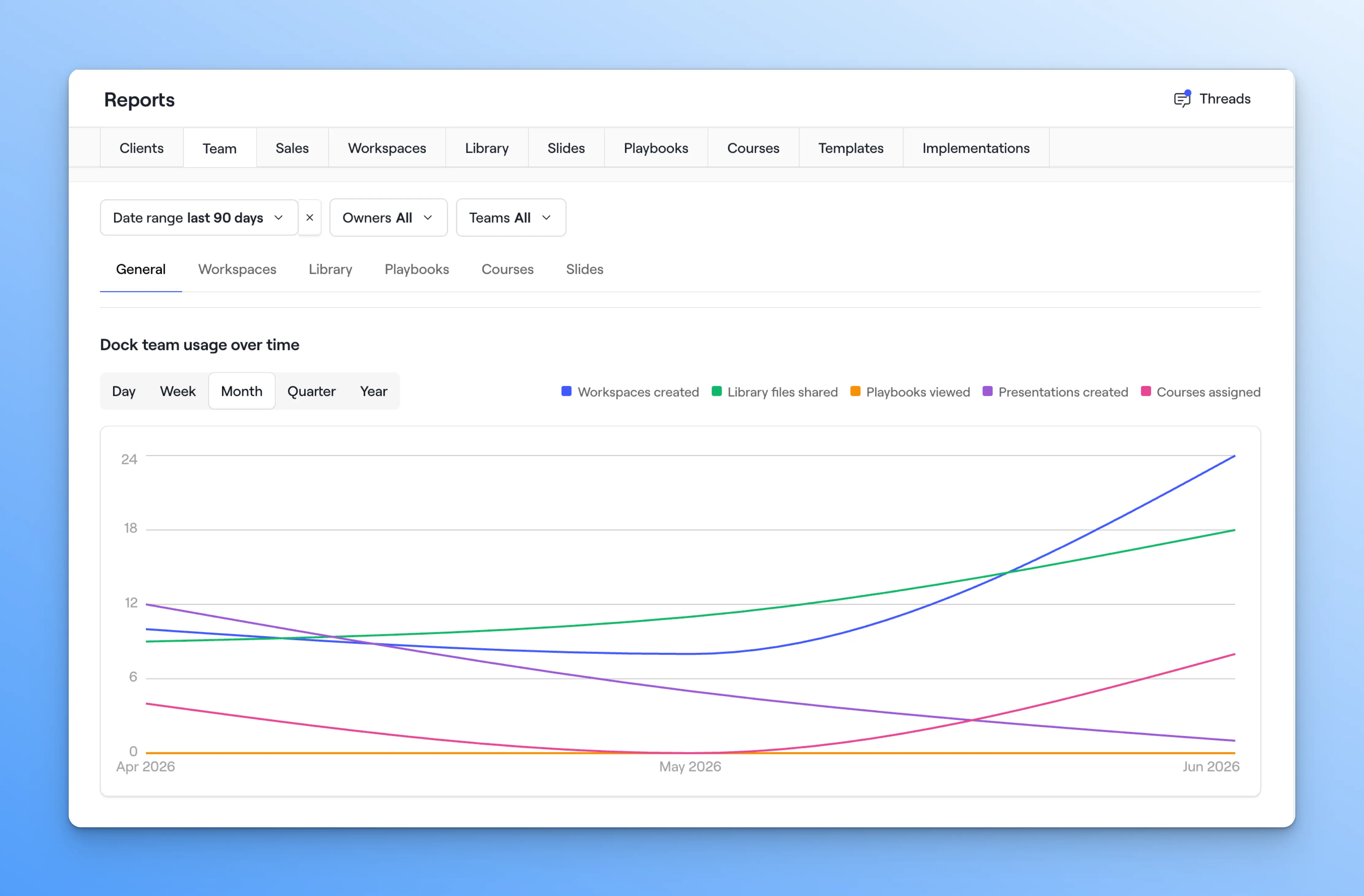
See who's actively building and sharing in Dock, and spot the reps who might need a hand getting going.
2. Six more ways to see what's getting used
We’ve also added new reports that let you track how reps and clients engage with everything in Dock, including:
- Workspaces: Views, actions, unique buyers, and most engaged buyers
- Library assets: Number of assets, shares, views, utilization rates, and more
- Slides: Presentations created, shares, and client views
- Playbooks: Views, actions, and time spent by playbook
- Courses: Courses created, assignments, and completion rates
- Templates: Engagement and usage for workspace, page, and section templates
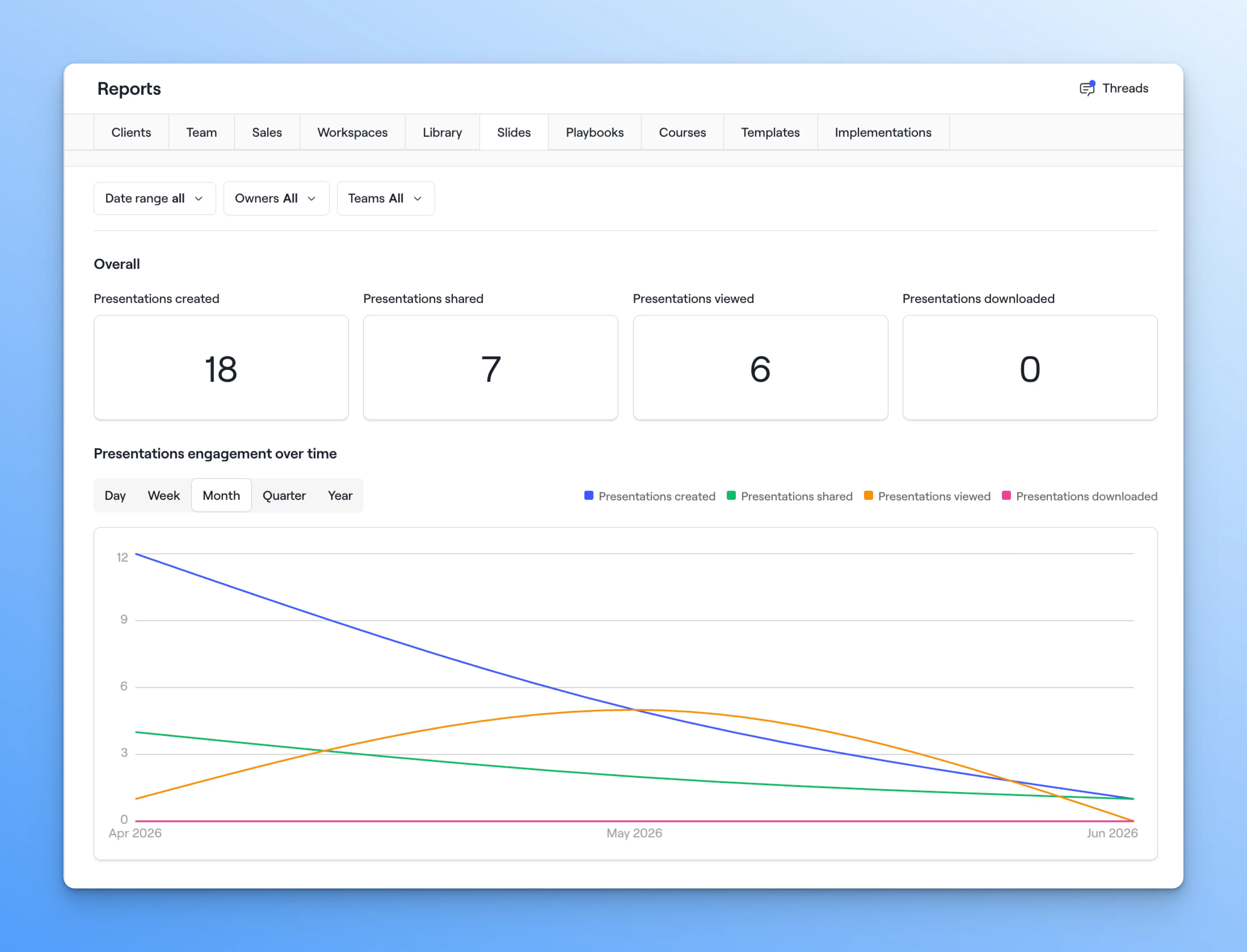
All reports are filterable by date range, owner, and team.
Workspaces & Playbooks
3. Record video directly in Dock
You can now record a video right inside a Dock workspace or playbook—no separate tool required.
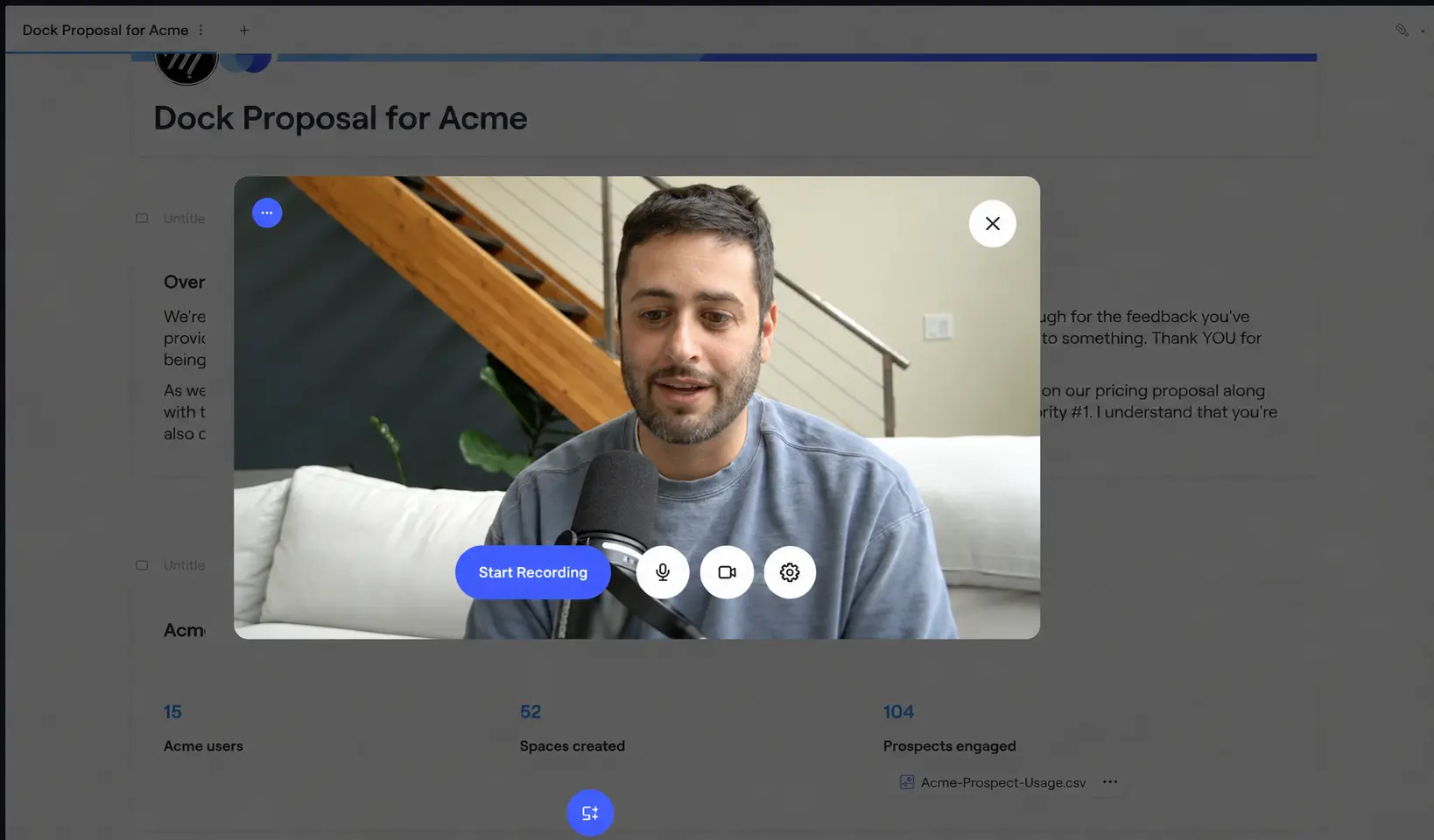
Drop in a quick product walkthrough, a personal intro for a client, or a deal-specific message without leaving the page you're building.
4. New Add section menu
We’ve updated the menu design for adding sections to a workspace, making it much easier to find the section you want to add.
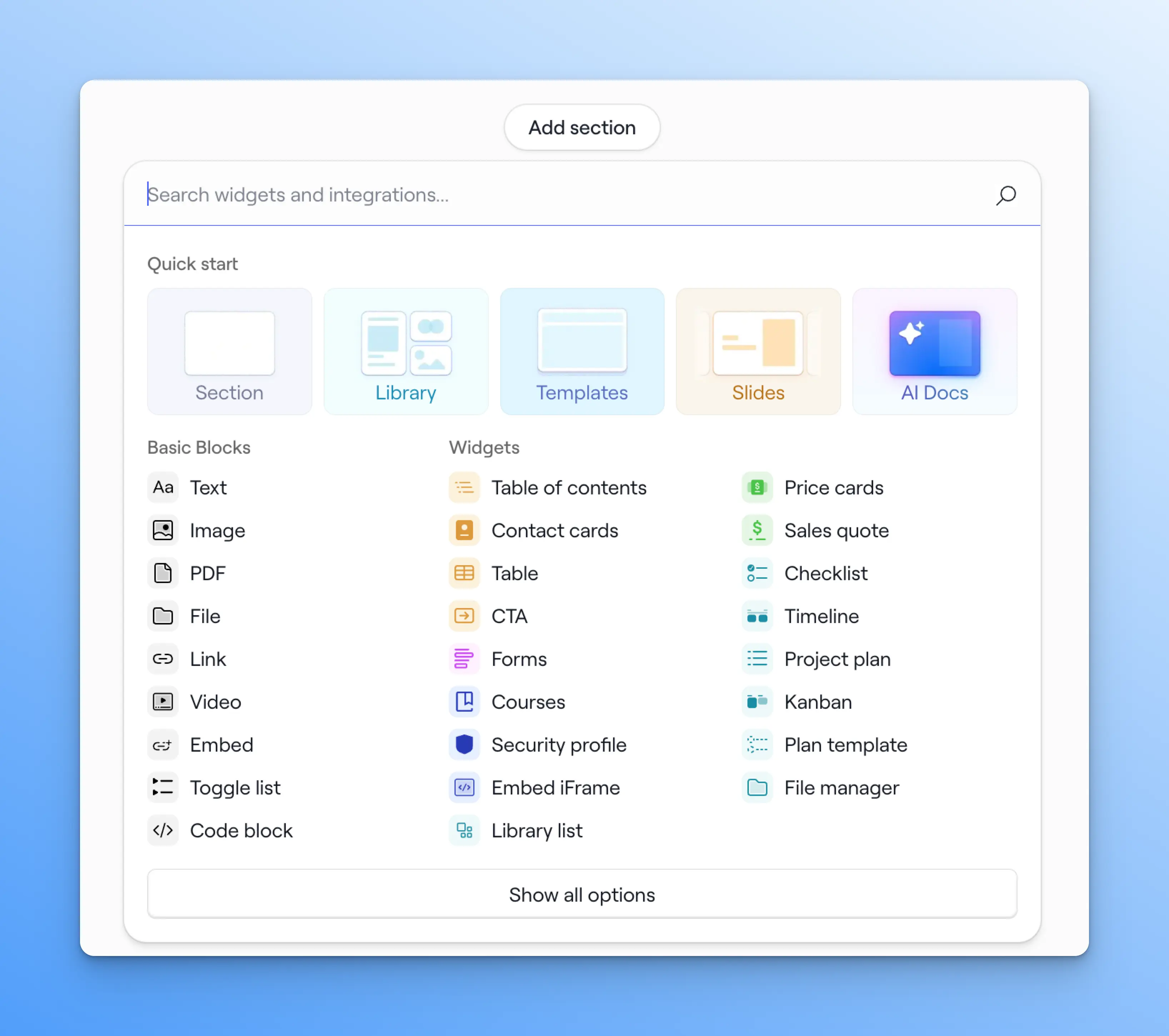
5. Add new blocks with slash commands
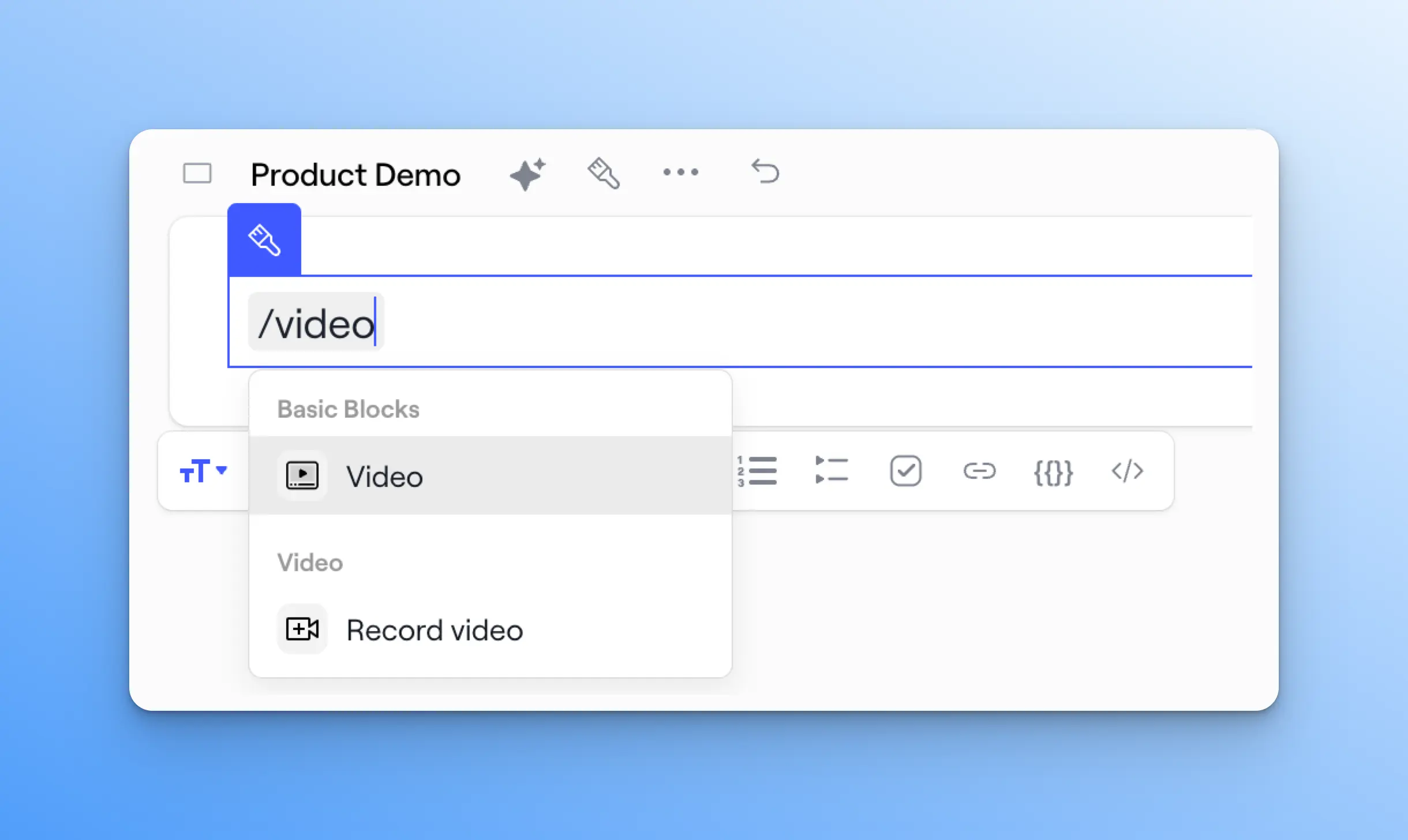
When editing a workspace, you can now type "/" to pull up the block, widget, or asset you want to add. It's much faster than clicking through the menu.
For example, you can type “/gong” to embed a Gong video or “/CTA” to add a CTA button.
6. Google Fonts
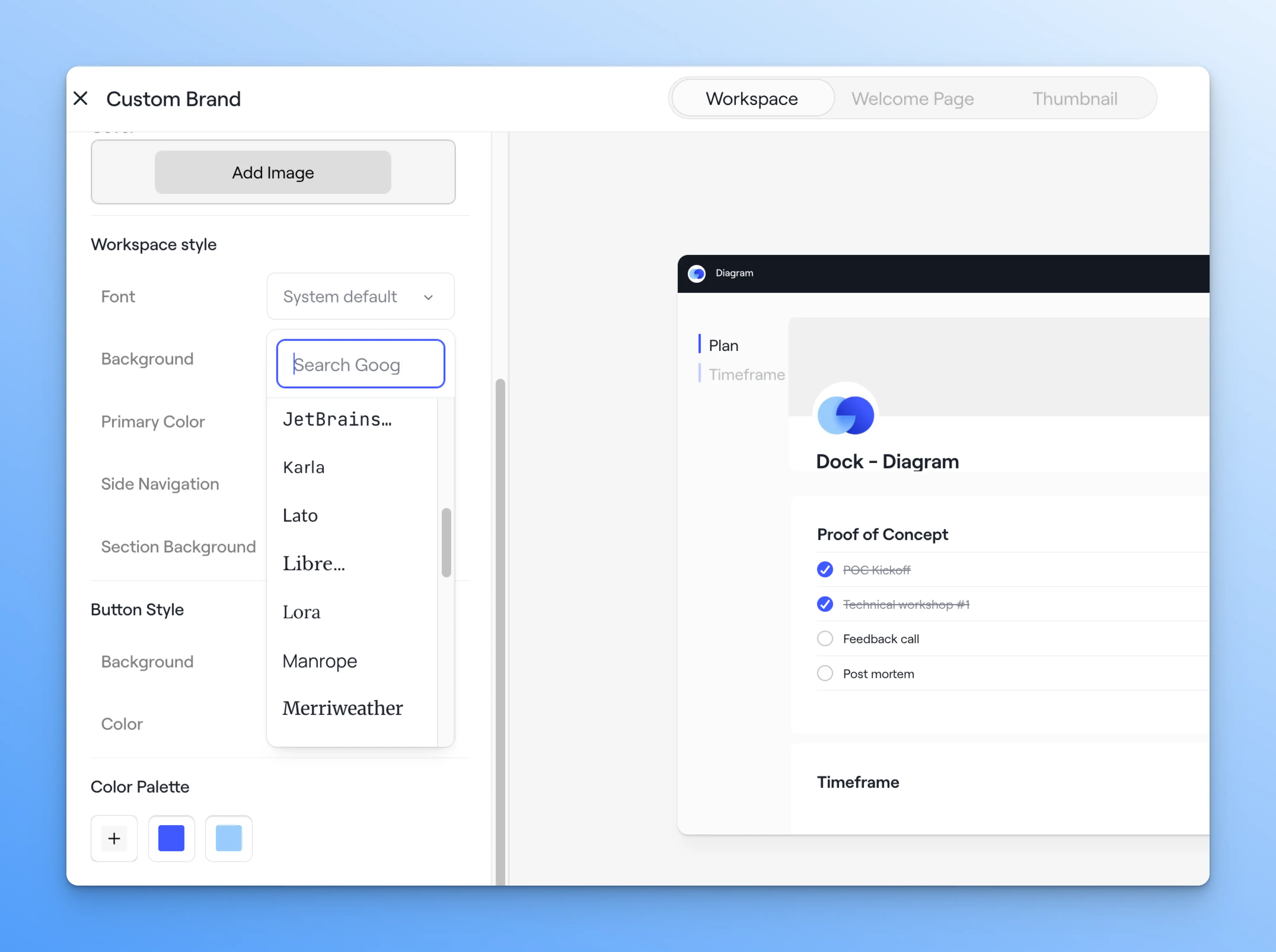
You can now use Google Fonts for your workspace text, giving you more control over your branding.
Select your font in the Brand theme settings under Workspace style to apply it across all workspaces.
7. New embed options for Google & Microsoft files
We've upgraded how Google and Microsoft file embeds work in workspaces, playbooks, and courses.
You can now switch between uploading a Google or Microsoft file as either a live embed or a static PDF—matching the Library experience.
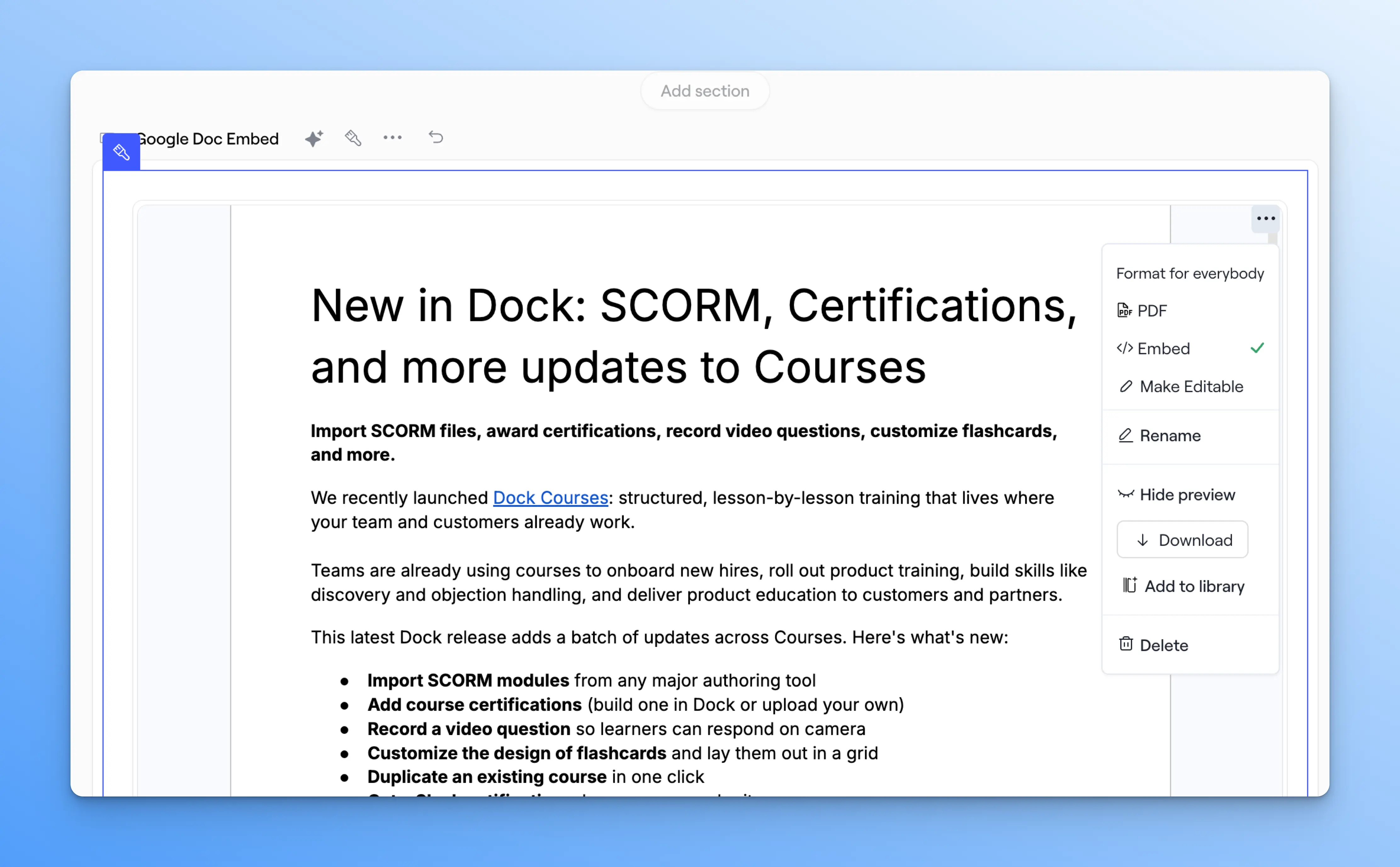
Google Sheets and Google Docs can also be made editable in a few clicks, so the right collaborators can work in the live file without leaving Dock.
8. Export contacts from a workspace
You can now export a workspace's contact list straight to a CSV in a couple of clicks.
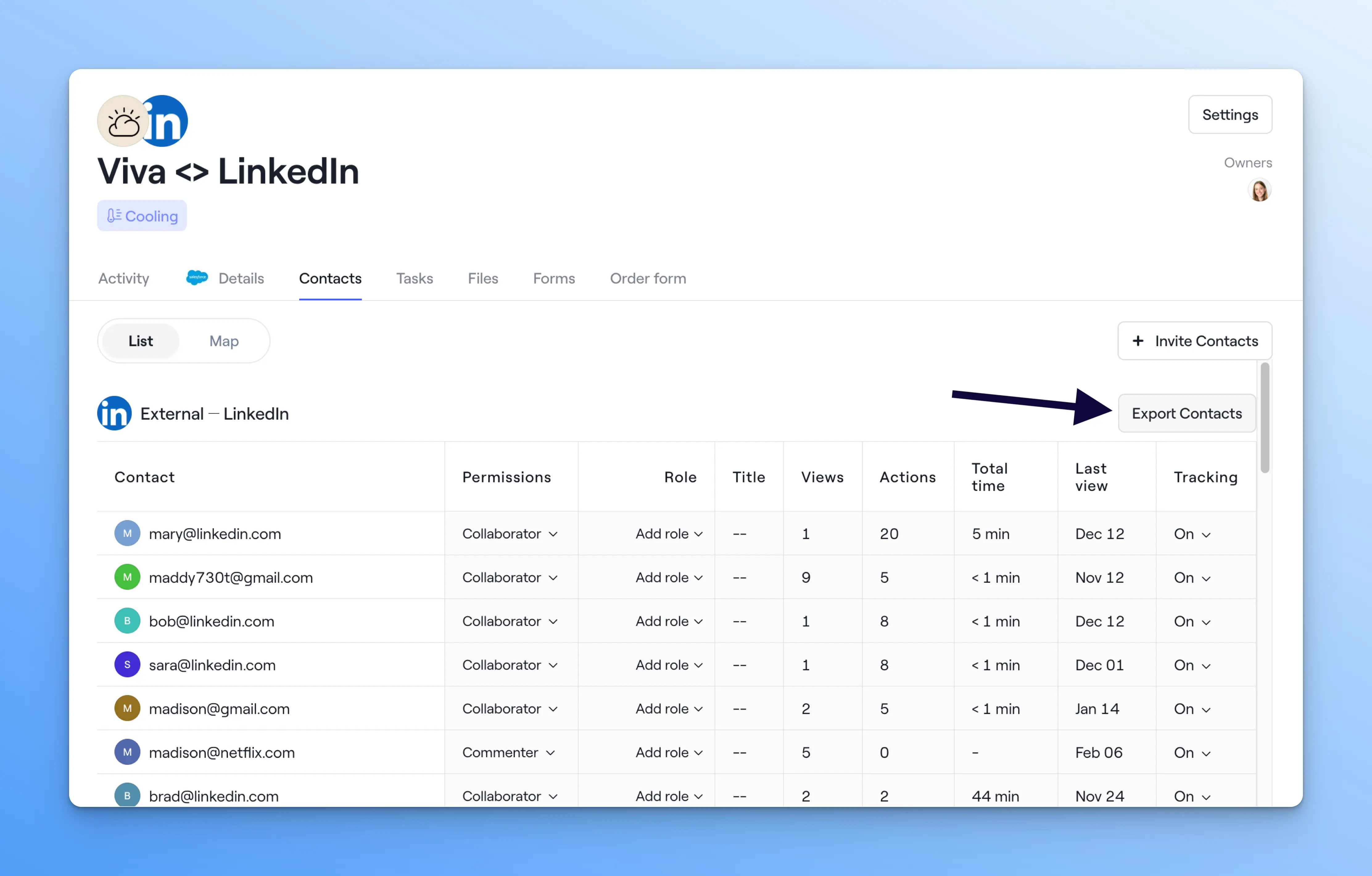
This is handy when you need a quick record of who's involved in a deal or onboarding, or want to pull contacts into another system.
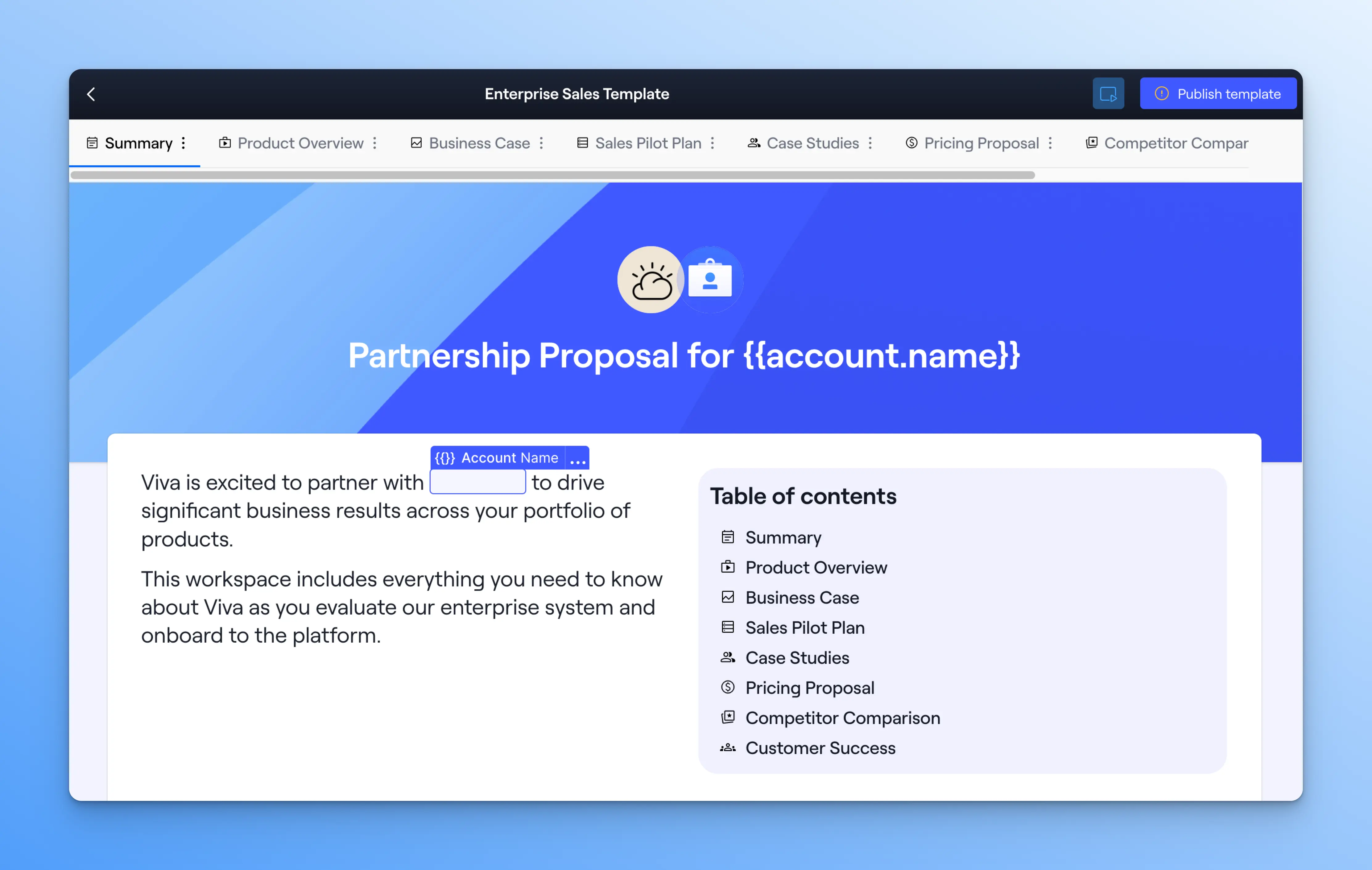
9. Preview workspace templates
You can now preview a workspace template before you use it. Before, you had to create a workspace from the template just to see it. Just hit Preview to test it live.
Content Library
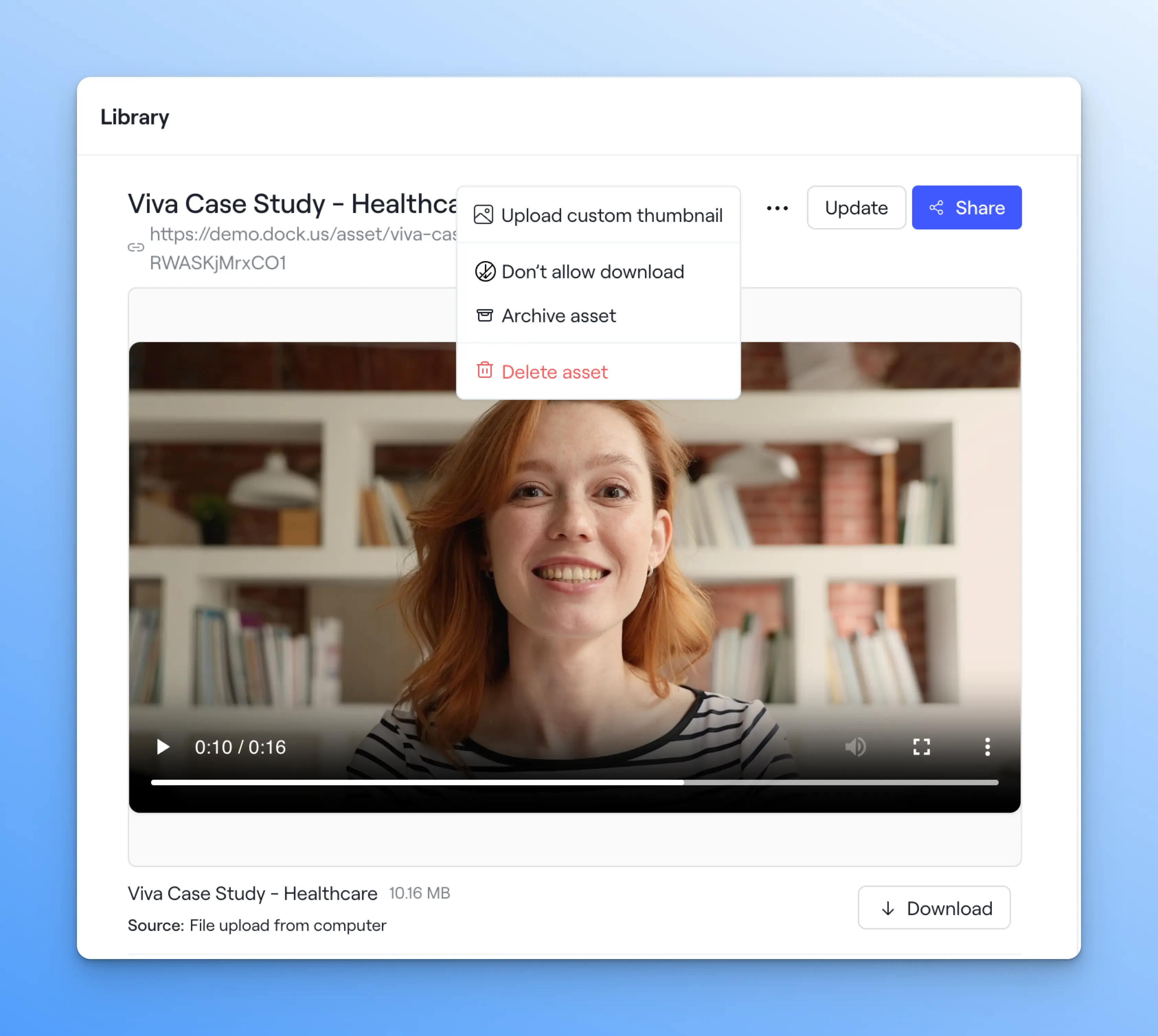
10. Set custom thumbnails for Library assets
You can now set a custom thumbnail for any Library asset. The thumbnail controls how the asset looks both in the Library and when it's added to a workspace.
It's a simple way to keep your assets looking polished and on-brand in front of buyers.
11. Connect an RSS feed to the Library
You can now connect your Library to an RSS feed, like your blog or product announcements, and Dock will automatically pull that content in.
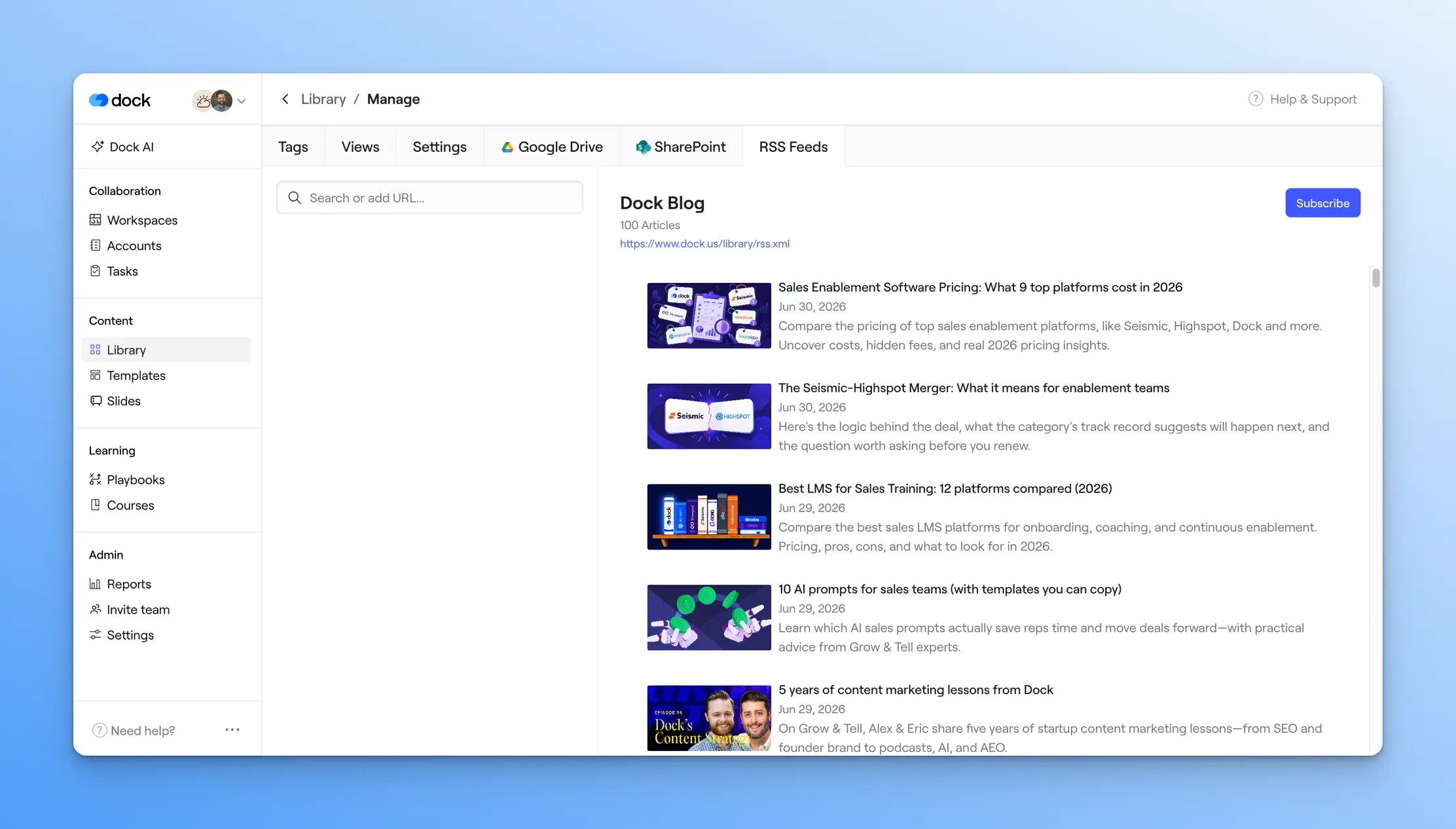
New posts will automatically appear in the Library, so reps always have your latest marketing content without anyone having to copy links by hand.
Admin
12. Edit and invite your team faster
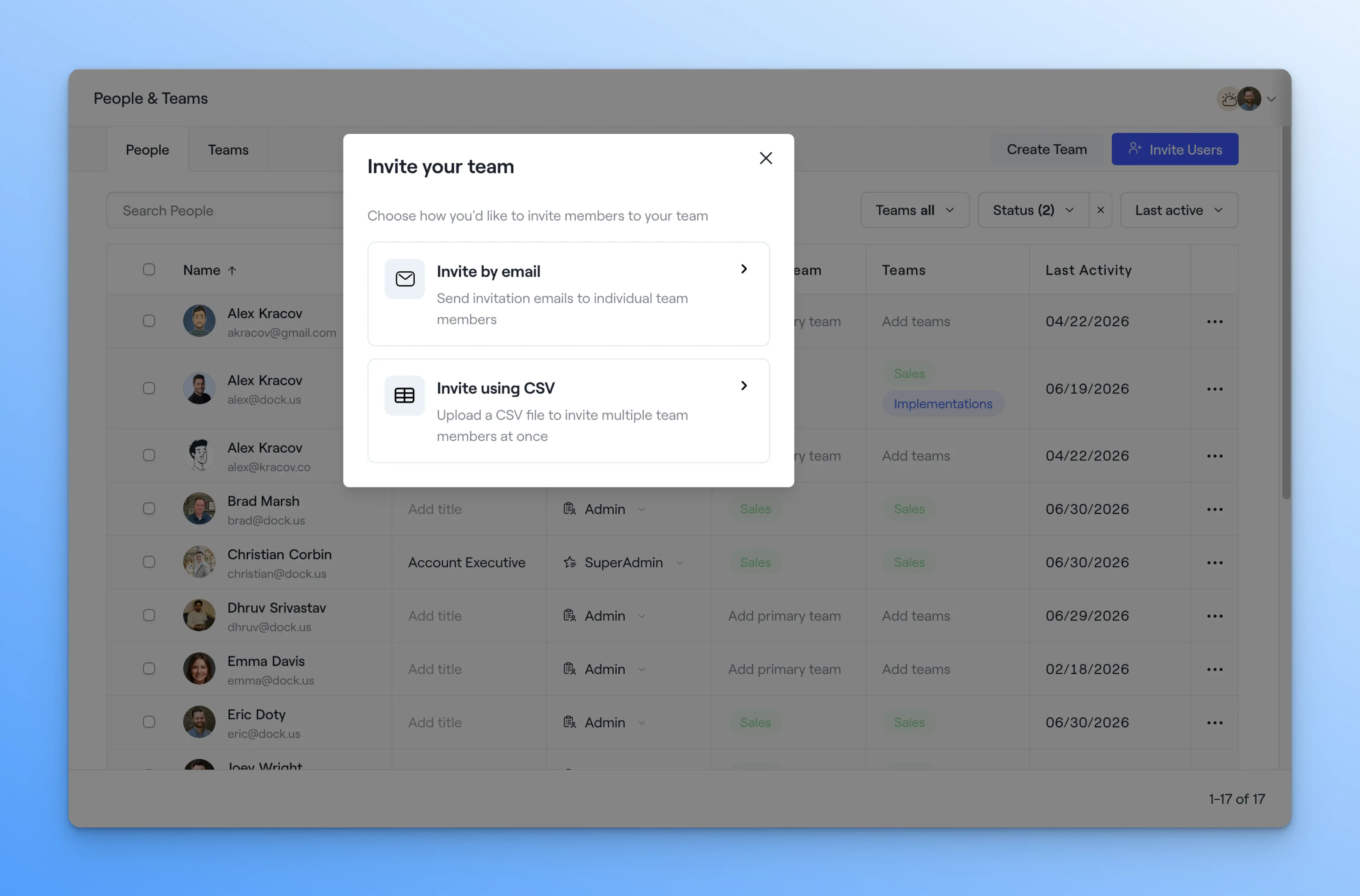
We rebuilt the People and Teams pages to make it easier to manage your Dock users in bulk.
You can now update a teammate's user type or team inline instead of digging through settings. We’ve also added the ability to onboard an entire team at once by uploading a CSV file instead of adding people one at a time.
13. Sync stage fields bi-directionally
You can now update Deal and Opportunity stage fields directly from a Dock workspace, and the changes sync back to HubSpot or Salesforce.
For reps living in Dock during an active deal, that's one less reason to jump back into the CRM to move a deal forward.
14. More control over order forms
We’ve made three upgrades to order forms that give you more precision on complex deals:
- Set legal documents by product, so the right terms attach automatically
- Add custom reference numbers to match your own systems
- Set a default order-form signer instead of assigning one every time
That's a wrap 🌯
It’s getting harder and harder to keep up with these update posts because our Product team is shipping faster than ever.
As always, keep the ideas and questions coming to support@dock.us. Most of these Little Things updates start with your suggestions.
We’ll have lots more Dock updates coming soon.
— Alex


Related Revenue Lab Articles


.webp)
Templates for Sales, Onboarding,
Projects and Portals
Customize and share with clients


