
.webp)
Most enablement software is built to make sellers' lives easier.
But here's the problem: buyers complete 70% of their purchasing journey before ever talking to sales, and 80% of them say the hardest part isn't comparing vendors—it's getting everyone internally to agree.
Your champions are fighting an uphill internal sales battle:
- They're building consensus across buying committees that now average 10+ stakeholders—finance, IT, legal, operations—each with competing priorities.
- They're trying to differentiate your solution from competitors who all sound the same.
- They're proving ROI to skeptical executives with nothing but scattered email threads and forwarded PDFs.
- They're presenting outdated demo recordings and generic decks that don't address specific stakeholder concerns.
- And they're doing all of this while juggling their actual day job.
The tools sellers rely on—CRMs, sales enablement platforms, slide decks—weren’t built to help with any of this. They're built to track deals and manage content for internal teams, not to give buyers what they actually need: tools to build internal consensus and make confident decisions.
For sellers to be truly helpful, they need to prioritize buyer enablement as much as sales enablement. That means giving buyers the resources, tools, and autonomy to navigate complex purchasing decisions—even when sales isn't in the room.
Here are the buyer enablement tools that actually help buyers (and the sellers supporting them):

TL;DR: Our top buyer enablement software picks
- Dock: For collaborative deal rooms that transition from sales to onboarding to ongoing client portals—supporting the full customer lifecycle in one workspace.
- GetAccept: For teams focused on late-stage collaboration, document management, and contract negotiation.
- Trumpet: For small teams that need basic but polished deal rooms quickly.
- Moxo: For routing buyer-side approvals (procurement, security, deal-desk sign-off) instead of tracking each one over email.
- DealHub: For enterprise teams already invested in DealHub's suite who want deal room capabilities without switching platforms.
- Storylane: For creating interactive demos that can be embedded anywhere—landing pages, emails, or deal rooms.
- Consensus: For teams that want comprehensive demo management with self-service product experiences and buyer intent tracking.
- Amplitude: For product-led sales teams that need deep analytics on how buyers engage with products during trials.

What is buyer enablement software?
Buyer enablement software helps B2B buyers navigate complex purchasing decisions by providing tools to conduct independent research, build internal consensus, and demonstrate ROI to stakeholders.
The main categories of buyer enablement software are:
- Digital sales rooms: Centralized, collaborative workspaces where buyers and sellers can share resources, manage documents, and track deal progress.
- Mutual action plans (MAPs): Shared roadmaps that outline next steps, responsibilities, deadlines, milestones, and timelines for both buyers and sellers to close deals.
- Interactive demos and product tours: Product experiences that enable prospects to test features and functionality before making a purchase.
- Value/ROI calculators: Tools that quantify a product's business impact or cost/time savings based on prospect-specific inputs and metrics.
- Buyer-side analytics: Insights that measure prospect engagement to help determine their readiness to buy.
The goal of buyer enablement software is simple:
Help sellers stay relevant during the majority of the buying journey that happens without them. Buyer enablement tools equip champions with shareable resources, collaborative workspaces, and proof points to sell internally.
Sales enablement vs. buyer enablement: what's the difference?
Sales enablement software supports internal teams—training reps, organizing content, tracking performance, and optimizing internal workflows.
Buyer enablement software supports external groups—the buying committees evaluating your solution, building consensus across stakeholders, and justifying the purchase to executives.
The problem with traditional sales enablement platforms is that they bolt on buyer-facing features as an afterthought. The result? Buyers get clunky, seller-centric experiences that don't actually help them do their job.
Do you really need a separate buyer enablement tool?
Adding yet another tool to your sales tech stack isn't ideal. But here's the reality: if your current platform doesn't actually help buyers do their job, your champions are already using workarounds—Google Docs, email threads, shared drives, and cobbled-together slide decks.
The question isn't whether to add a tool. It's whether to invest in purpose-built buyer enablement software, or continue forcing buyers to navigate a seller-centric process.
There are two potential (and complementary) approaches:
1. Point solutions address specific gaps—interactive demos, ROI calculators, or engagement analytics. They're useful for filling immediate needs, but stacking multiple point solutions creates integration headaches and fragments the buyer experience.
2. Revenue enablement platforms that prioritize buyer enablement combine deal rooms, mutual action plans, content management, learning management, and analytics in a single workspace designed for both internal teams and external buyers—from first pitch through contract signature and into onboarding.
Here are the different types of buyer enablement software, how they fit in the buying journey, and our top recommendations for each category.
Digital sales rooms & mutual action plans
Digital sales rooms (or sales deal rooms, as we like to call them) create a shared go-to workspace for all things deal-related. Buyers and sellers can share relevant information and resources (such as use cases, case studies, and white papers) and track deal progress and next steps through a shared action plan.
Digital sales room and mutual action plan software should be:
- Easy to use, so sales reps can set up digital sales rooms and MAPs quickly and independently. Look for tools with templates or drag-and-drop editors.
- Flexible enough to meet diverse customer needs and requests. Choose software that won’t limit communication and collaboration.
- Connected to the rest of your sales tech stack. Pick a platform that integrates with the CMS, CRM, and other tools your sales team is already using.
- Shareable with large, diverse buyer groups. Try to avoid platforms that restrict visibility or require paid customer seats to collaborate.
Check out our in-depth comparison guide of top digital sales room tools to see the entire list, but here are our top DSR/MAP tools:
1. Dock
What it is:
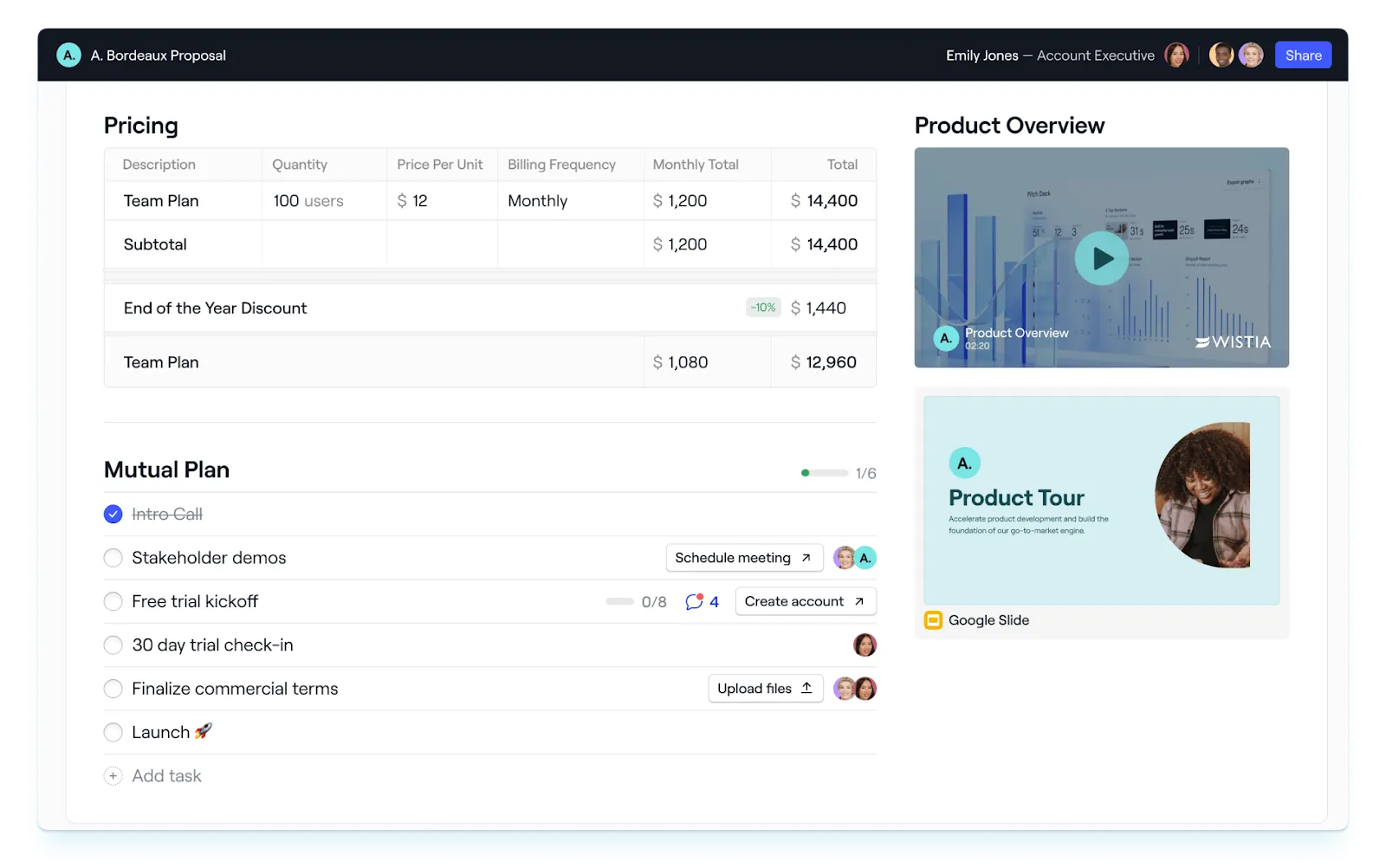
Dock is the AI revenue enablement platform that brings sales deal rooms, mutual action plans, content management, AI-powered documents, and sales training all under one roof.
Unlike point solutions that only address sales or onboarding, Dock supports the full customer lifecycle. Your shared workspace transitions seamlessly from deal room to onboarding hub to client portal—maintaining continuity and preserving context as buyers move from evaluation to implementation to renewal.
Dock facilitates real collaboration between buyers and sellers, not just one-way information dumping. Buyers can leave comments, edit sections, and contribute directly in the workspace—eliminating the endless email threads and scattered Google Docs that slow deals down.
Who it’s for:
Revenue teams (Sales, Customer Success, Marketing, and RevOps) that want to support both internal workflows and external buyer collaboration from a single platform.
Key features:
- Flexible sales deal rooms: Give buyers a single destination to access everything they need—demos, case studies, ROI calculators, pricing, contracts, and next steps. Organize content into pages and sections so buyers can navigate the deal story at their own pace, not just consume what sellers push at them.
- Mutual action plans: Break long deal processes into clear stages with tasks assigned to both buyers and sellers. Buyers know exactly what's expected of them and when, reducing the back-and-forth that stalls deals. Include supporting materials directly in tasks so buyers have context when it's time to get stakeholder approval or complete security reviews.
- Collaborative sections: Let buyers leave notes, make edits, and share information directly in workspace pages. This reduces endless email threads and gives buyers a place to build consensus with their internal team—without forcing them to copy content into separate tools.
- AI Documents: Generate personalized business cases, ROI analyses, and executive summaries using data from your CRM, call transcripts, and deal history. Instead of sending generic decks, give champions tailored materials they can confidently share with finance, IT, and the C-suite.
- Content management: Organize sales content so it's actually findable and shareable. When content lives in Dock, it stays up to date everywhere it's been shared—so buyers never reference outdated pricing, old case studies, or deprecated product information.
- Buyer engagement analytics: See who's viewing your deal room, which content resonates, and when buyers share the workspace internally. Use these signals to time follow-ups, identify blockers, and understand where buyers need more support.
- Connected workspaces: Use a single link to access deal rooms, onboarding plans, and ongoing client portals. Buyers don't have to navigate multiple tools or lose context during handoffs from sales to customer success.
- Order forms: Create, share, and finalize proposals directly in the workspace. Buyers can review terms, get internal approval, and sign contracts without bouncing between separate tools.
2. GetAccept
What it is:
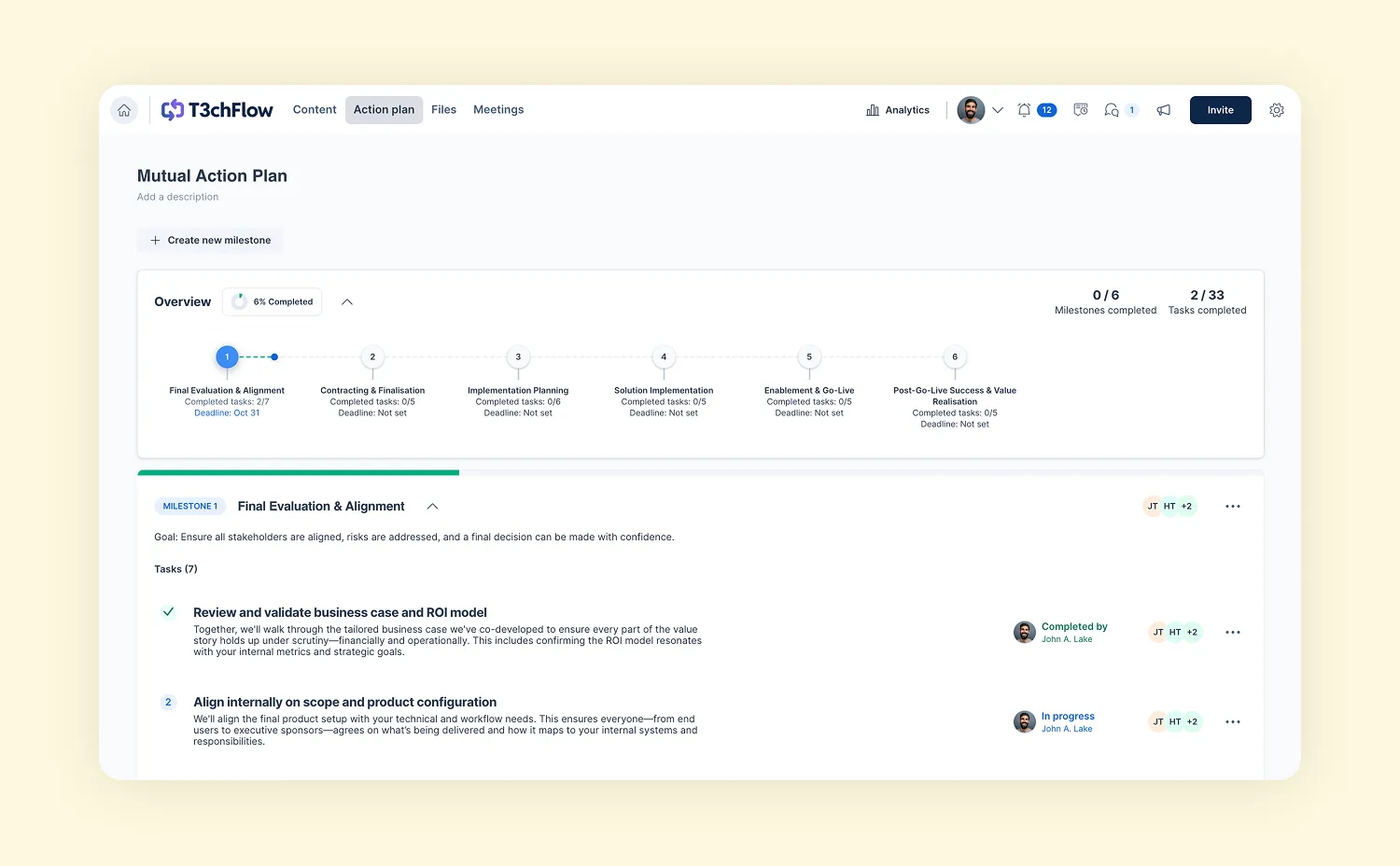
GetAccept is an enablement platform with a special emphasis on document management. It has all the digital sales room features you’d expect (including mutual action plans, sales content management, and engagement tracking), but it’s primarily designed to manage later-stage sales activities like buyer negotiation and contract collaboration.
Who it’s for:
Sales teams with complex deal cycles and/or hard-to-close contracts that need help moving from “proposal sent” to “contract signed.”
Key features:
- Buyer engagement tracking and analytics
- Built-in AI to personalize content at scale
- Branded proposals and quotes
- Secure and compliant e-signatures
3. Trumpet
What it is:
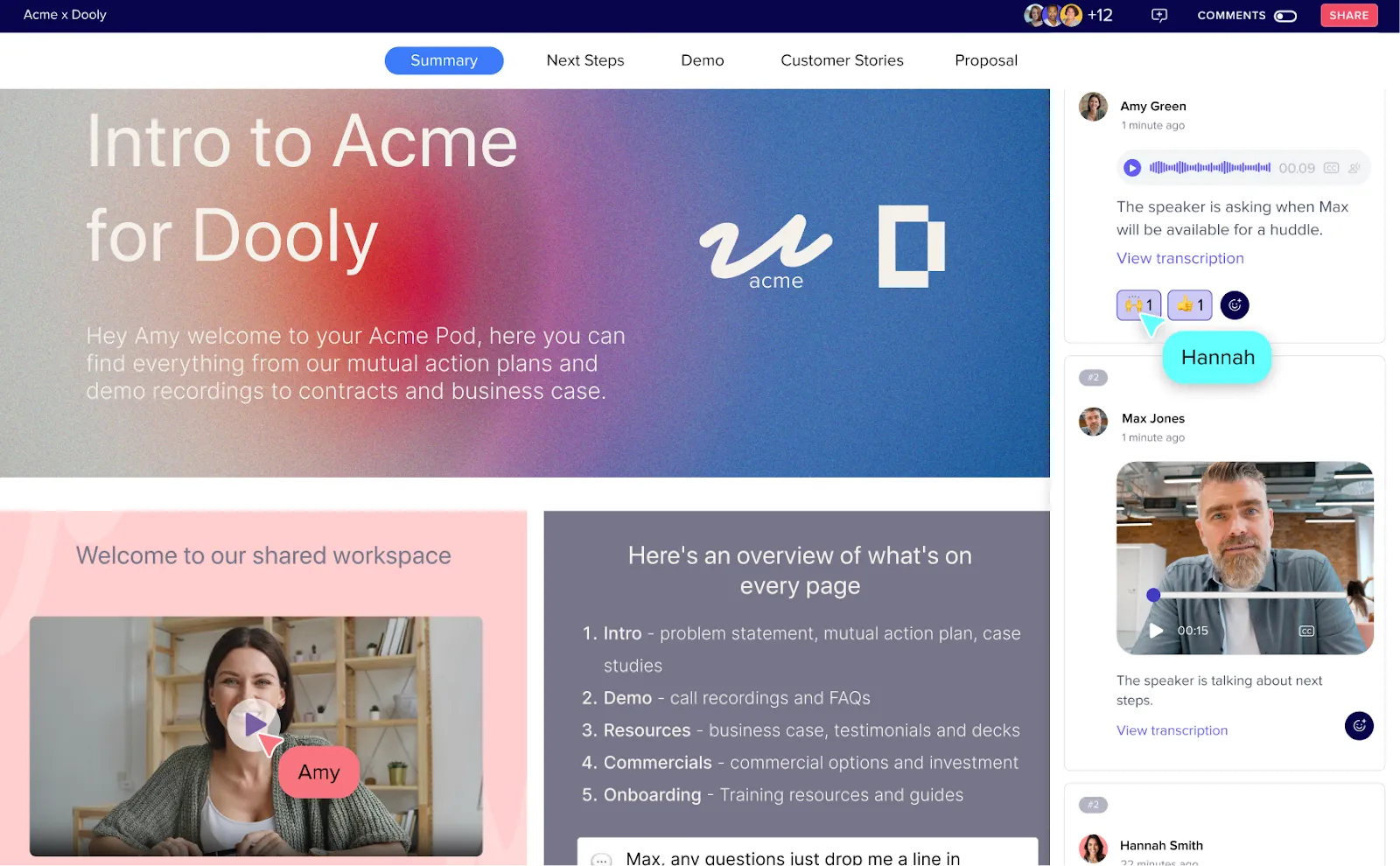
Trumpet is a simple platform for creating digital sales rooms (“Pods”) using templates and drag-and-drop widgets. It checks all the basic deal room boxes, but lacks feature depth (e.g., no two-way CRM sync, no AI content creation, no internal playbooks, no API) that could make it hard to scale alongside fast-growing teams.
Who it’s for:
Small to mid-size teams that want fast, polished deal rooms for (mostly) early-stage buyer connections and sales pitches.
Key features:
- Native video messaging
- Ready-made templates and drag-and-drop editing
- Mutual action plans
- Proposals, quotes, and e-signatures
- Buyer signals and intent analytics
Heads up: We left the big enterprise sales enablement platforms (like HighSpot and Seismic) off this list for a reason. Their sales rooms are more of an add-on to their suite and lack flexibility and customization, making them more like shared content repositories rather than true collaborative workspaces for buyers.
Deal & workflow orchestration platforms
Even after a champion is sold, the deal still has to clear the buyer's own internal gauntlet—procurement, security review, legal, and finance sign-off, usually in that order and usually while the seller is out of the room. Deal orchestration tools give that back-of-house approval process a defined structure, routing each step to the right reviewer instead of letting it stall in someone's inbox.
Deal orchestration and approval workflow software should be:
- Structured around the buyer's side of the deal, not just the seller's. Look for tools that map procurement, security, and legal review as discrete steps with owners and due dates.
- Low-friction for outside reviewers. Choose software that lets a buyer's finance or legal contact complete a step without creating an account.
- Able to run approvals in parallel. Avoid tools that force every review into a single sequence, since that's where deals lose weeks.
Here are the tools we'd look at for orchestrating multi-party deal approvals:
4. Moxo
What it is:
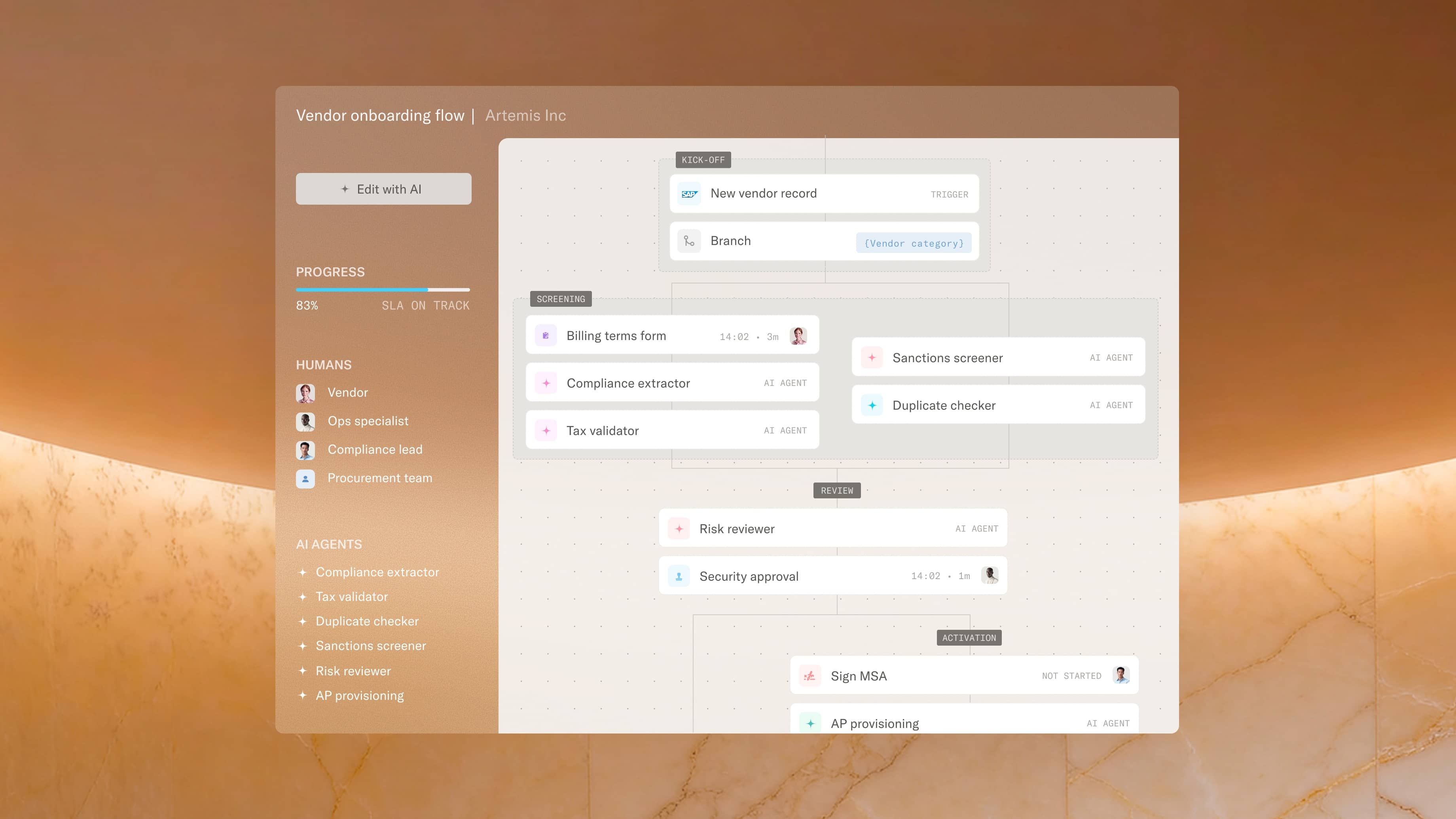
Moxo is an AI-native process orchestration platform for deals that span multiple parties—buyers, internal reviewers, and vendors. You describe the process in plain English, and Moxo builds the full flow of roles, steps, branching, and milestones, with AI agents that can pre-fill forms, flag issues, and prepare approvals before a person weighs in.
Who it's for:
Sales and RevOps teams working multi-stakeholder deals where the buyer's side of the process—legal, procurement, security, and finance sign-off—has as many handoffs as the seller's.
Key features:
- Natural-language builder that generates a full multi-party workflow
- AI agents that pre-fill forms and prepare approvals
- Magic-link buyer access with no account required
- White-labeled portals scoped to each participant's role
- 35 native step types, including approvals, e-signatures, and branching
5. DealHub DealRoom
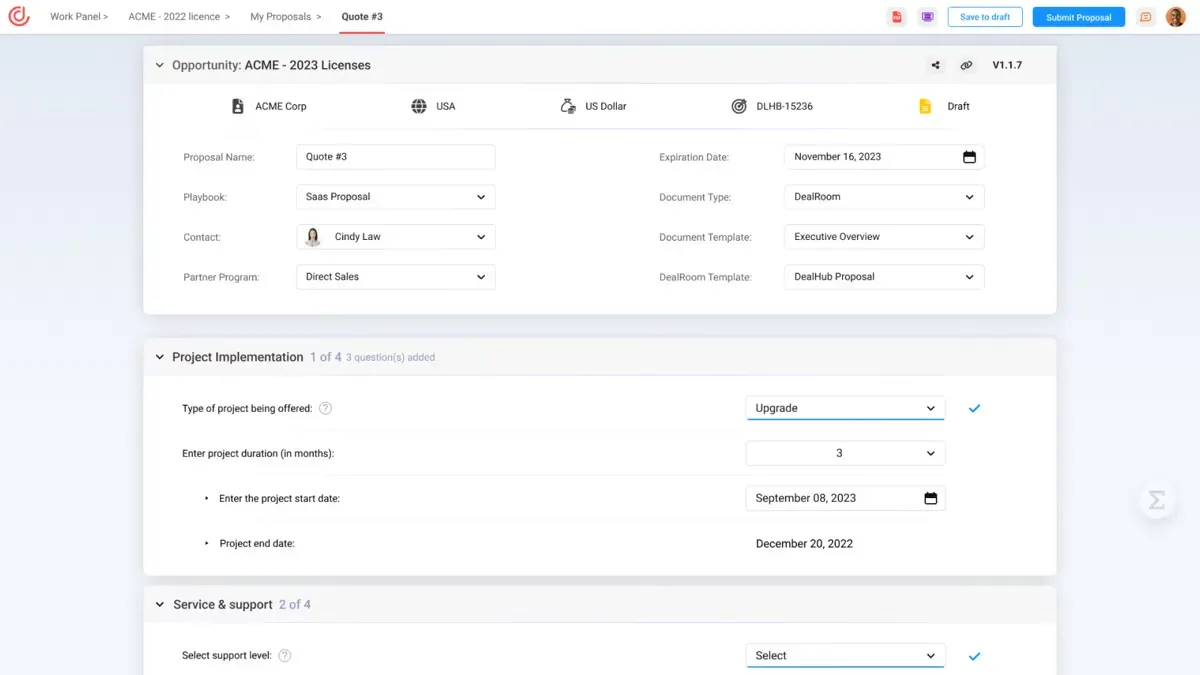
What it is:
What it is: DealHub is an enterprise revenue platform that connects CPQ, contract management, and subscription approvals into one governed workflow—with a deal room as the buyer-facing layer. It routes pricing, discounts, and contract sign-off through structured approvals while keeping buyer collaboration in the same place.
Who it's for:
Enterprise teams that need heavy CPQ, CLM, and revenue-management depth under their deal workflow—not just a shared space to collaborate with buyers.
Key features:
- Configurable approval workflows for pricing and discounting
- CPQ and subscription management
- Built-in e-signature and contract lifecycle management
- Mutual action plans and buyer engagement insights
Interactive demos & product tours
Interactive demos and product tours give potential customers a real-life (or at least a simulated) taste of your product before they commit to a purchase.
Product demo and/or tour software should be:
- Intuitive and accessible enough for sales reps to create and share on their own. Prioritize platforms that make it easy to create, update, and manage your demo library.
- Easily shareable and embeddable in emails, websites, or digital sales rooms. Look for a tool that allows your demos and product tours to live in a variety of spaces.
- Integrated with your existing sales tech stack. Demo tools that integrate with your CRM, DSR, or analytics platform can make personalization easier and deliver better buyer engagement insights.
A simple screen recorder tool (like Loom) is an easy way to show off product features or answer specific buyer questions. But for more interactive and comprehensive product experiences, here are our top choices:
6. Storylane
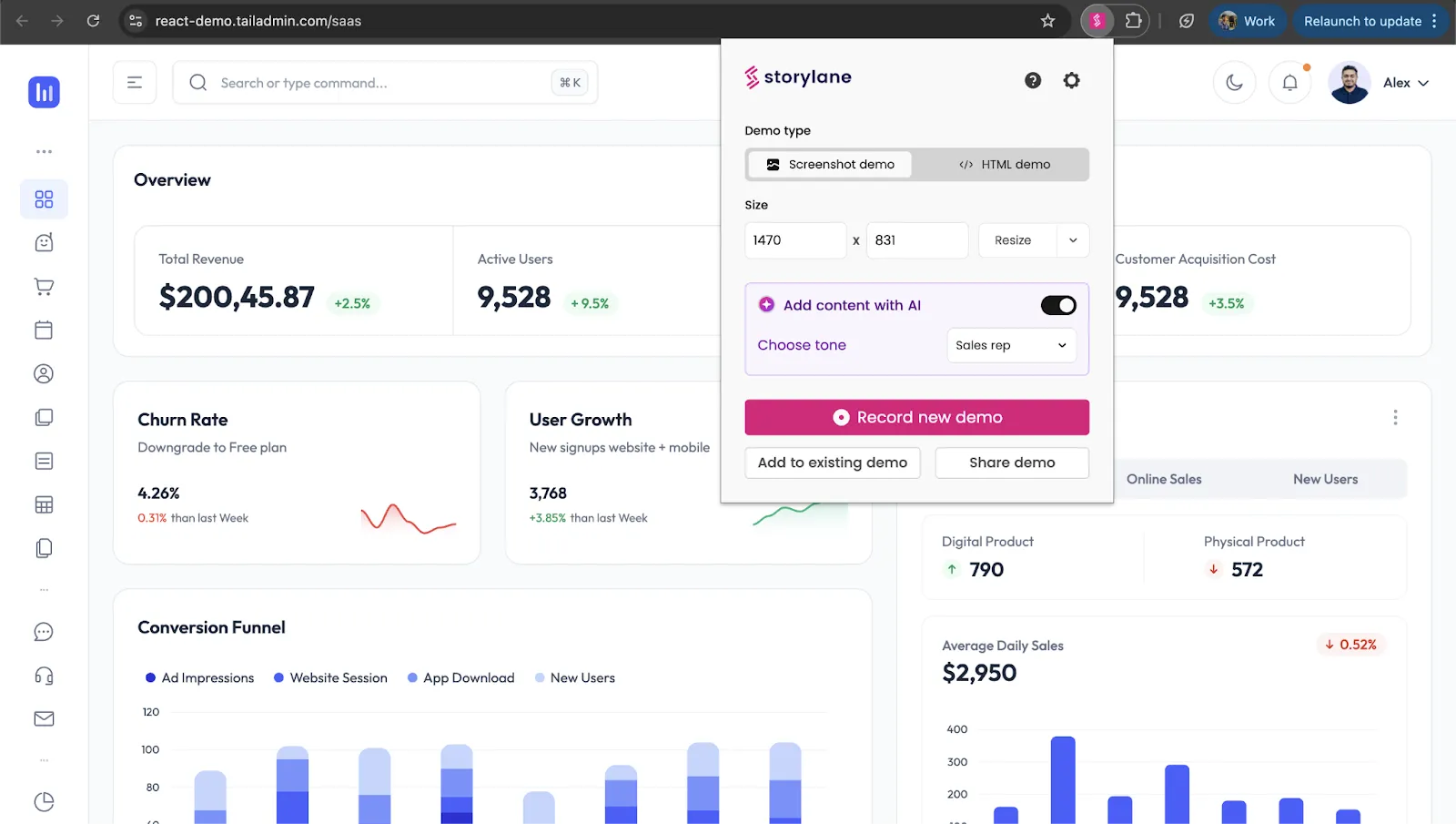
What it is:
Storylane is a product demo tool that creates no-code interactive experiences in just a few minutes. Share demos directly with buyers, or use them on your website, in campaigns, or at in-person events and trade shows. Storylane also has a built-in buyer hub to create personalized pages and demo playlists.
Who it’s for:
Sales and marketing teams that want an easy way to create interactive demos with the flexibility to share them where they can make the biggest impact.
Key features:
- Browser extension to quickly create demos
- AI assistants to generate content and voiceovers
- Integration with top CRMs like Salesforce and HubSpot
7. Consensus
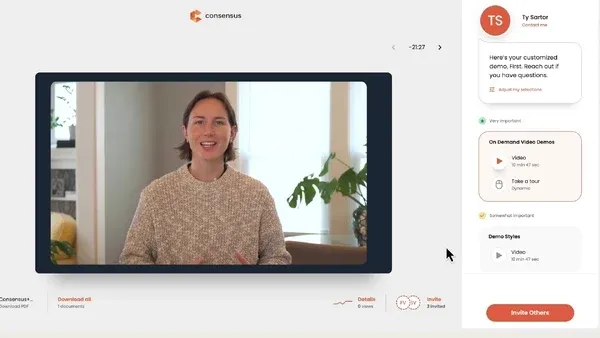
What it is:
Consensus is a complete product experience platform that makes product tours, demos, and simulations an integral part of qualifying leads and educating buyers. It uses AI to create self-serve experiences, allowing leads and buyers to discover and test products on their own. On the backend, marketing and sales teams can track buyer intent signals and reach out at just the right time.
Who it’s for:
Sales and marketing teams that want to implement product experiences throughout the entire buyer’s journey, and need a comprehensive platform to create, manage, and share it all.
Key features:
- AI capabilities to personalize text or image data across demos
- Intuitive simulation builder
- Unlimited simulation viewers
- Buyer insights and intent signals
Product-led sales tools
Product-led sales tools combine product experiences and buyer engagement analytics to create a “show, don’t tell” approach to selling. Buyers self-educate and self-qualify (usually by engaging with freemium or trial product versions), and sellers track milestones and buyer-readiness signals to reach out at the right moment.
Tools like Dock, Consensus, and Storylane could fit under this category, but it also covers product analytics platforms, customer feedback loops, user research tools, and more.
8. Amplitude
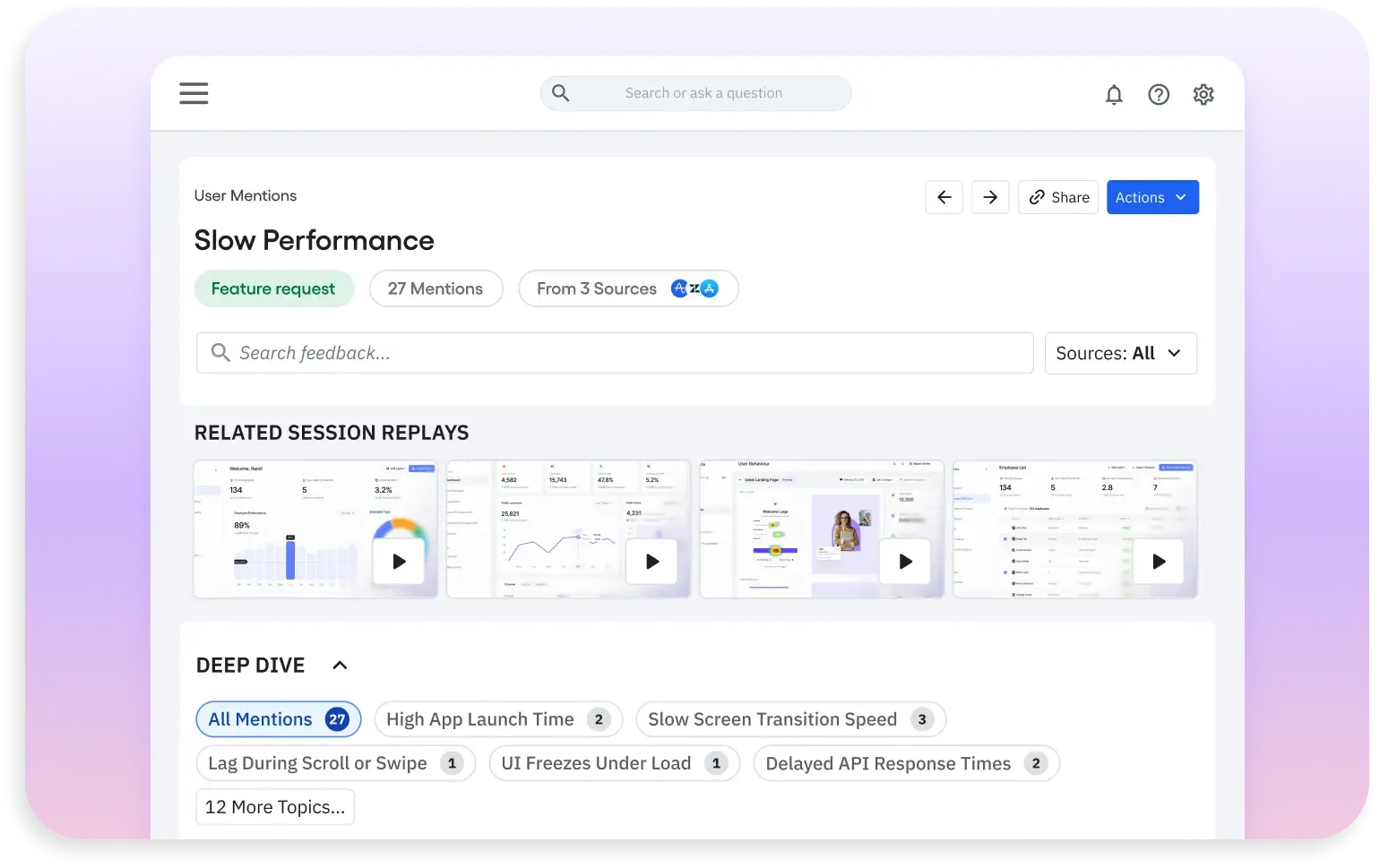
What it is:
Amplitude is a product analytics platform that helps teams better understand how visitors engage with their websites and products. It helps improve digital experiences to better match buyer needs, win more deals, and build more long-term customers.
Who it’s for:
Sales, marketing, and product teams building data-first strategies to convert customers, reduce churn, and improve user adoption rates.
Key features:
- AI-backed agents to analyze feedback and identify key issues quickly
- Feature experimentation to test every new release
- In-app guides and surveys
Calculators & diagnostic tools
Calculators and diagnostic tools are types of interactive content that help buyers assess the value of your product without having to reach out to a sales rep.
Calculators
Calculators back up your product’s value by showing buyers the math behind your claims. They can help potential buyers estimate:
- Pricing: Project costs so buyers can align on budget expectations before connecting with a rep.
- ROI: Compare a buyer’s current state with potential cost/time savings or earned revenue from switching products.
- Cost comparisons: Highlight pricing differences between tools, pricing models, or products.
- Costs and expenses: Break down the true cost of business decisions, processes, and strategies.
- Total Addressable Markets (TAM): Provide immediate insight into market potential for sales and marketing teams.
Pendo’s Customer Retention ROI Calculator shows buyers how churn impacts their revenue and what they could save by using Pendo to reduce churn rate.
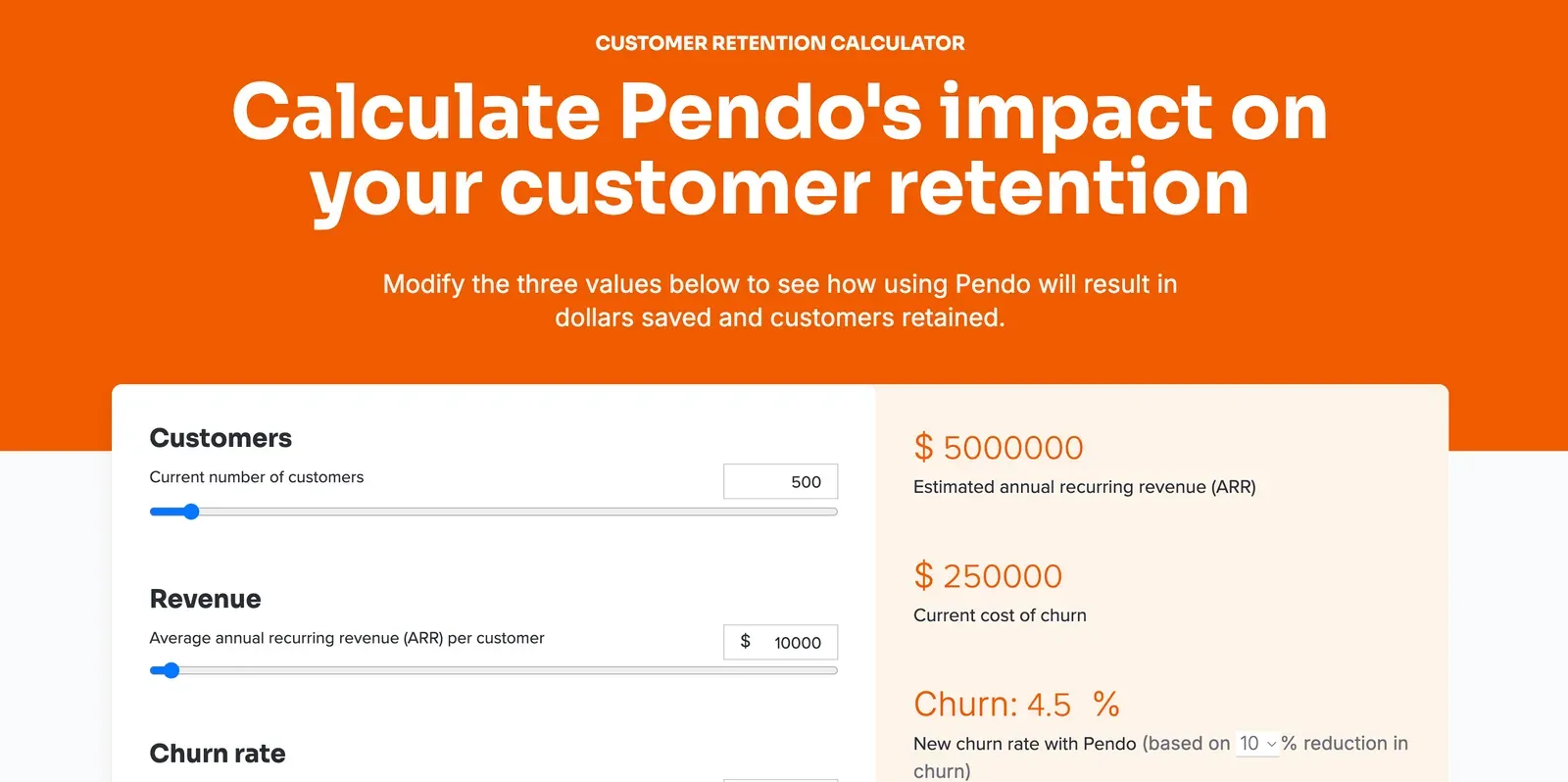
Pendo also has a Customer Support ROI Calculator to estimate how time saved translates into cost savings.
Outgrow and Calculoid are both good no-code builder options for creating your own calculator.
Diagnostic tools:
Diagnostic tools help buyers assess where they are today and if your product can get them to where they want to be. They identify pain points and uncover opportunities by analyzing:
- Maturity: Show where buyers fall on a maturity scale from beginner to advanced.
- Buyer readiness: Allow buyers to self-qualify by determining if it's the right product and time to buy.
- Benchmarks: Compile comparisons on how a buyer stacks up against industry peers and standards.
- Performance: Highlight strengths and weaknesses in a buyer’s existing situation.
- Recommendations: Use buyer inputs to offer targeted content recommendations or advise on next steps.
Gong uses a Revenue Intelligence Maturity Assessment to give buyers personalized recommendations on how to improve their revenue operations.
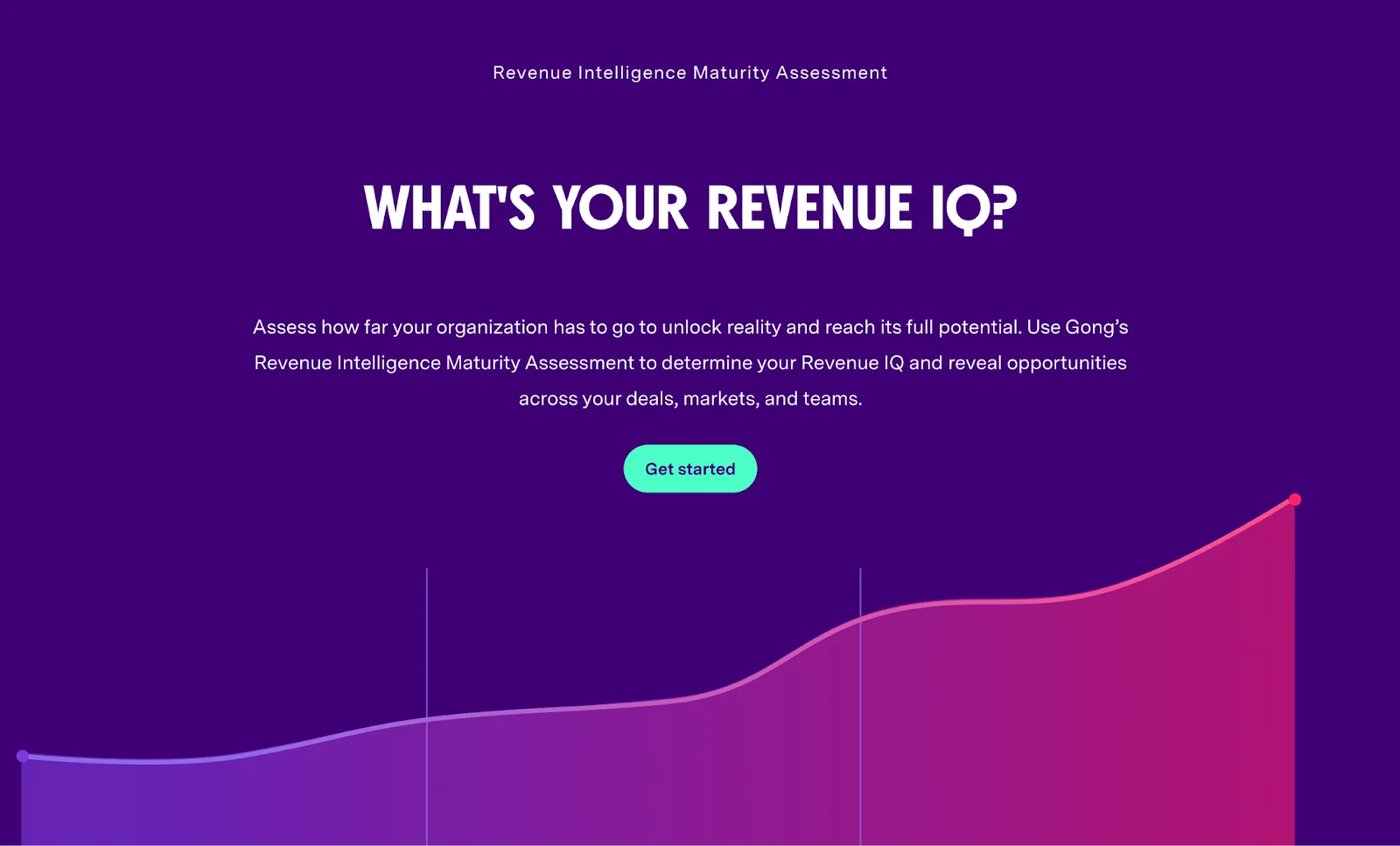
Typeform and Jotform are go-to tools for creating buyer assessments and diagnostic tools.
Enable your buyers with Dock
Too many enablement platforms take a trickle-down approach to buyer enablement — assuming that overwhelming sellers with support will eventually lead buyers to see the benefits.
But as B2B buyers become increasingly independent, these tactics create more distance between decision-makers and sellers. Companies need to invest in platforms that truly support buyers before, during, and after the deal.
Here’s how Dock can enable buyers and sellers throughout the sales process:
- Early collaboration and communication: Dock gives buyers ownership of the deal from day one. Rather than being sold to, buyers can use Dock to share ideas and address concerns.
- Immediate demonstration of value: Dock provides buyers with a shareable, personalized resource to share with stakeholders at any point. Buyers are ready to sell your products to execs without extra work.
- Perfectly timed interactions and support: With buyer analytics and content engagement metrics, Dock tells sellers what buyers are doing when they’re not in the room. Sellers can time follow-ups, reminders, and next steps without overwhelming buying teams.
And Dock works well with the other buyer enablement tools on this list. Embed demos, calculators, diagnostic tools, and more to further enhance the buyer experience.
To get started, try Dock for free.


Related Revenue Lab Articles

.webp)
.webp)
.webp)
Templates for Sales, Onboarding,
Projects and Portals
Customize and share with clients


