

The Dock product team has been busy the past couple months. Here’s a recap of some of the major product upgrades we’re releasing this fall:
.png)
Quick highlights of what's new
- Homepage: a customizable homepage
- Content Library: content governance, Library favorites, a search report, and more
- API: more webhook events, rich-text field updates, new Library and workspace endpoints, and programmatic iFrame updates
- Workspaces: workspace-level brand themes, a cover image library, and better analytics
- Slides: sync Google Slides or upload PowerPoint files to create a share link
- Integrations: Outreach Kaia and Salesloft call recorders for embeds and AI transcripts
Homepage
1. Custom homepage
Rejoice! We finally have a proper homepage that gives your team easy access to key actions, Dock AI, activity, and featured content.
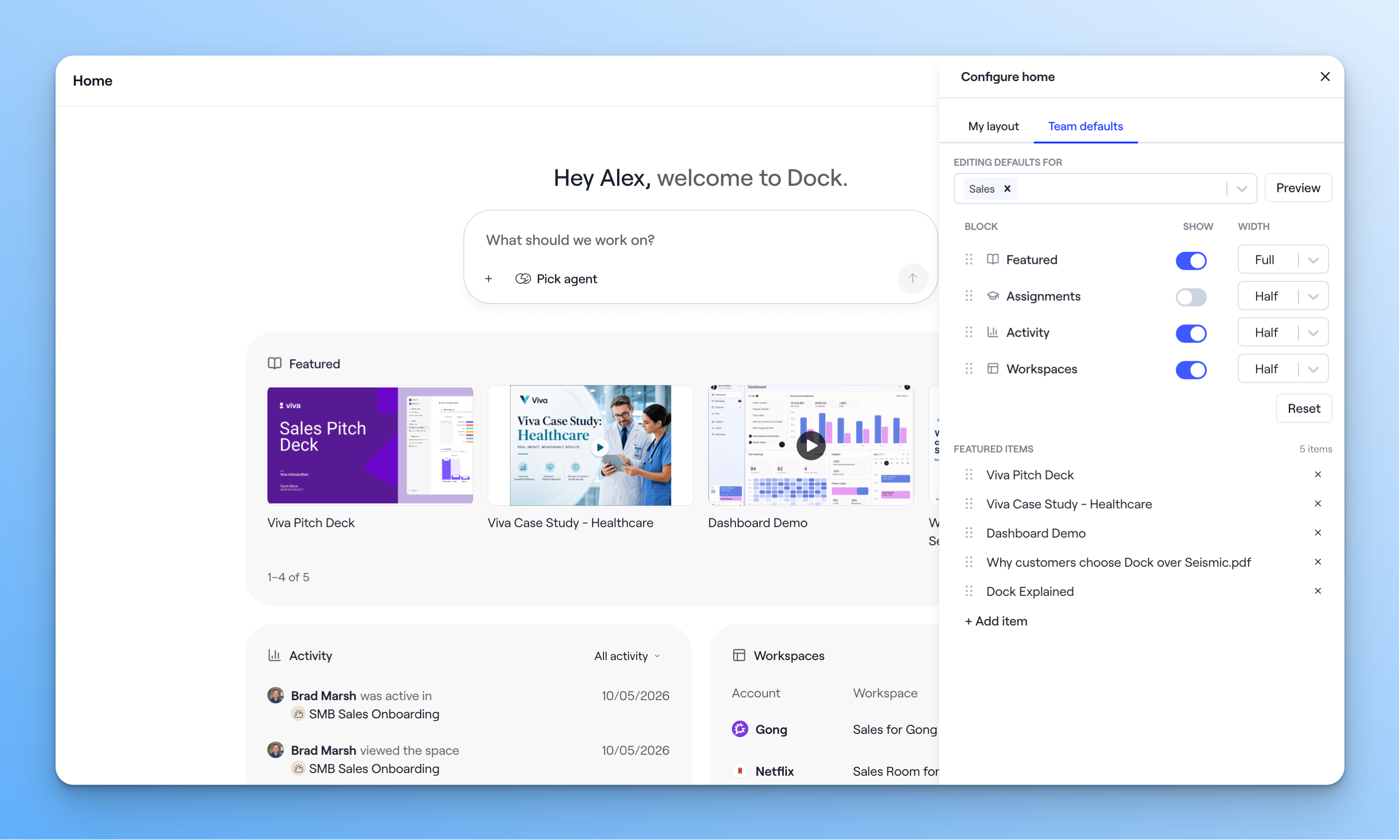
Each of the blocks on the homepage is configurable by admins for each team:
- My workspaces: trending workspaces that I own
- My activity: activity across my workspaces and content share links. For admins, we show activity in playbooks and courses.
- My assignments: courses that I need to complete
- Featured: playbooks, content, or courses that admins want to highlight
Learn how to customize the home for your team
Content Library
2. Automate the content lifecycle
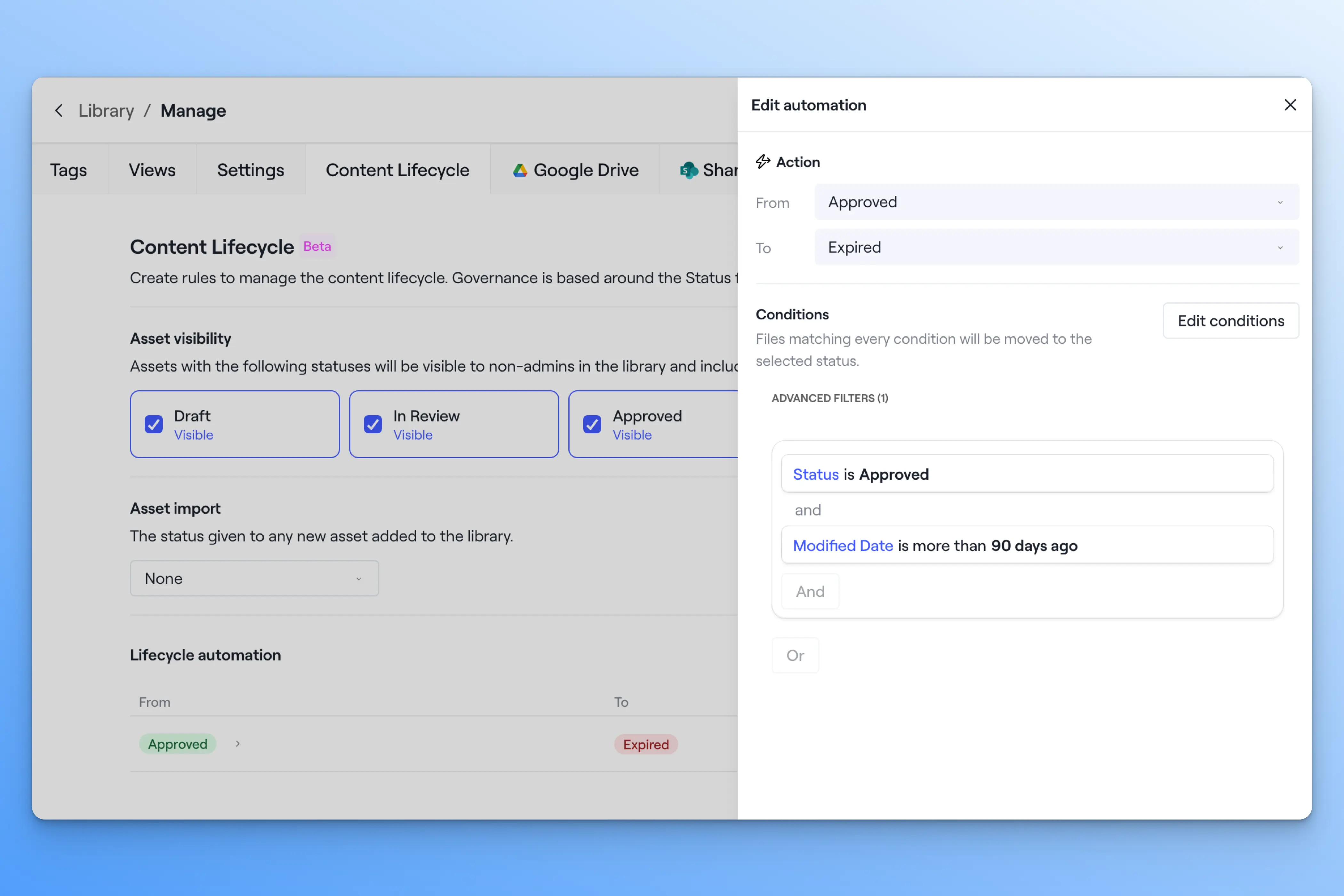
Automate the lifecycle of every Dock Library asset, from draft to retirement—so your reps (and Dock AI) always work from your most up-to-date content.
- Set a lifecycle status on every Library asset
- Choose which statuses reps can see in the Library, and what Dock AI can draw on
- Create automations that move assets between statuses based on tags, dates, views, and shares
- Use Dock’s Library views to audit your Library stage by stage
Learn how to setup content lifecycle automations
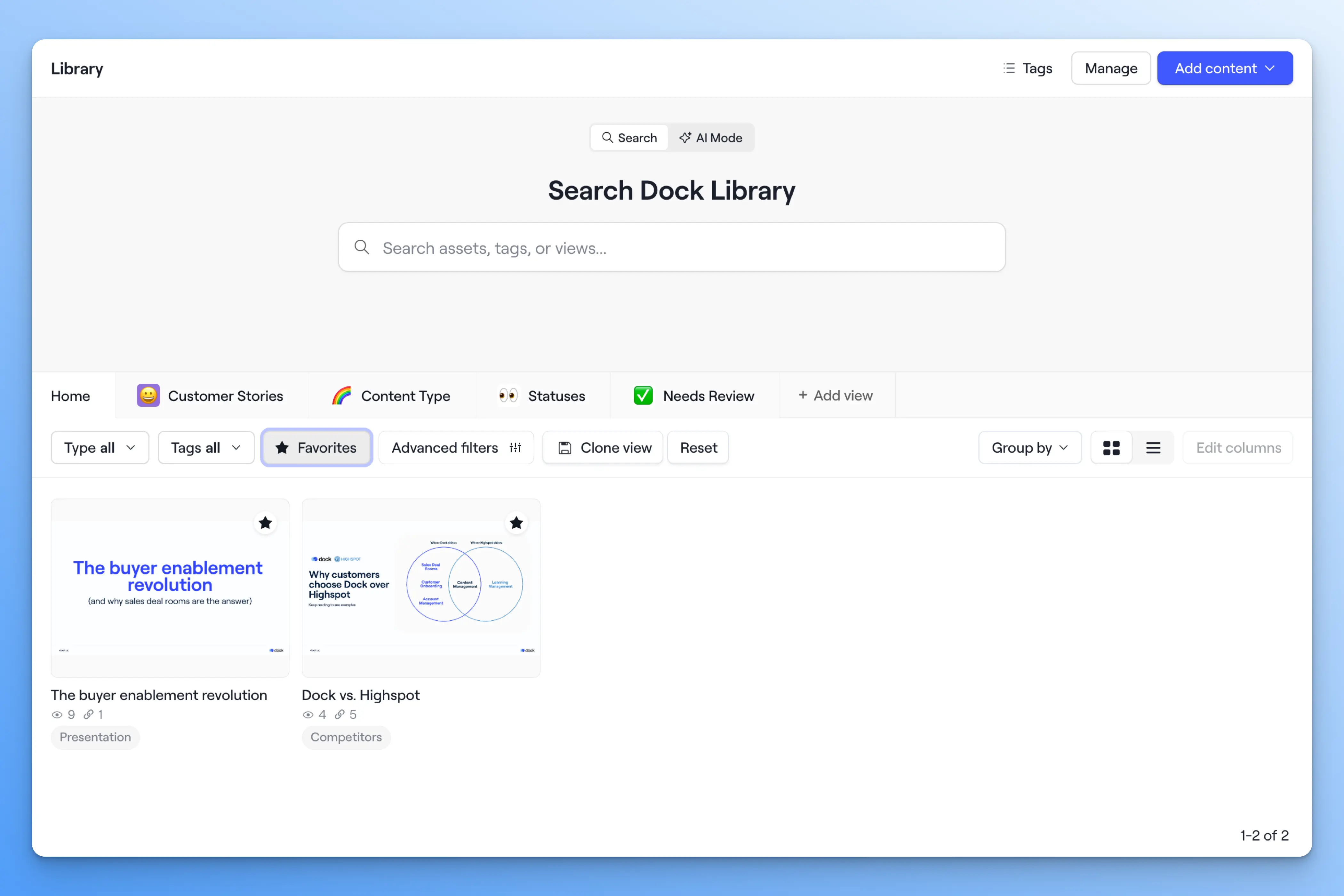
3. Set favorite Library assets
Reps can now star any Library asset to add it to their personal favorites list. Favorites works like any other Library filter, so reps can combine it with tags, file type, and the advanced filters—then save the result as their own View.
4. Library search report
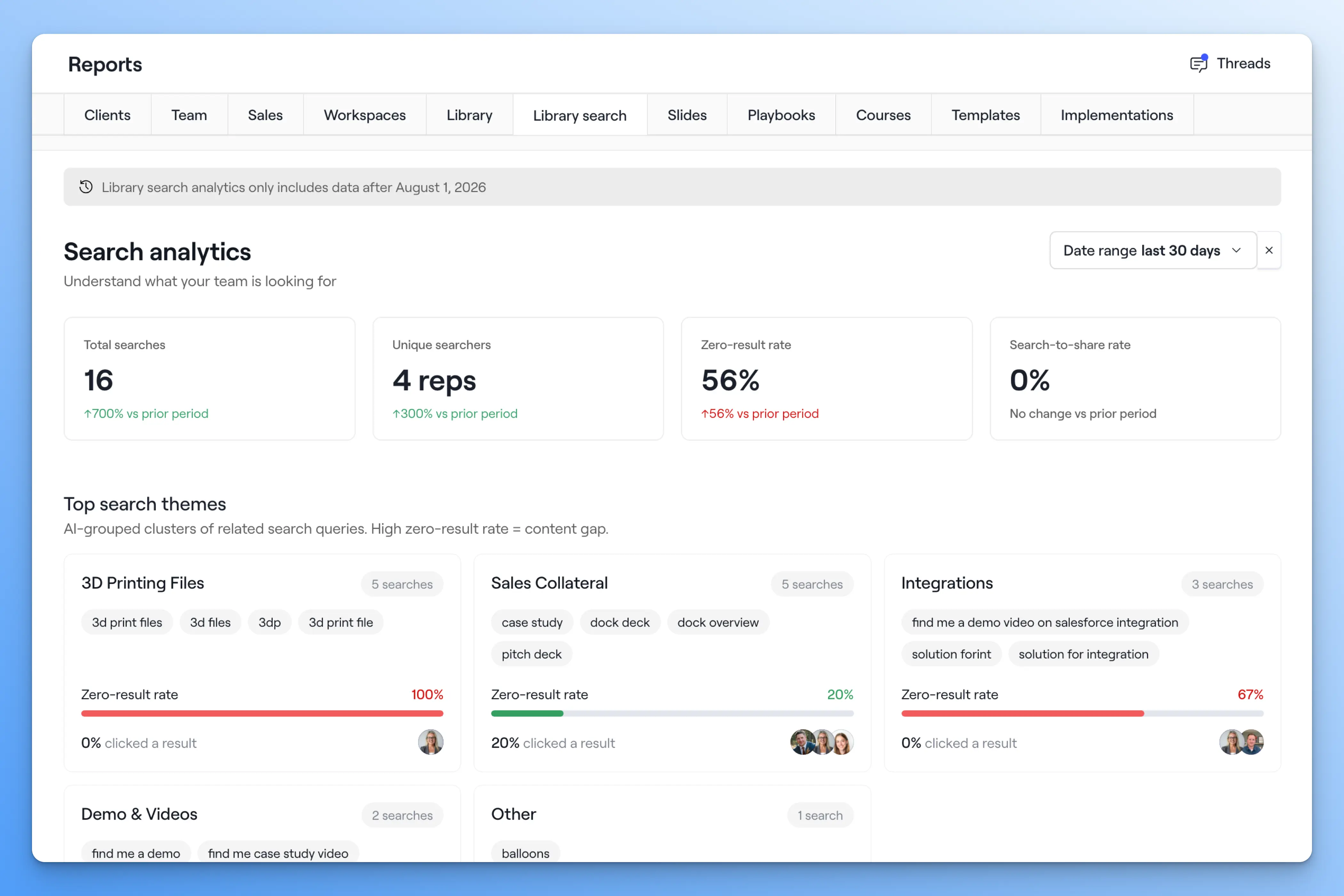
We’ve added a new report called Library search that shows you what your team is searching for in the content library.
You also get insights like:
- Searches with no results: queries that returned nothing—the gaps between what reps need and what's in the Library.
- Search engagement funnel: how many searches led to a click, and how many lead to a client share, with the drop-off at each step.
- Search activity by rep: searches, unique queries, and zero-result rate per person, so you can spot both your power users and the ones coming up empty.
- Repeated searches by the same rep: the same query run four times with no click means they never found it.
- Stale content getting search traffic: assets reps search for that haven't been updated in over a year—the obvious place to start a refresh.
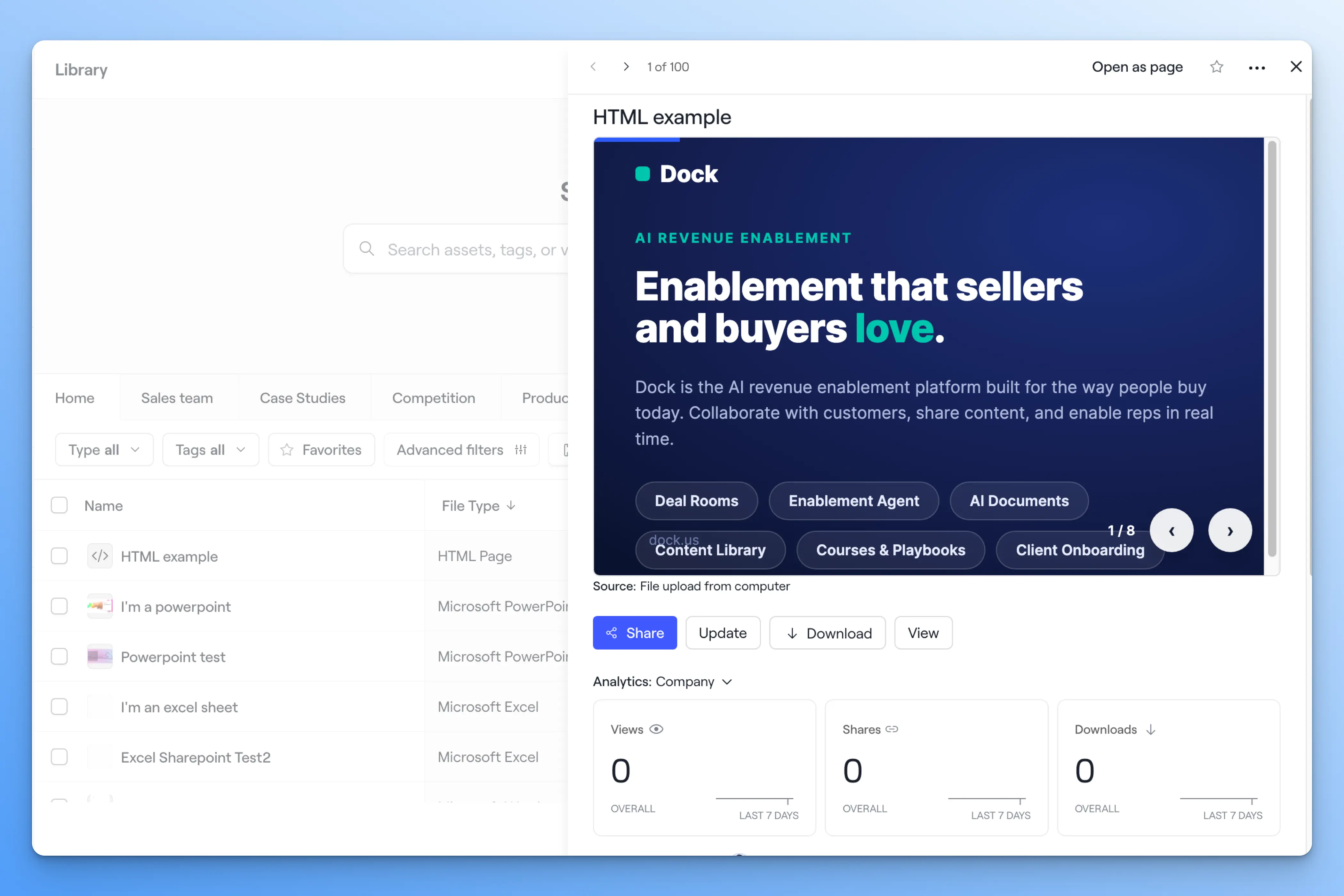
5. Upload HTML files to the Library
You can now upload HTML files straight to the Dock Library. More teams are building HTML slides and assets with tools like Claude and ChatGPT, so this gives you a clean path from building to sharing.
6. Library lists
Pull a collection of Library assets into a workspace or playbook based on tags or any other Library filter.
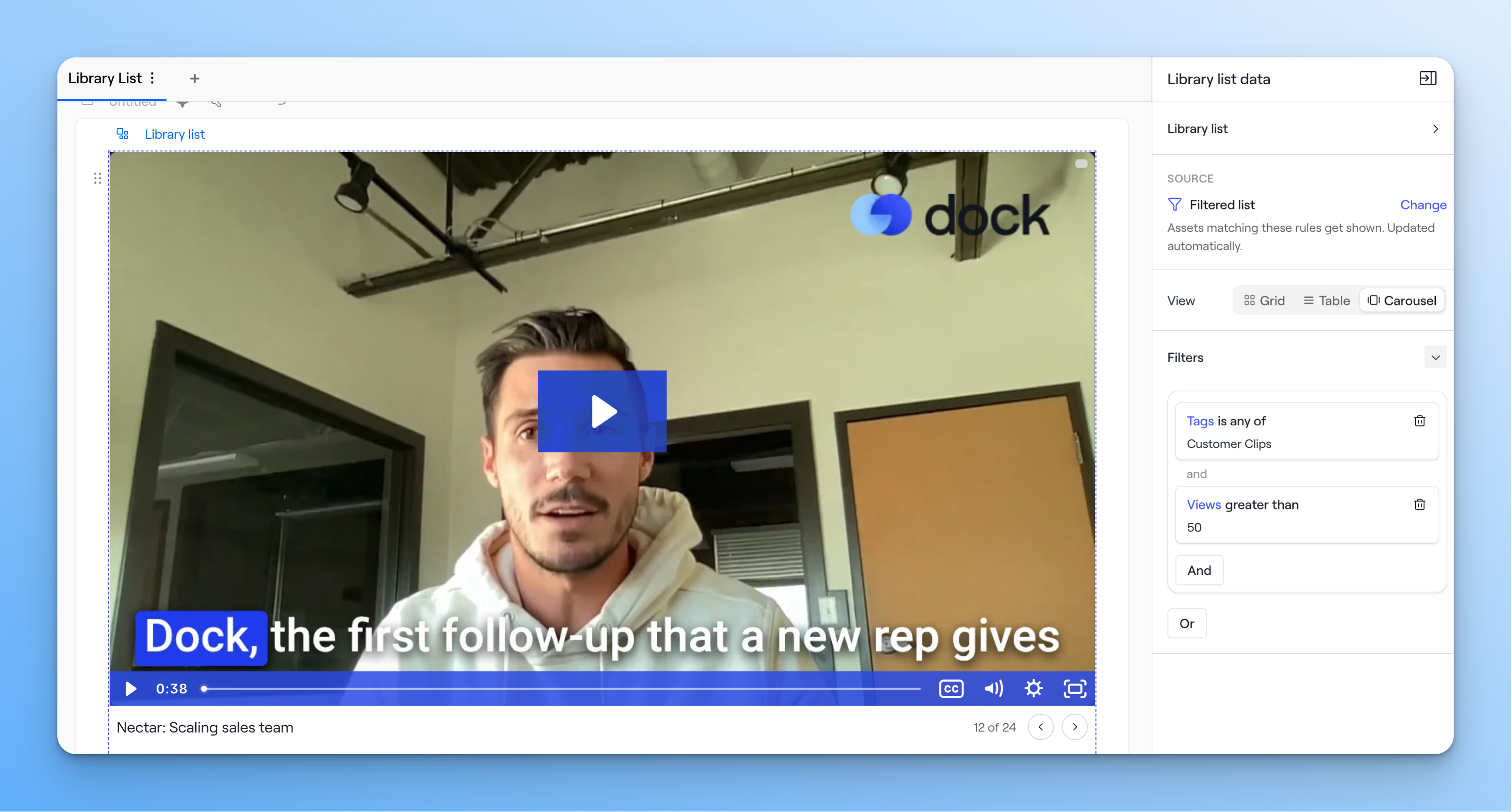
We’ve also added a carousel mode for Library lists—a long-requested feature.
API
We’re working hard to extend the capabilities of our API so that Dock can fit into your existing tech stack and plug into your internal AI systems.
7. More webhook events
Dock now fires webhooks for a lot more of what happens in your account. We’ve added new events for workspace creation, course completions and reviews, slide views, shares, and downloads, presentation activity, and file uploads in both the file manager and tasks.
You can use those webhooks to kick off a workflow the moment something happens in Dock.
8. New workspace endpoints
You can now update custom fields, update iframe and HTML embeds, create tasks, archive workspaces, upload meeting transcripts, and retrieve form responses from the API.
Uploading meeting transcripts is especially handy if you use a call recorder Dock doesn't support natively—push the transcript in yourself and use it as an AI source.
9. Update rich-text fields
You can now update a rich-text custom field through the API. This opens up more creative ways to update a section's content without anyone opening the editor.
10. New Library endpoints
We’ve also added three new Library endpoints: upload an asset to the Library, grab share links for any asset, and pull an asset's text “transcript”—meaning you can pull the actual content of a Library asset, not just its metadata, and feed it into your internal AI system.
To learn more about the Dock API, read our updated API documentation.
Workspaces
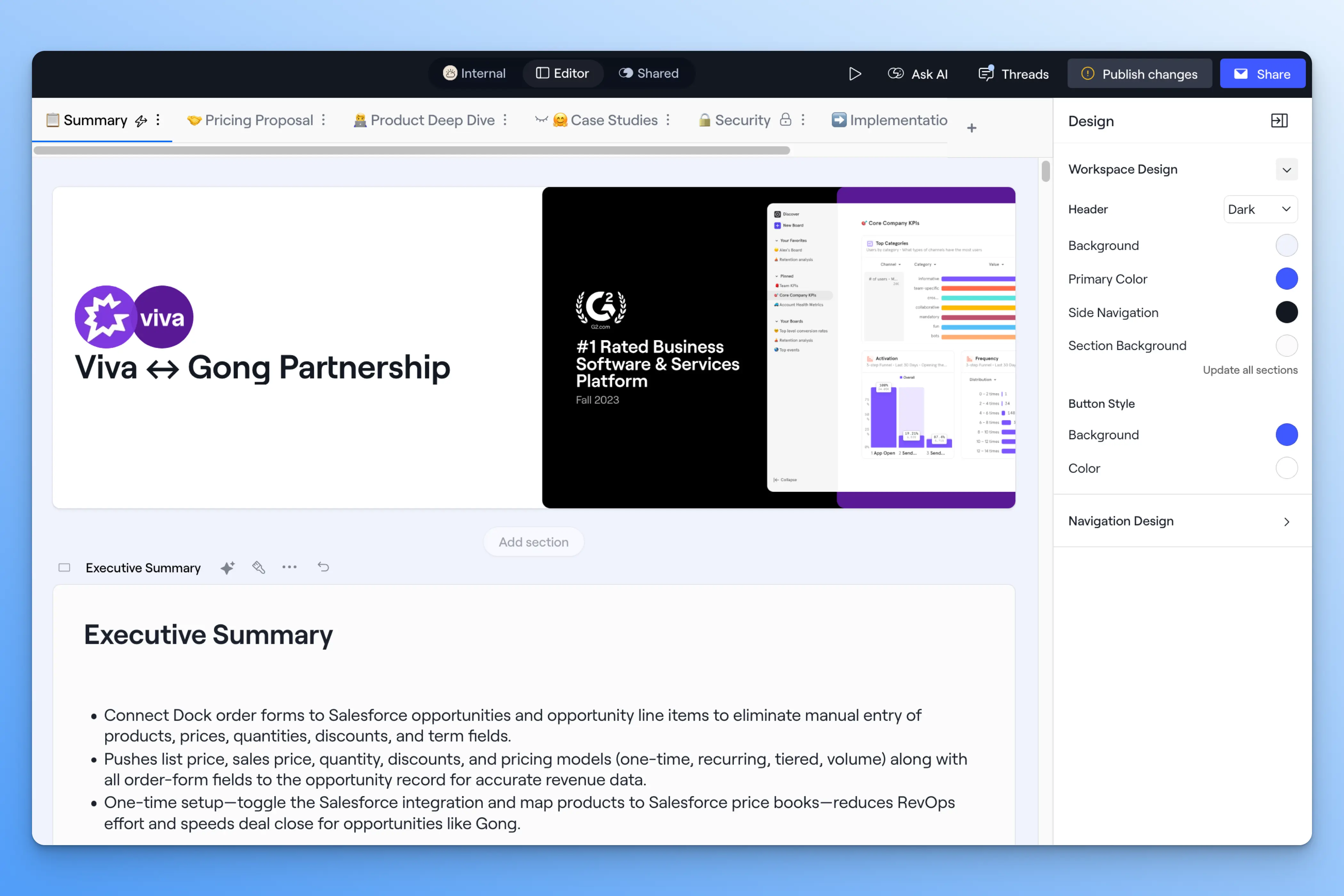
11. Set the brand design at the workspace level
You can now override your brand theme for a single workspace, instead of always being locked into one org-wide look. Admins can turn this ability on or off from the brand theme settings.
This is useful if you want to brand a workspace to a specific client or project, or if you manage multiple brands within your organization.
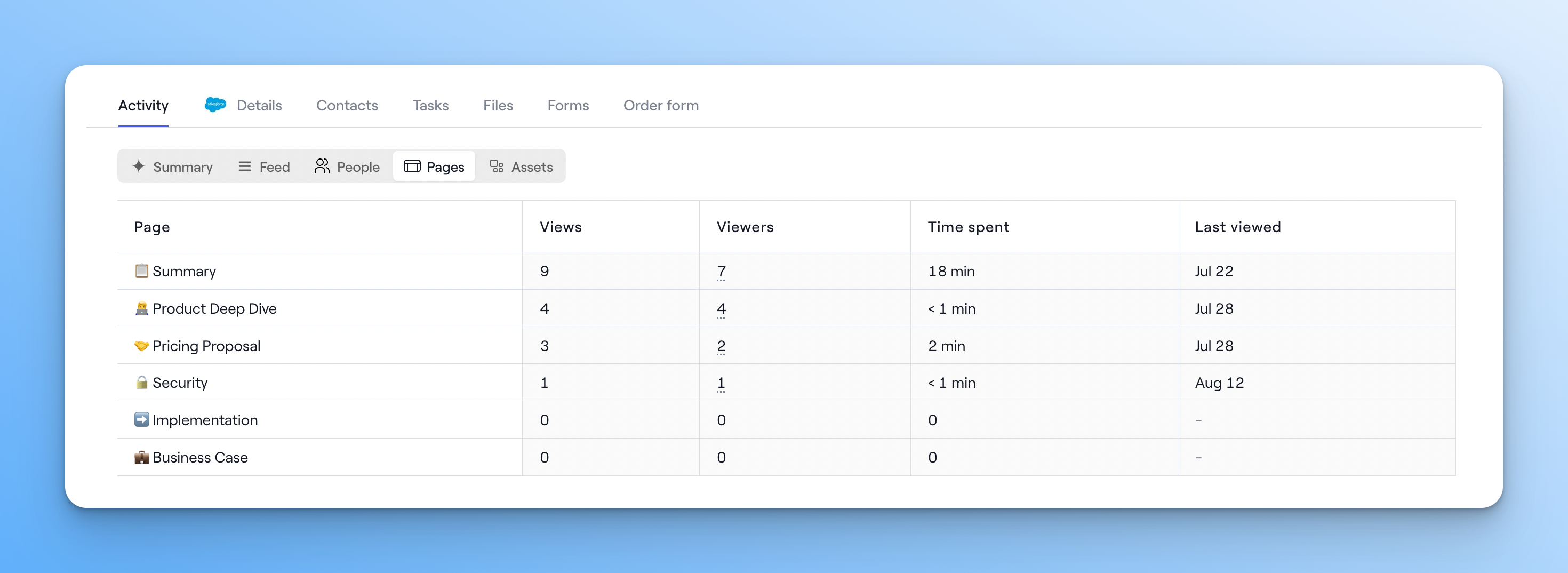
12. Workspace (and playbook) activity deep dive
We’ve updated the activity tab to show deeper cuts of analytics by person, page, and asset.
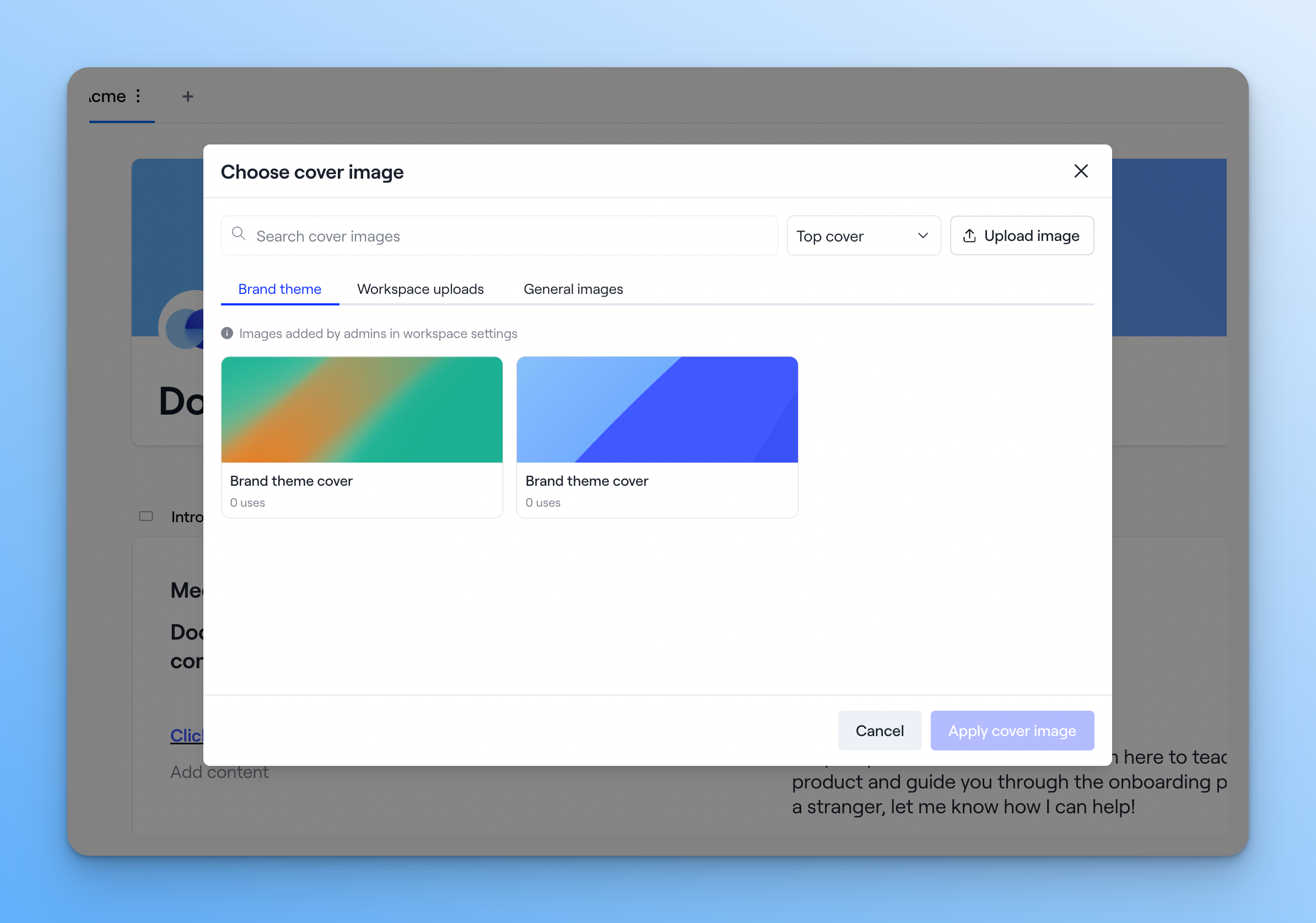
13. Cover image modal improvements
We’ve upgraded the flow for managing cover images. Admins can now save multiple cover images in the brand theme and share them across workspaces.
Slides
14. Upload and sync slides directly to presentations
Sales reps can now sync Google Slides with Dock Slides. Once a deck is synced, you get a share link and analytics, so you can easily share it with your customers (even ones who use Microsoft Office).
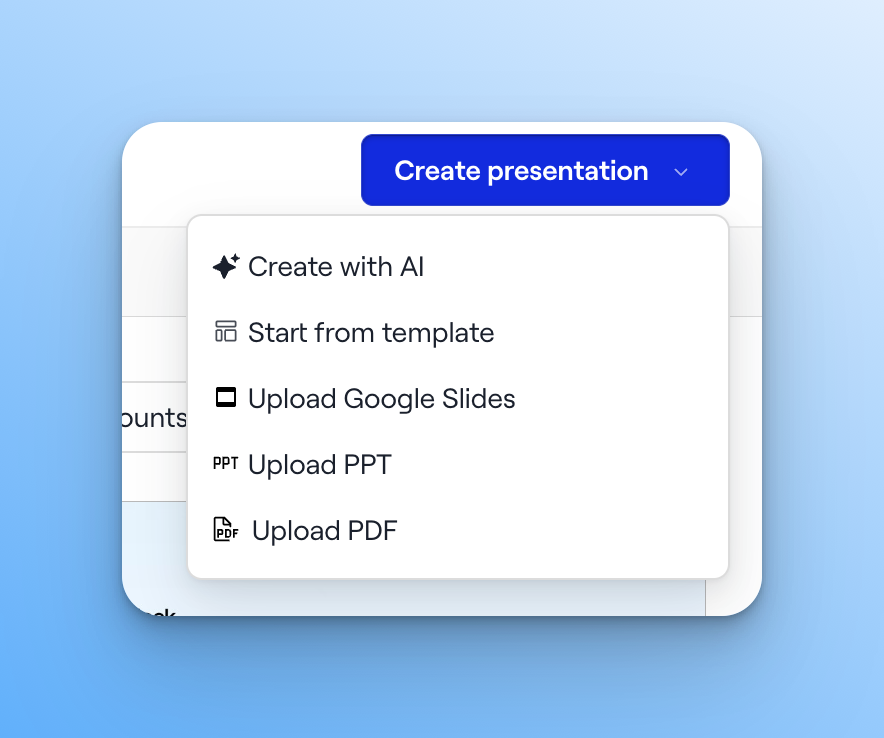
This also works for PDF and PowerPoint files you upload directly.
Integrations
15. Pull Outreach Kaia calls into Dock
Dock now supports Outreach's Kaia call recorder. Embed Kaia recordings in workspaces or use their transcripts as a Dock AI source.
16. Pull Salesloft calls into Dock
Salesloft's call recorder is now supported too—embed Salesloft calls in workspaces and use their transcripts as a Dock AI source.
That brings the complete list of supported call recorders to: Gong, Zoom, Microsoft Teams, Chorus, Fathom, Avoma, Outreach Kaia, and Salesloft.
With lots more to come
More and more of Dock now runs from outside Dock—through the API, through MCP, through your own AI stack. That's the direction we're building: your workspaces, content, and data as pieces you can build with, wherever your team already works.
On that note, we have a ton of big AI updates rolling out in the coming weeks. There almost isn’t enough space on the calendar to announce them all. Maybe AI will figure it out for us…
As always, keep the ideas and questions coming to support@dock.us—no matter how little. Most of these updates start with your suggestions.
— Alex


Related Revenue Lab Articles





Templates for Sales, Onboarding,
Projects and Portals
Customize and share with clients


