
Import SCORM files, award training certifications, record video questions, customize flashcards, and more.
We recently launched Dock Courses: structured, lesson-by-lesson training that lives where your team and customers already work.
Teams have been using Courses to onboard new hires, roll out product training, develop skills like discovery and objection handling, and deliver product education to customers and partners.
Based on your feedback, we’ve added a bunch of new features.
.png)
Here's what's new in Courses
- Import SCORM files to embed modules from other elearning tools
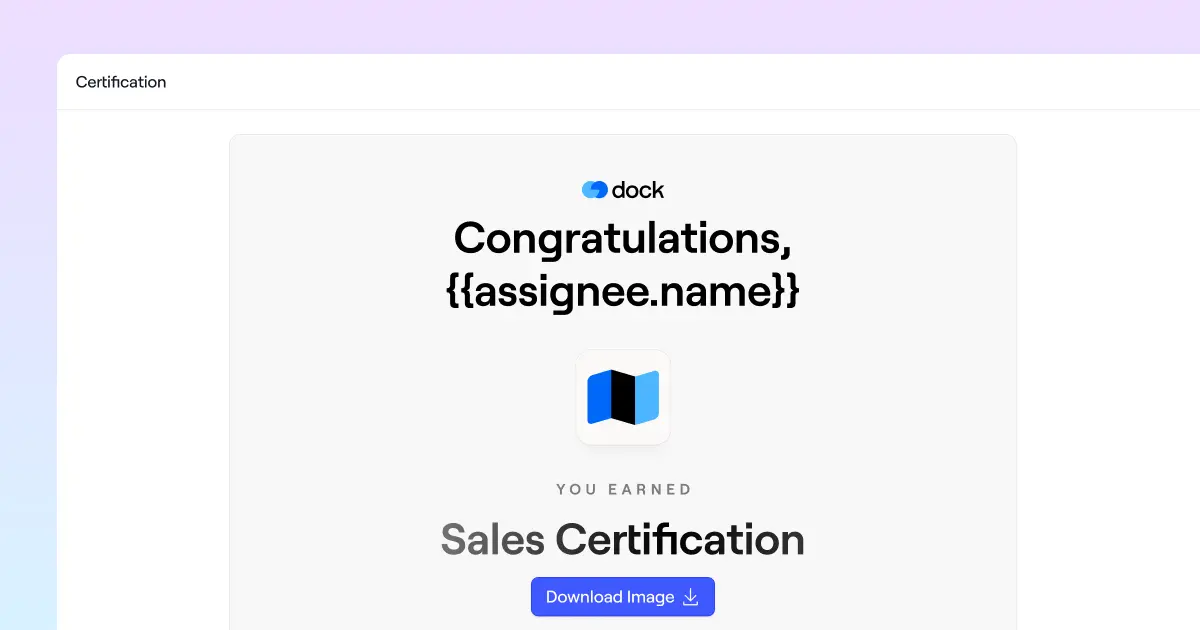
- Award course certifications when team members complete their training
- Add "record video" questions so learners can respond on camera
- Customize the design of flashcards and lay them out in a grid
- Duplicate a course in one click
- Get Slack notifications when someone submits a course
- Track course submissions from each workspace or playbook from the Courses tab
Import SCORM files
You can now drop a SCORM file into a Dock Course as its own module.
This means that if you already have SCORM packages, you don't have to rebuild years of e-learning to move your training into Dock.
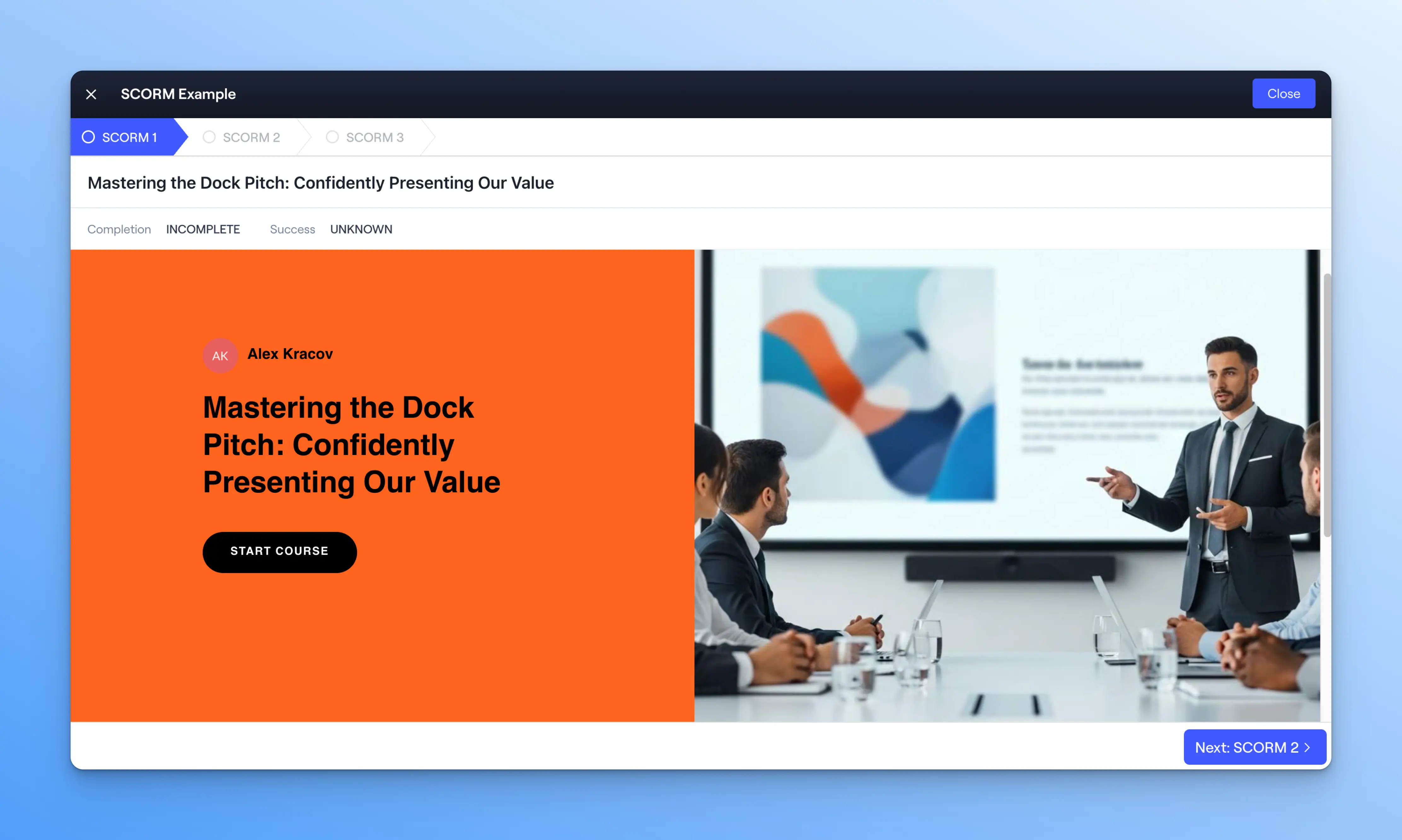
Dock embeds the packaged content and plays it inside the course, so a learner moves from a native Dock lesson straight into the e-learning you built in tools like Articulate, Adobe Captivate, or iSpring.
What is SCORM?
SCORM (Sharable Content Object Reference Model) is the standard for packaging e-learning. A SCORM file is a ZIP file with a defined internal structure that allows any learning platform to import, launch, and play a course built in another tool.
(It's also just an incredibly satisfying word to say. SCORM!)
📖 For setup instructions, check out our Help Center: SCORM files in Dock Courses.
Award course certifications
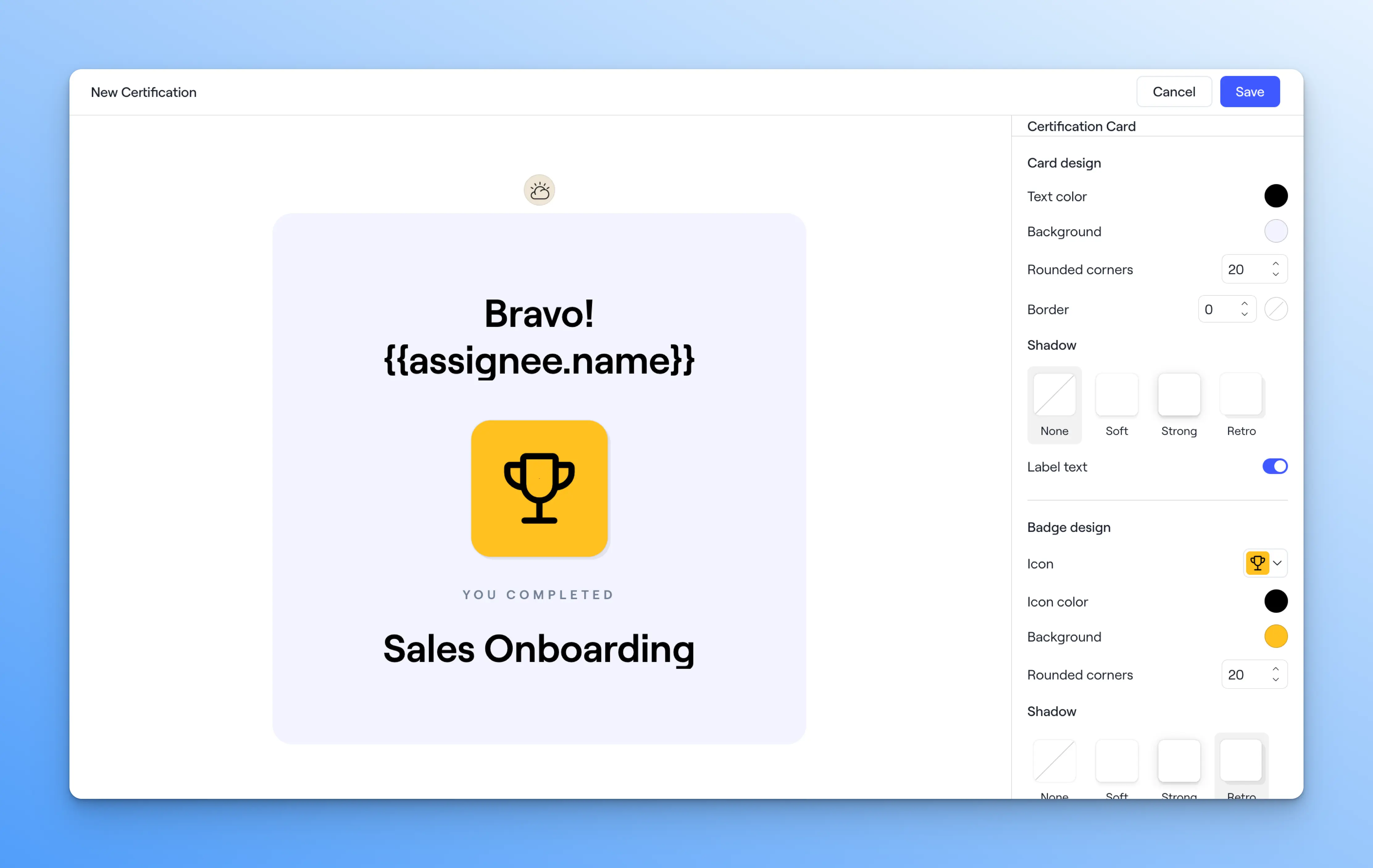
You can now award a certification when a learner completes a course.
Many enablement teams like to certify reps on a product line before they sell it, sign off on new hires at the end of onboarding, certify partners before they represent your product, or recertify the whole team when messaging or pricing changes.
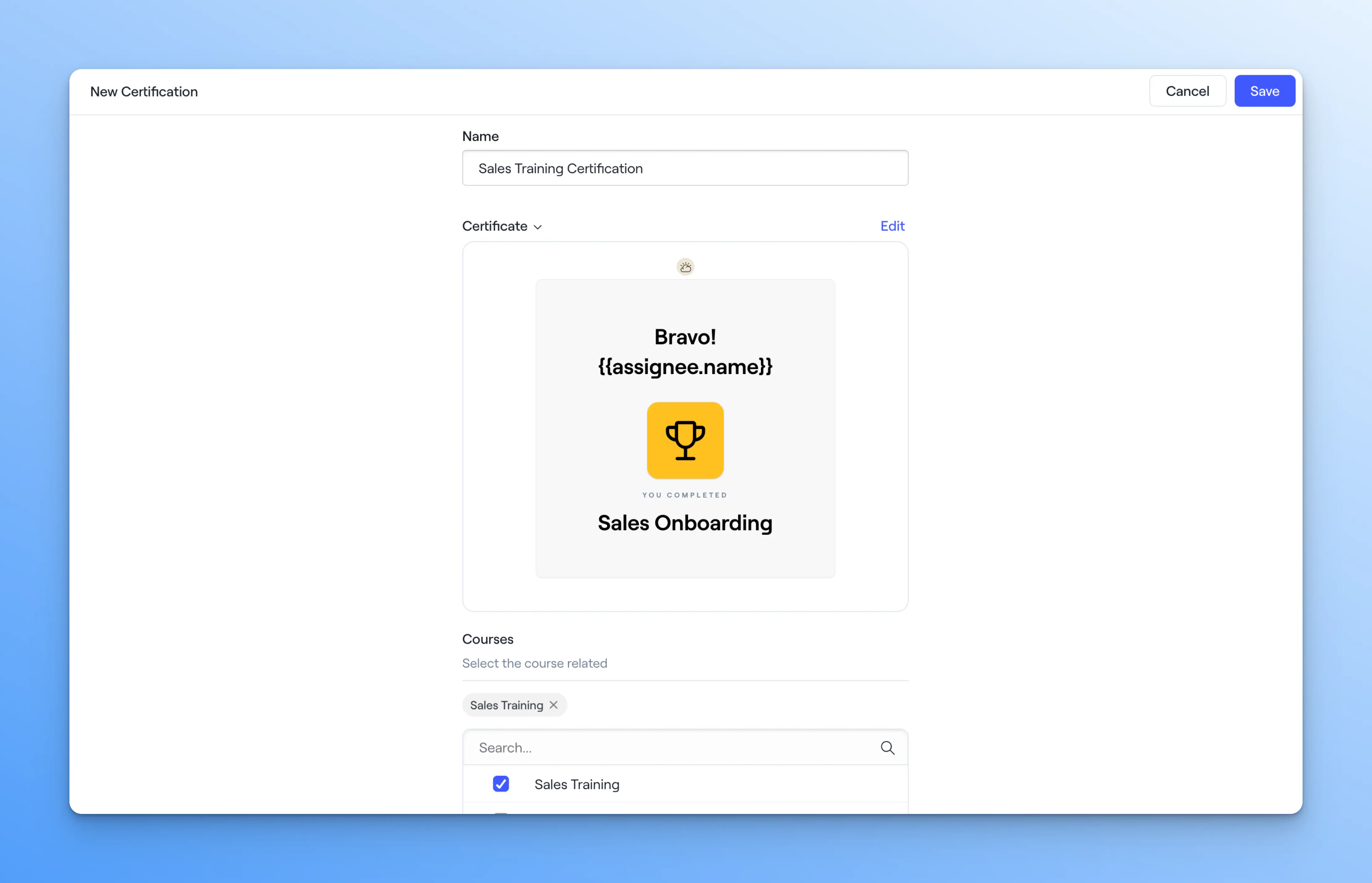
Build a custom certificate in Dock's certification builder, or upload an existing branded template.
Record video questions
There's a new question type in Courses: record a video. Learners can record themselves answering a question or role-playing a scenario directly in Dock, without using a separate video tool.
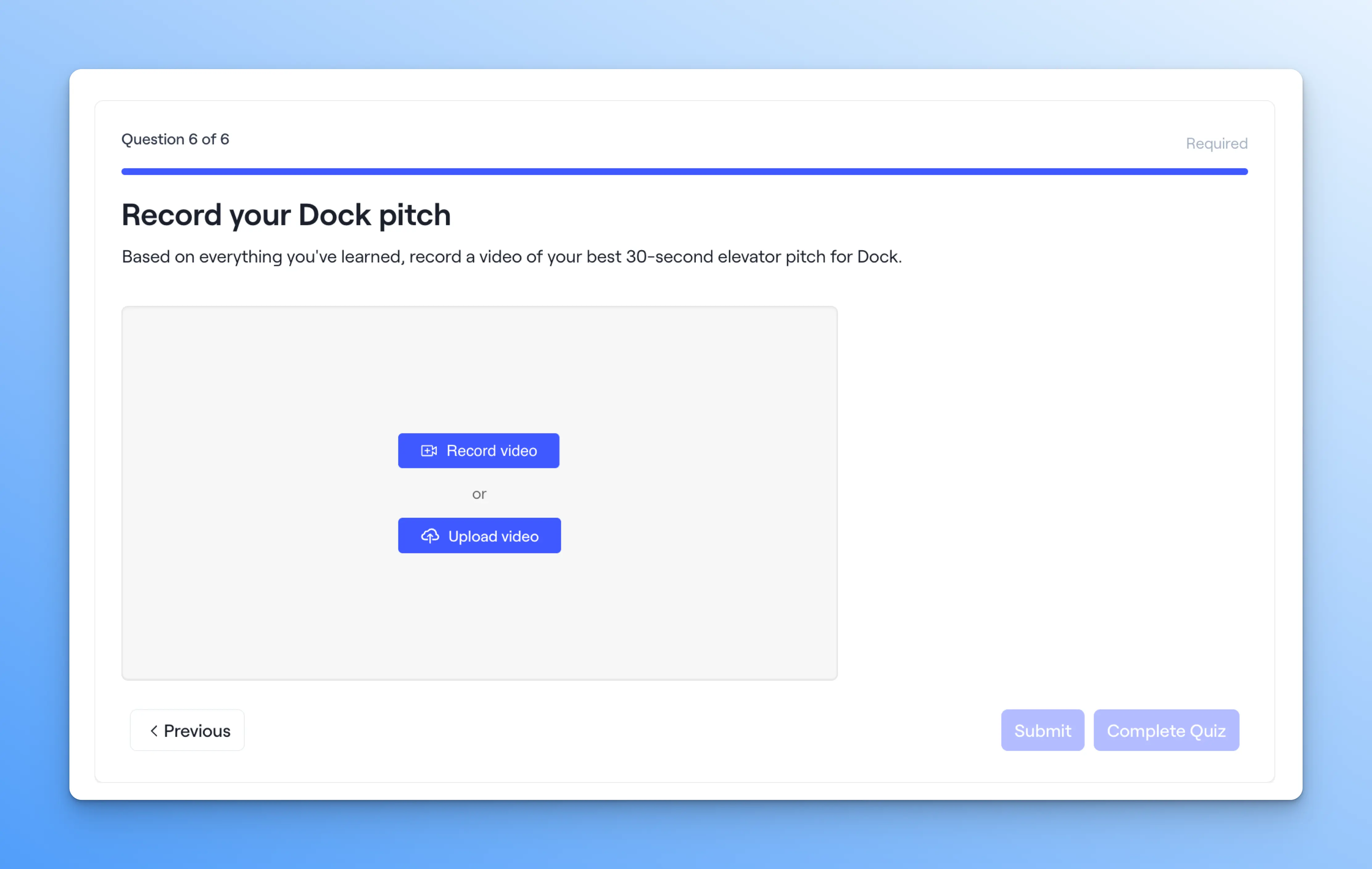
Course-takers also have the option to screenshare or upload a video from another source.
📹 Example: Have new reps record their pitch or a product walkthrough as part of onboarding, so you can review how they deliver it—not just whether they clicked through the lesson.
Customize flashcards
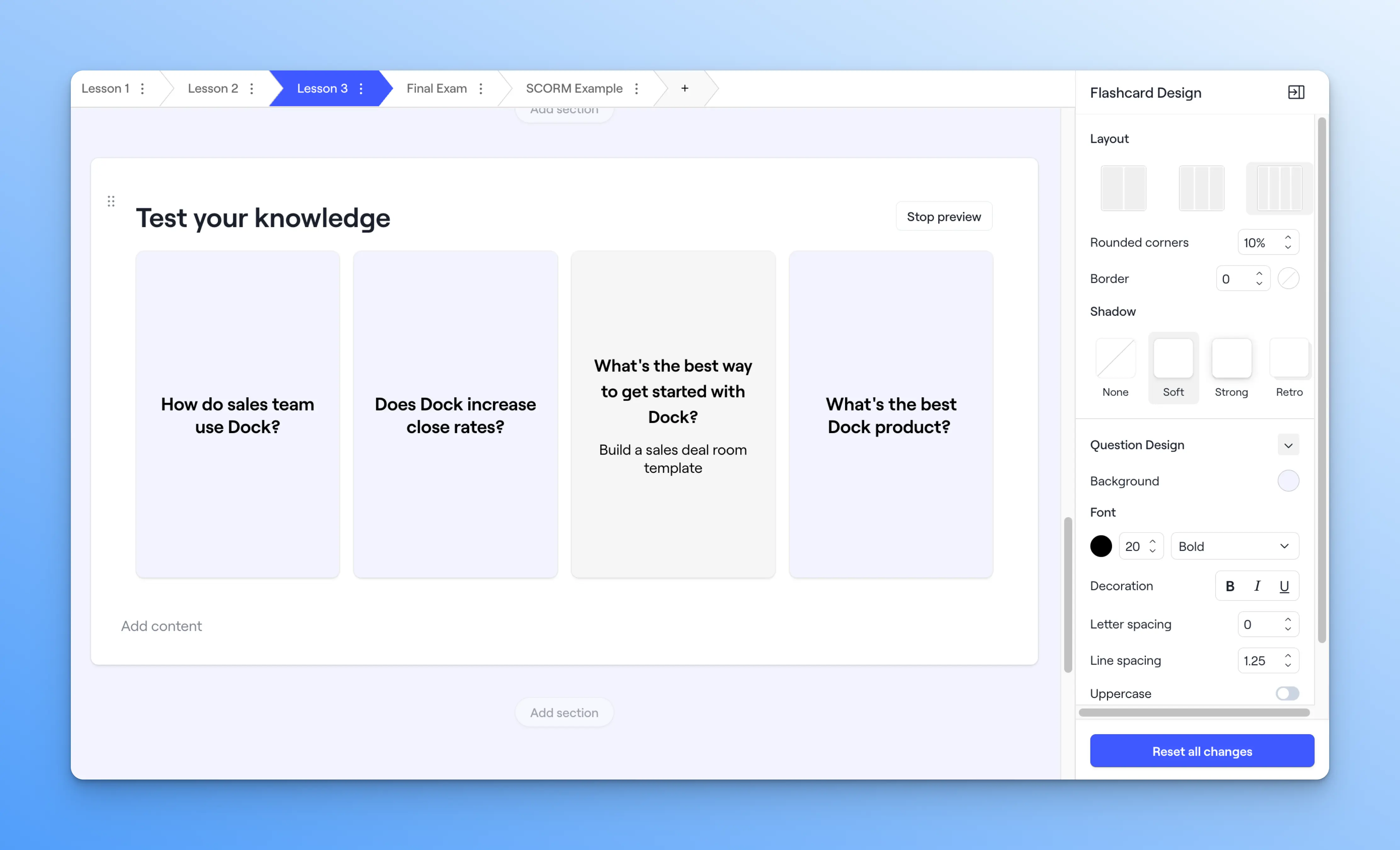
You can now customize the look and feel of flashcards—used for reinforcing knowledge in courses. Lay them out in a grid to make them easier to scan, and customize the front and back styling of each card.
Duplicate a course
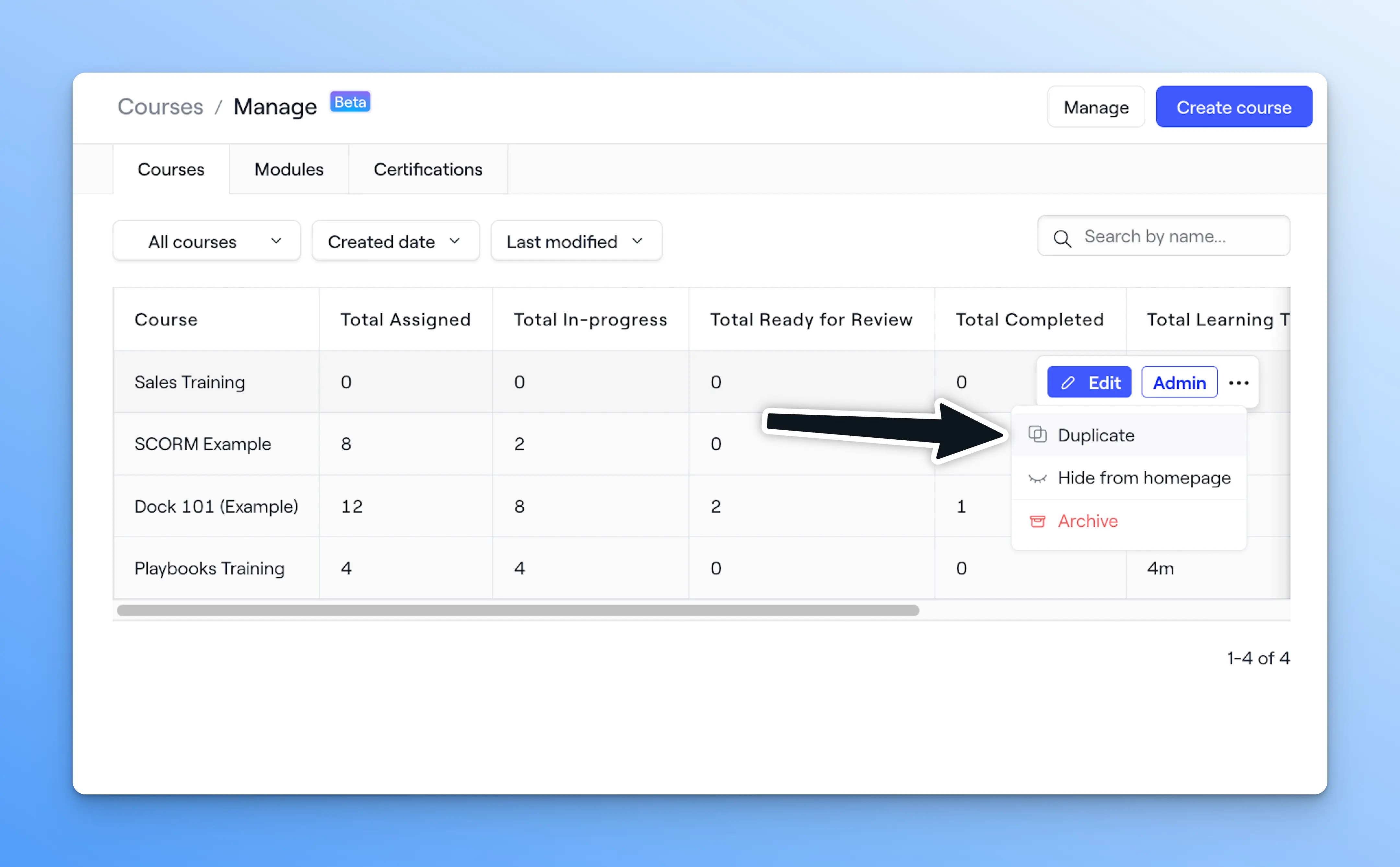
You can now duplicate an existing course. Copy a course you've already built and edit it instead of starting from scratch.
Get Slack notifications for submissions
You'll now get a Slack notification when a learner submits a course. Whoever owns the training sees submissions as they come in without checking Dock.
Track course submissions in workspaces & playbooks
We’ve added a new Courses tab to the Internal view of any workspace or playbook. This lets you track course submissions made from that specific workspace/playbook.
You can track each learner's status, submission, time spent, enrollment and due dates, and assigned reviewer.
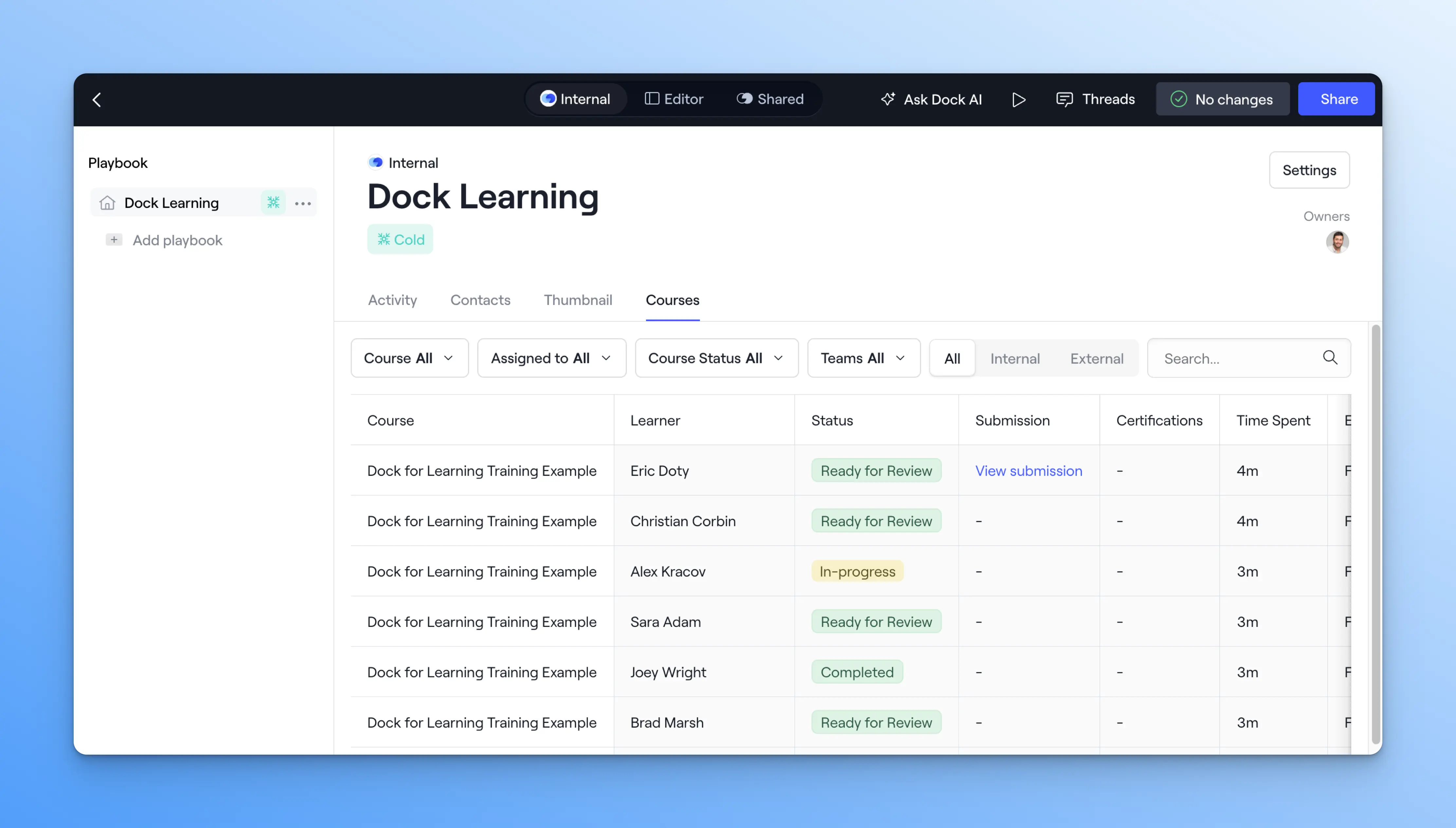
⚡️ Example: When we were training our sales team at Dock in advance of the Courses launch, we made a playbook called “Dock Learning” and embedded a course within that playbook. The Courses tab lets us track who completed the course via the Playbook.
Try Courses for free
Dock Courses are now free to try
Free and Standard customers can build one course for free. Premium and Enterprise customers can create unlimited courses. See our Pricing page for full details.
These updates make Courses a more complete place to build, run, and track training, without sending anyone to a separate tool.
👉 Want setup instructions? Check out our Help Center.
👉 Want a demo? Book time with our sales team.
👉 Questions? Reach out to your CSM or email us at support@dock.us.


Related Revenue Lab Articles
.webp)




Templates for Sales, Onboarding,
Projects and Portals
Customize and share with clients


